[TP] Trigger - Suite
A trade plan indicator built on the Read. When the chart offers a sensible plan it says where you could get in, where the idea is wrong and where the first target sits. When it does not, it says Wait.
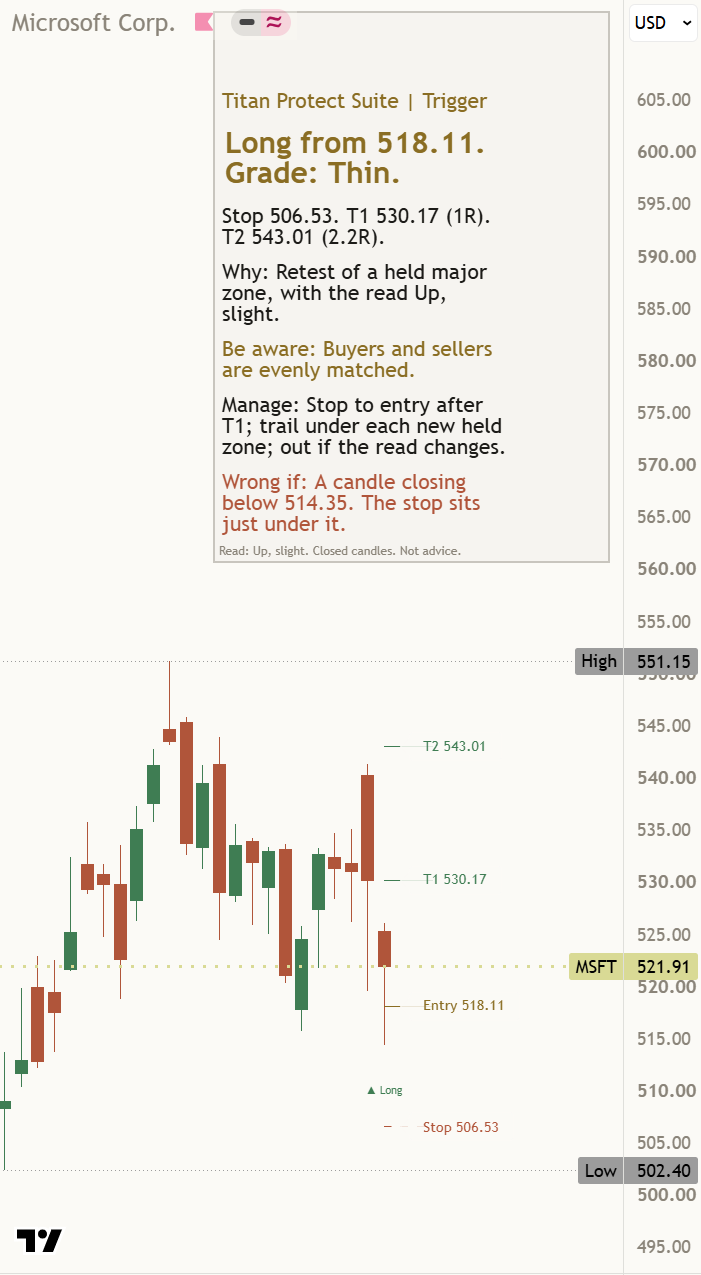
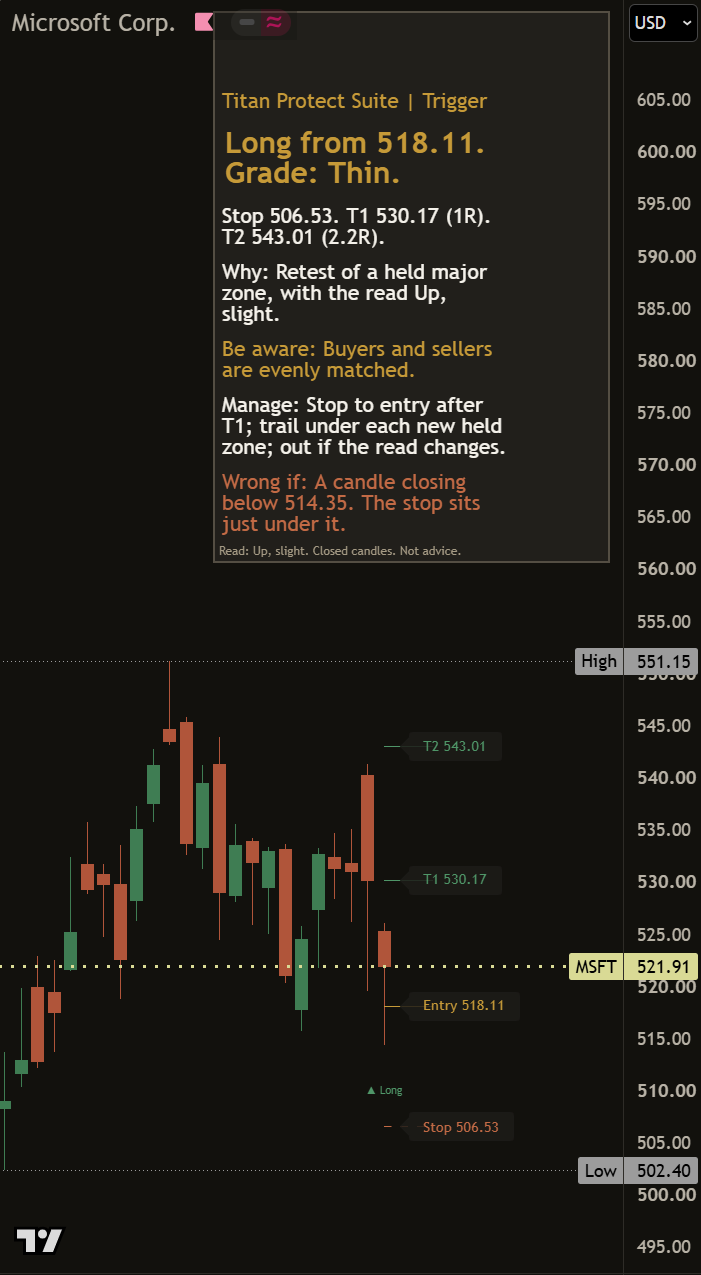
What it does
A trade plan indicator built on the Read. When the chart offers a sensible plan it says where you could get in, where the idea is wrong and where the first target sits. When it does not, it says Wait.
The Read, plus a plan
It shows the same read and the same Wrong if as the Read - Suite, then adds how a plan could be set up around it.
A grade and an honest Wait
Each plan is graded Clean, Workable or Thin. When there is no sensible plan, it says Wait instead of forcing one.
The risk, in words
The stop sits beyond the zone and the Wrong if. After the first target the plan says the trade is free, and an exit line explains every way a plan ends.
How to read it
Three things to look at, in this order.
- 1Read line
Starts with the read, so the plan always sits inside a stated view.
- 2Plan line
Names the side, the zone to get in at, the stop and the first target. A plan needs 2 finished candles to confirm.
- 3Grade, Wait, exit
Clean, Workable or Thin tells you how tidy the plan is. Wait means no plan yet. An exit line says why a plan ended.
On the chart
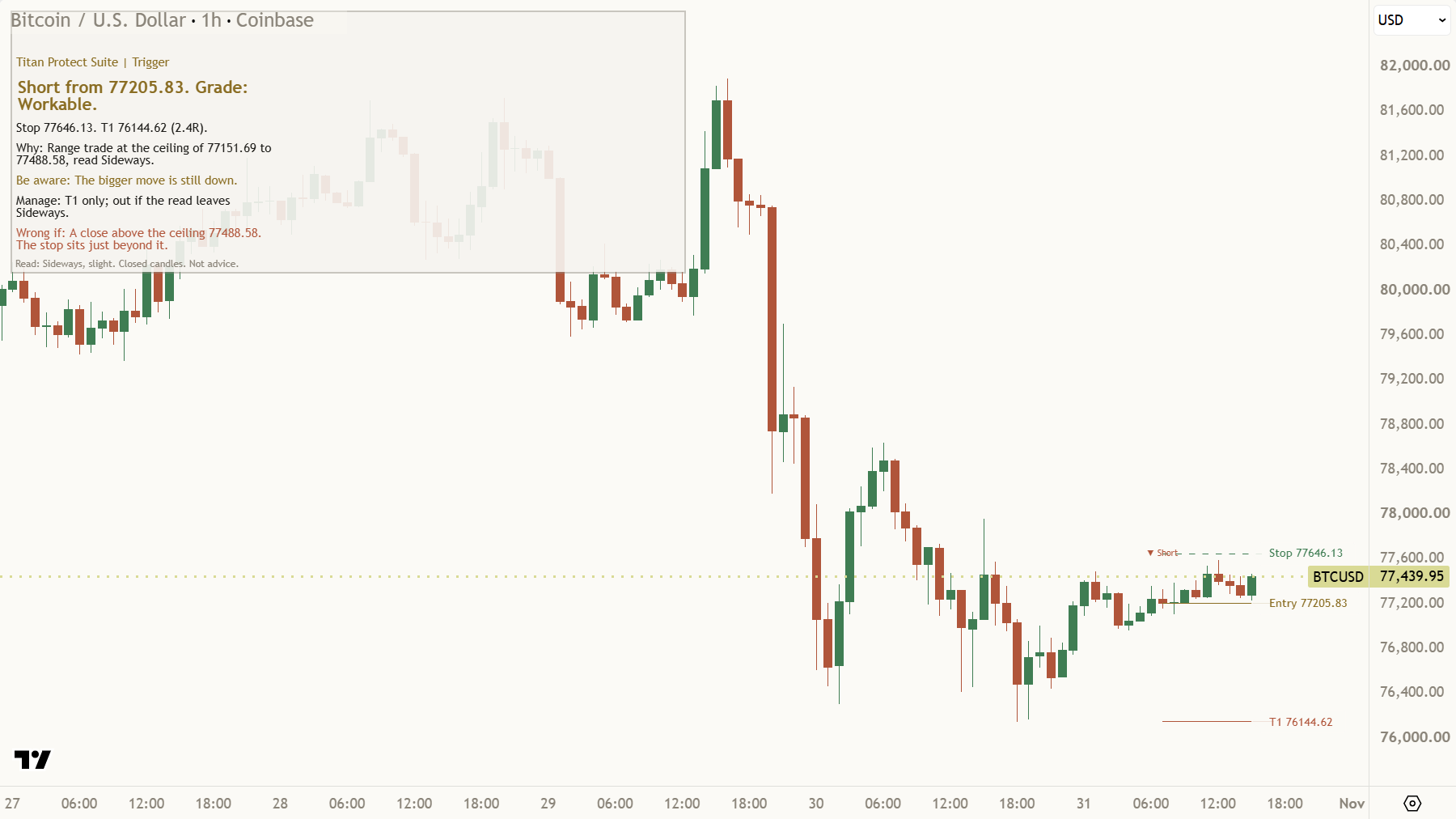
Plan in place: read, plan line, stop and first target drawn
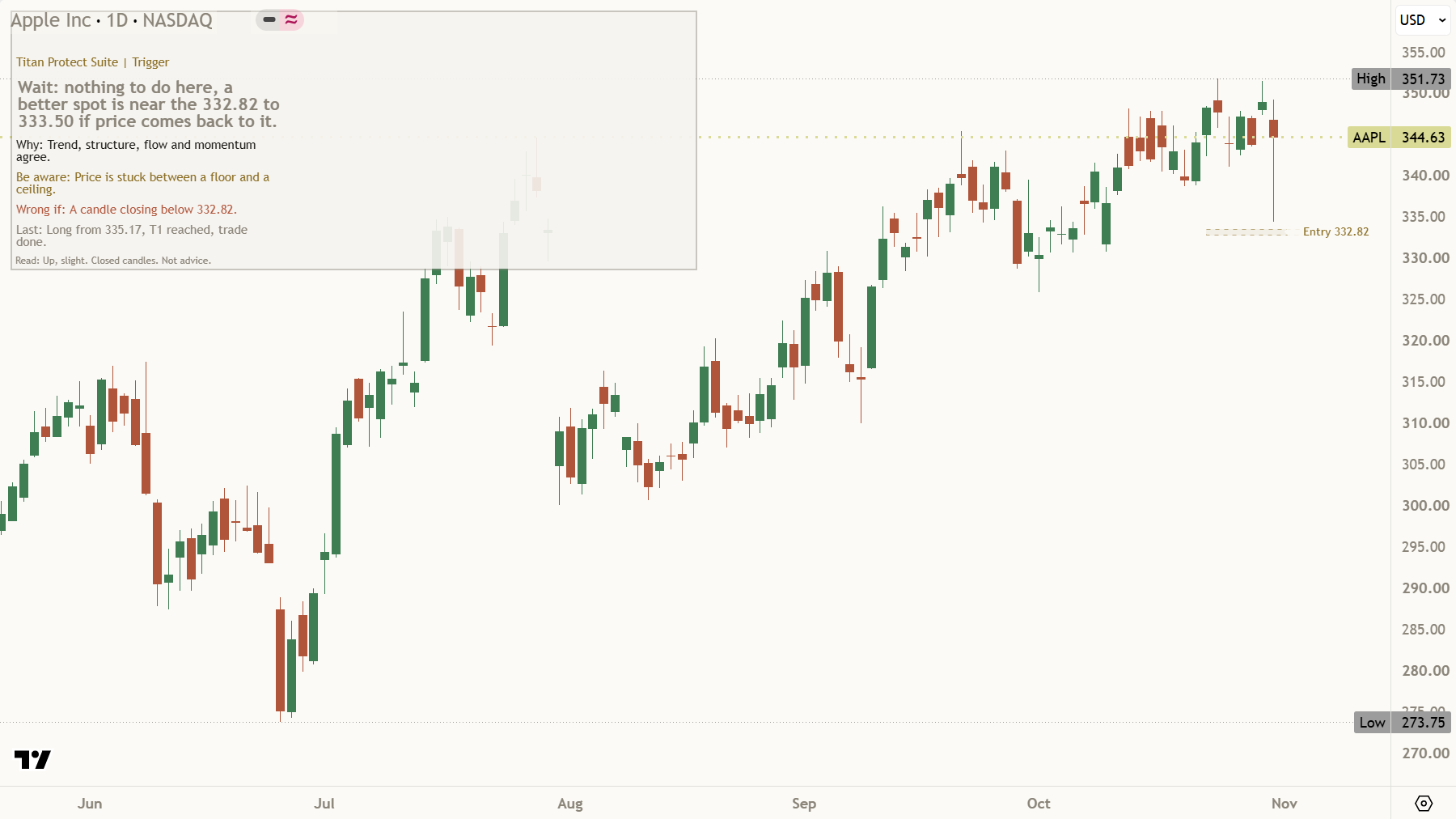
Wait state with the reason shown
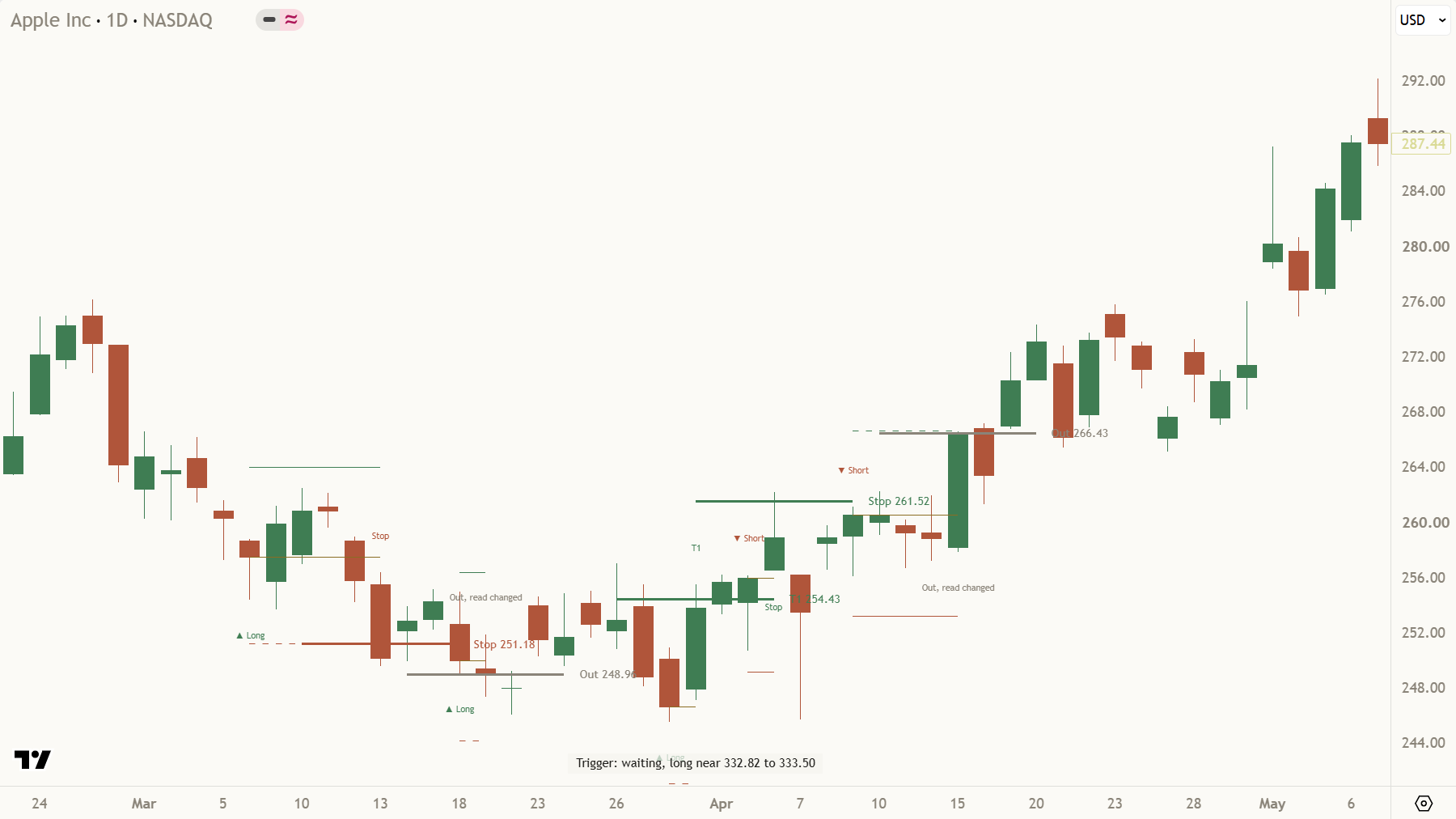
Marks on past plans: fills, targets and exits
How to add it
Access comes with membership tiers such as Core.
Membership tier. Invite-only scripts come with membership tiers such as Core.
Launch price $19 a month until 31 December.
Questions
Is it free?
No. It is invite-only on TradingView. It arrives on 11 Nov. Access comes with membership tiers such as Core.
Does it tell me to buy or sell?
No. It describes a plan the chart could support and where that plan is wrong. Sizing and the decision are yours.
Do I need the Read - Suite as well?
No. The Trigger carries the same read inside it, so one script is enough.
What does Wait mean?
The chart does not offer a tidy plan right now. Waiting is a valid answer.
Is this advice?
No. It is an education tool. Every trade carries risk, including the risk of losing money.
Education tool, not financial advice. Trading carries risk, including losing money.