Live · 23 Oct 2026 SPX 7,623.68 -0.52% NDX 28,957.53 +0.00% VIX 19.45 +2.21% GOLD 4,010.00 -1.24% CL 103.44 +3.99% BTC 81,228.08 -0.10%
Free TradingView indicator

[TP] Order Blocks - Mentor

An order block is the last candle that closed the other way before price closed through a recent swing high or low. That is all it is: one past candle, drawn as a box. This indicator draws every one by that single plain rule, and then counts what zones like these actually did on the chart you are on.

Most tools draw the boxes and remove the ones that broke, so the chart only shows the zones that worked. This one keeps every zone. When price comes back to a zone for the first time, it waits ten finished candles and marks the result: held, closed through, or no clear move. The panel then counts what first returns did on this chart. Every number on it comes from the chart you are on, and the header does not call a side: it reads "No clear lean". It reads finished candles only. The counts are history, not promises.

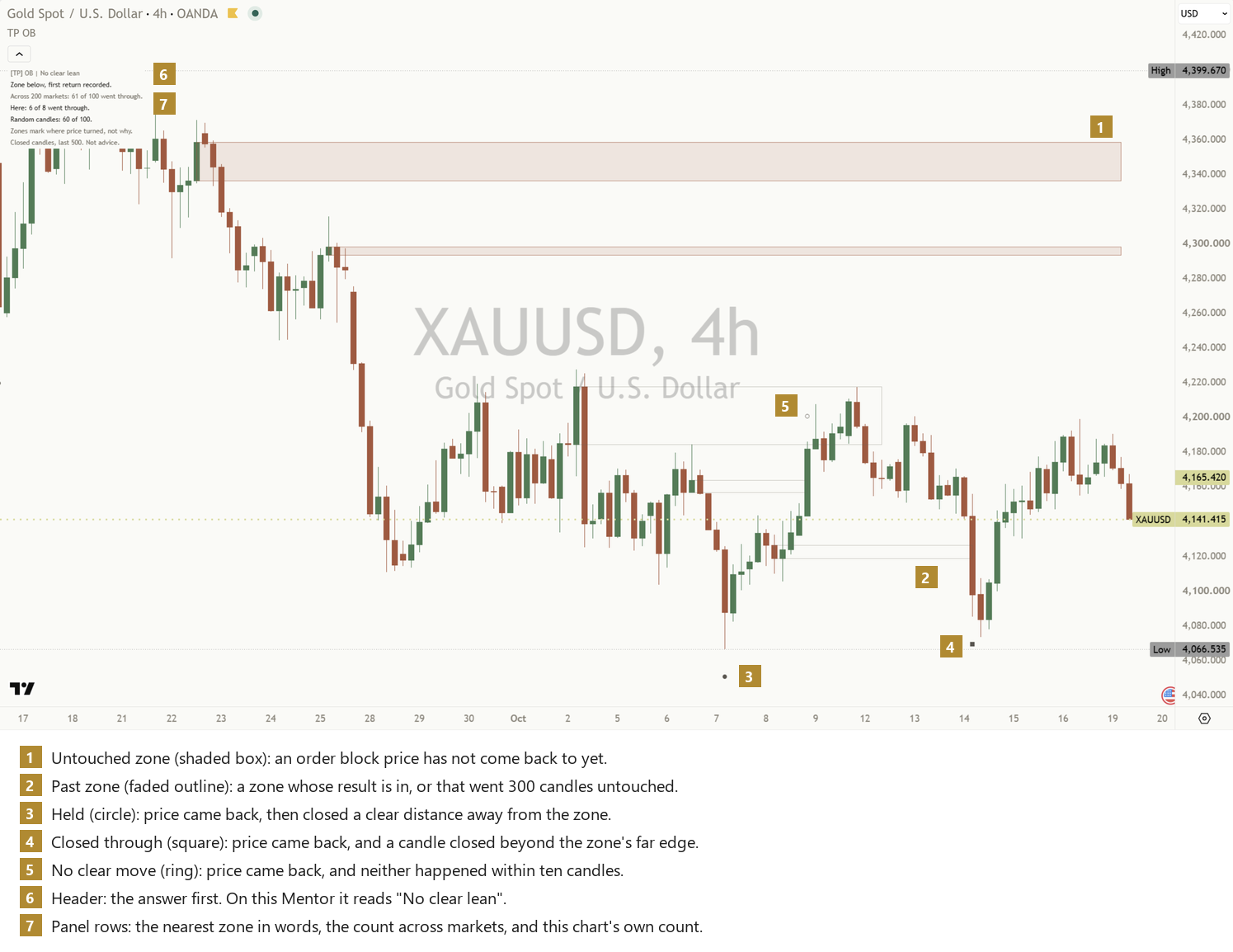
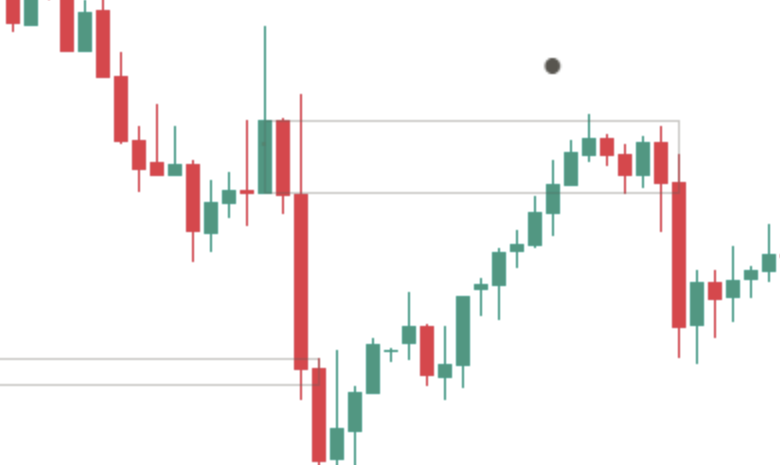
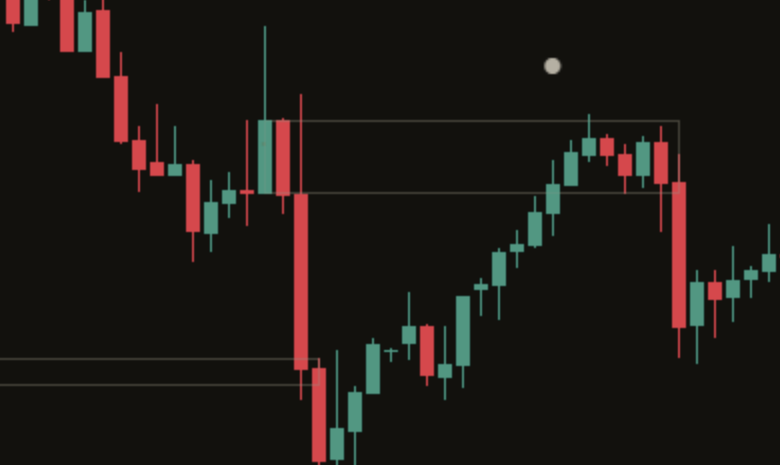
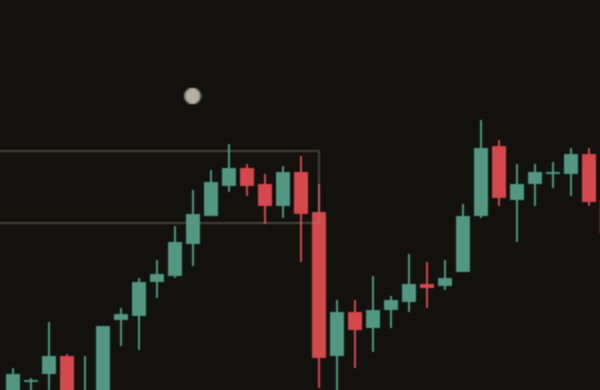
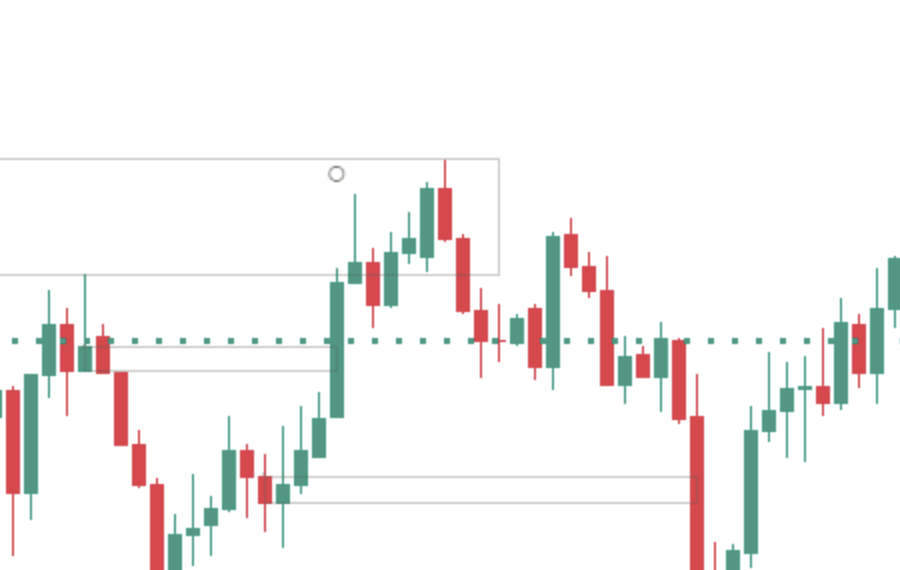
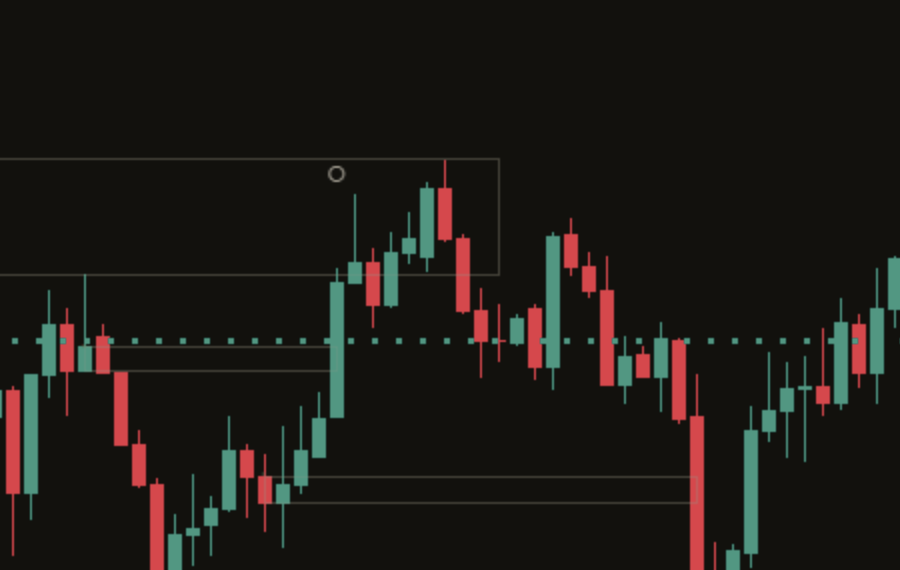
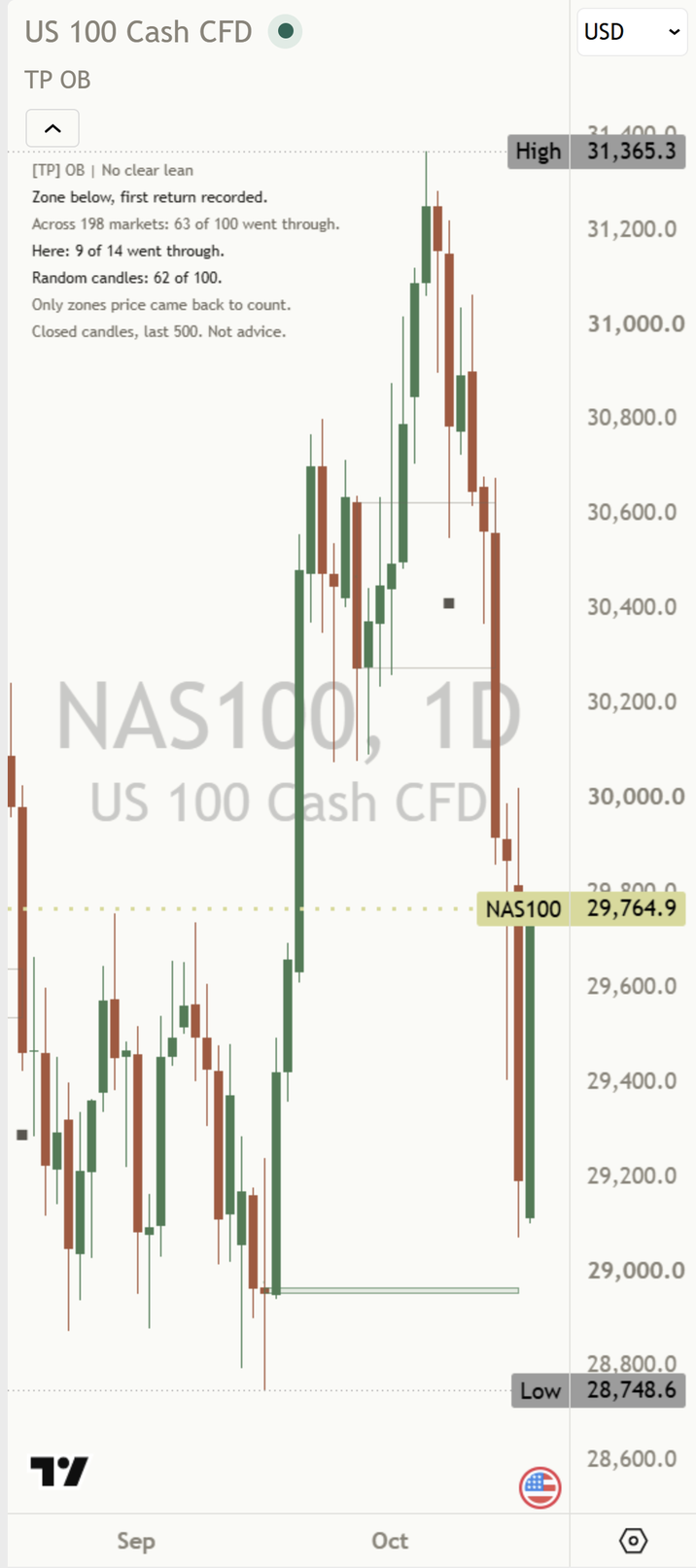
[TP] Order Blocks - Mentor on a light NAS100 daily chart at default settings: the six most recent zones, shaded while untouched and faded once their result is in, circle and square marks where price first came back, and the Mentor panel at the top left. [TP] Order Blocks - Mentor on a dark NAS100 daily chart at default settings: the six most recent zones, shaded while untouched and faded once their result is in, circle and square marks where price first came back, and the Mentor panel at the top left.
NAS100 daily, default settings. A real chart, an example only, not a recommendation.

What it is in 30 seconds

An order block is a classic idea: before price broke a recent swing, there was one last candle that closed the other way, and many traders watch that candle's price range when price comes back to it. Ours draws that zone by one fixed rule you can check, keeps every zone on the chart, and counts what first returns did on this chart. It describes the past. It does not say what comes next.

One plain rule

A finished candle closes through a confirmed swing. The last candle before it that closed the other way becomes the zone. Hover the small dot inside any zone and it says so in words.

Every zone stays

Zones that held and zones that broke both stay on the chart as faded outlines. Nothing is removed because of how it turned out, so the chart is never a gallery of winners.

It counts, it does not guess

Each first return is sorted into held, closed through, or no clear move, and the panel counts them for this chart, for example "Here: 9 of 14 went through." on NAS100 daily. The header says "No clear lean": the tool does not call a side.

What counts as an order block here

Order block tools disagree with each other, and most never say which rule they use. This one uses one rule, writes it on the chart, and never changes a zone after drawing it.

  1. 1. A confirmed swingA swing high or low is confirmed once five candles have closed on each side of it (Balanced, the default). Until then it is not a swing.
  2. 2. A close through itThe first finished candle that closes above the latest swing high, or below the latest swing low, is the break. A wick through it is not a break. Each swing can be broken once.
  3. 3. The last candle the other wayFor a break up, the zone is the last candle that closed down before it, going back no further than the swing low. For a break down, the last candle that closed up. Its body is the zone.
Drawn late, on purpose

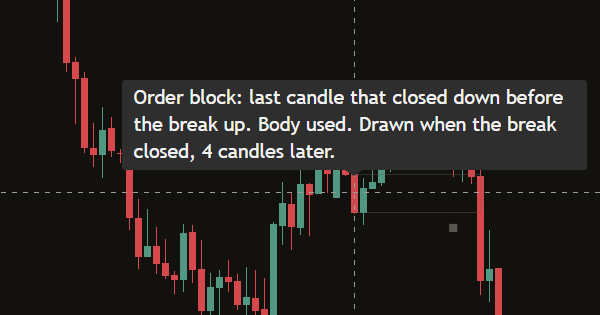
The box appears when the break candle closes, starting back at the zone candle. That means it is always drawn a few candles after its own start, and the tooltip says how many: "Drawn when the break closed, 6 candles later."

Never moved

Once drawn, a zone keeps its start candle and both price edges for good. It only changes how it looks: shaded while untouched, a gold border while its first return is being watched, a faded outline once its result is in.

One zone per swing

Each broken swing gives at most one zone. If no candle closed the other way in that stretch, no zone is drawn. A candle that closed where it opened does not count as either way.

Each part, up close

Zones below price and zones above price are treated the same way, mirrored, and counted separately. The marks use shapes, never arrows, so their meaning lives in the shape, not the colour.

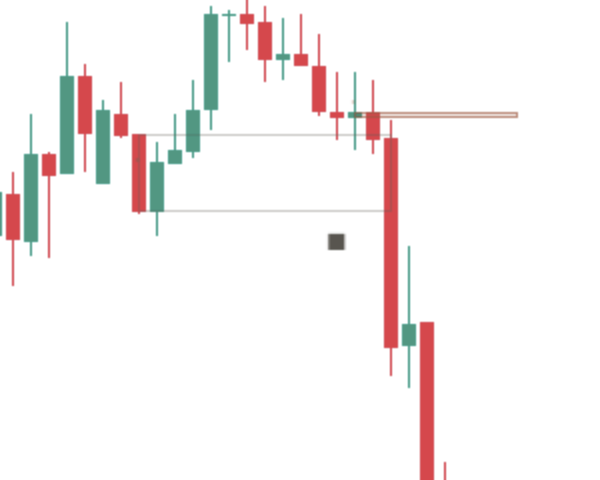
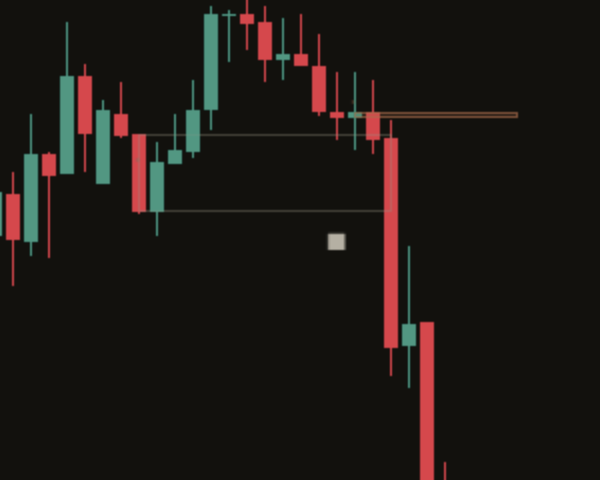
Close-up of an untouched zone on a light chart: a lightly shaded green box below price, starting at one candle and extending to the right. Close-up of an untouched zone on a dark chart: a lightly shaded green box below price, starting at one candle and extending to the right.

 Untouched zone

A zone below price comes from a break up, and is shaded in the up colour. A zone above price comes from a break down, and is shaded in the down colour. While price has not come back to it, the box keeps extending to the right with a light fill and a thin border.

A zone that price does not come back to within 300 finished candles is retired as a faded outline and never counted. The chart keeps the 6 most recent zones by default, about three per side ("Zones drawn", 1 to 90), so it stays clean. Older zones leave the chart but stay in the counts.

Back to the chart
Close-up of past zones on a light chart: thin faded outlines with no fill, some where price held and some where it closed through. Close-up of past zones on a dark chart: thin faded outlines with no fill, some where price held and some where it closed through.

 Past zone

Once a zone's result is in, or it expires untouched, the fill goes and a faded outline stays. Zones that held and zones that broke look the same. That is deliberate: if broken zones vanished, every box left on a scrolled-back chart would look like one that held.

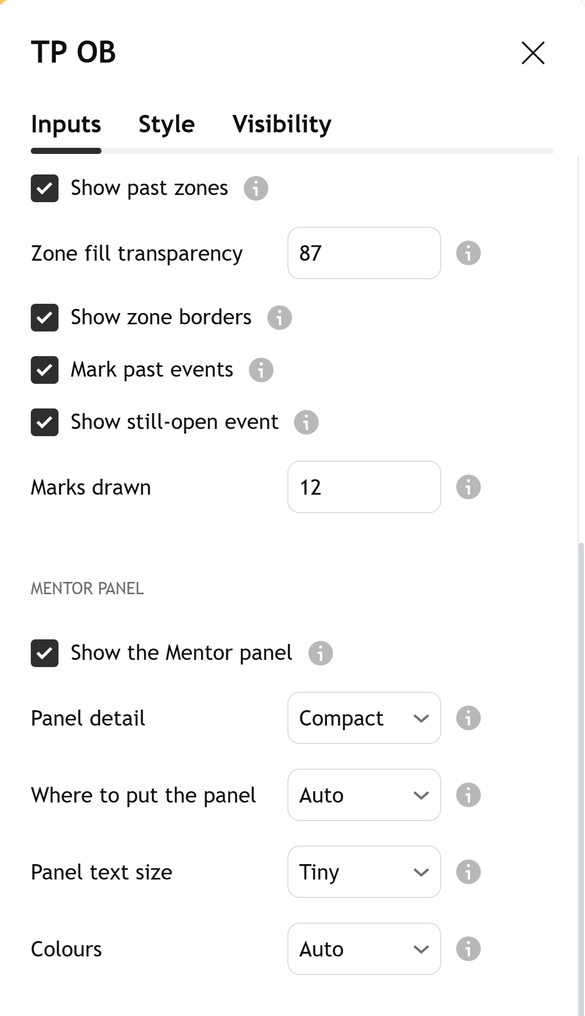
"Show past zones" turns the outlines off without changing a single count.

Back to the chart
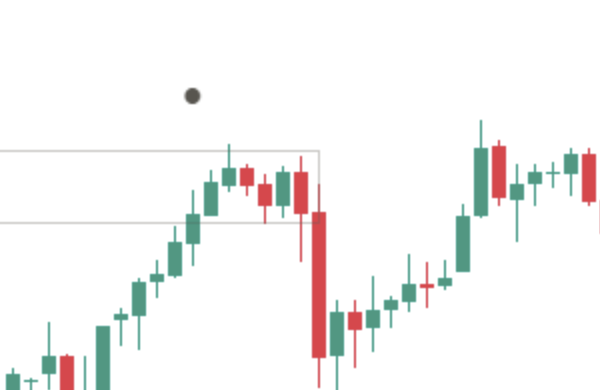
Close-up of a held mark on a light chart: a small filled circle at the middle of a zone, on the candle where price first came back, with later candles closing away from the zone. Close-up of a held mark on a dark chart: a small filled circle at the middle of a zone, on the candle where price first came back, with later candles closing away from the zone.

 Held

The first finished candle whose range reaches into a zone is its first return. From that candle the indicator watches ten finished candles, the return candle and the nine after it.

Held means a candle closed at least one ATR clear of the zone, on the side price came from, before any close beyond the zone's far edge. ATR, the average true range, is the typical size of one candle over the last 14, measured on the return candle and then fixed. Hover the circle and the tooltip says "Held".

Back to the chart
Ob el through paper Ob el through ink

 Closed through

A square means a candle closed beyond the zone's far edge first: below the bottom of a zone below, or above the top of a zone above. If the return candle itself closes through, it is settled on that candle. The tooltip says "Closed through".

Only closes decide. A long wick through either line decides nothing.

Back to the chart
Close-up of a no-clear-move ring on a light chart: a small hollow ring at the middle of a zone, with ten candles that stayed near it. Close-up of a no-clear-move ring on a dark chart: a small hollow ring at the middle of a zone, with ten candles that stayed near it.

 No clear move

A hollow ring means neither close happened within the ten candles. Every unclear case lands here, never in held. The tooltip says "No clear move".

Each mark sits on the return candle at the middle of its zone, and appears only once the result is in, so nothing moves once drawn. The chart keeps the last 12 marks by default (0 to 30). The marks are solid neutral grey, so the shape carries the meaning, never the colour: a held zone above price is not "up". "Mark size" makes them bigger or smaller (Normal by default), and "Mark past events" switches them off without changing the panel's counts.

Back to the chart
Close-up of the panel header on a light chart: [TP] OB | No clear lean, in a muted colour, with the zone row under it. Close-up of the panel header on a dark chart: [TP] OB | No clear lean, in a muted colour, with the zone row under it.

Header

The header gives the answer first: "[TP] OB | No clear lean". On this Mentor it reads that on every chart and every timeframe, in a muted colour, because there is no lean to colour.

The tool does not call a side for a zone. This chart's own count never sets the header, because one chart has too few returns to tell a habit from chance. The panel never prints a percentage. It shows the counts, and you weigh them.

Back to the chart
Ob el rows paper Ob el rows ink

Panel rows

Under the header, the panel reads the side that matters now: the zone being watched if price is back at one, otherwise the newest zone. Zones below and zones above are counted separately. The rows, in order:

  • The zone in words: "Back at a zone below, 2 candles ago.", "Zone above, untouched for 14 candles.", "Zone below, first return recorded." or "Waiting for a confirmed zone." (examples of the forms)
  • This chart's own count: its settled first returns on that side in the last 500 candles, for example "Here: 9 of 14 went through." Under 8 it reads "Too few here to count yet (5)." with the number so far.
  • One teaching line, which changes as returns are added: "Order block: opposite candle before break.", "A zone is a past candle, not a floor.", "Zones mark where price turned, not why.", "Only zones price came back to count." or "Held before is history, not a promise."
  • The footer: "Closed candles, last 500. Not advice."

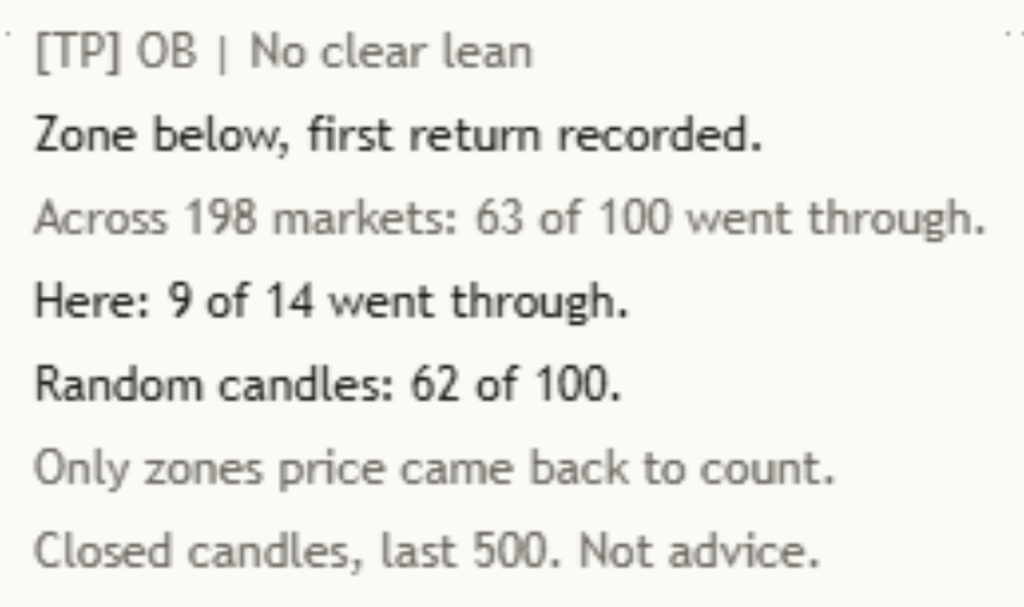
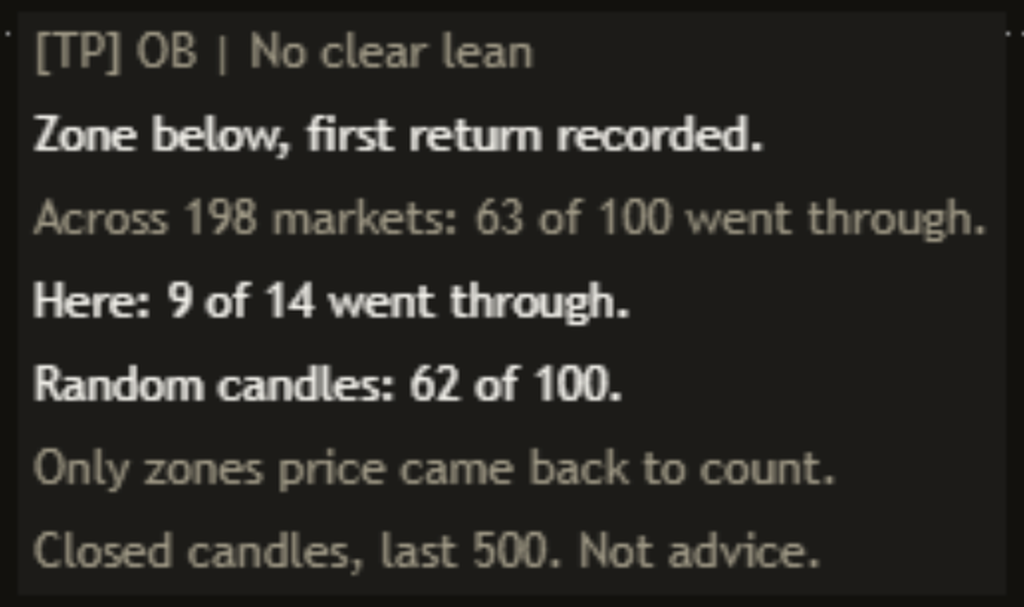
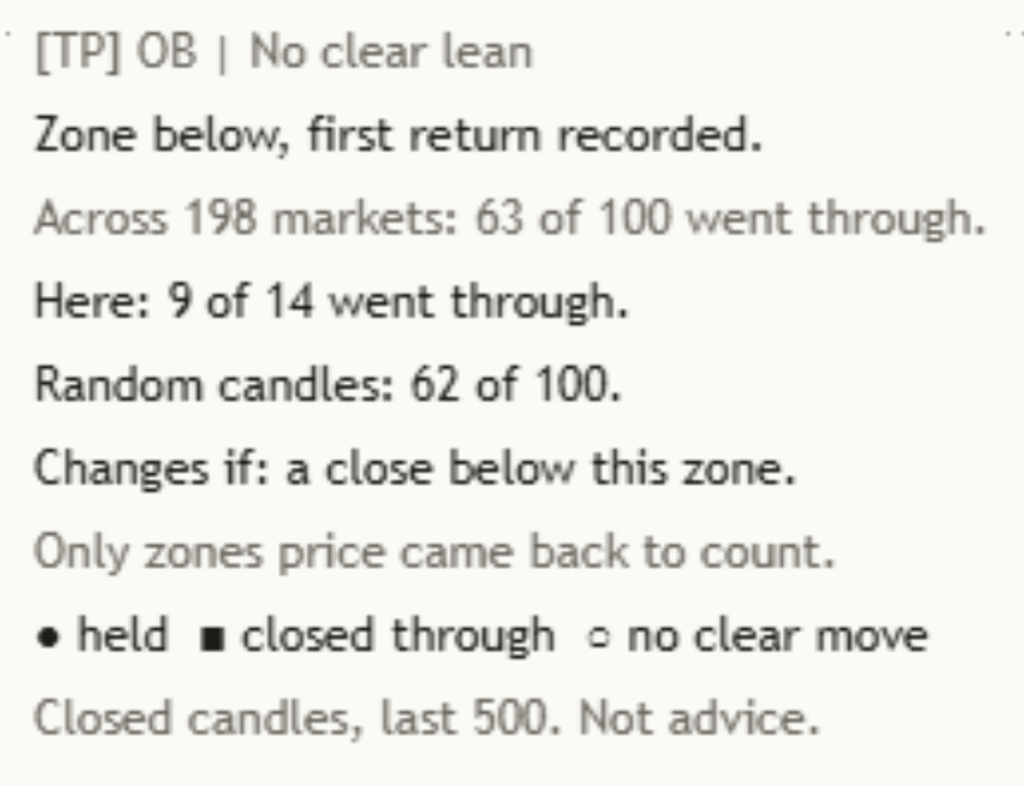
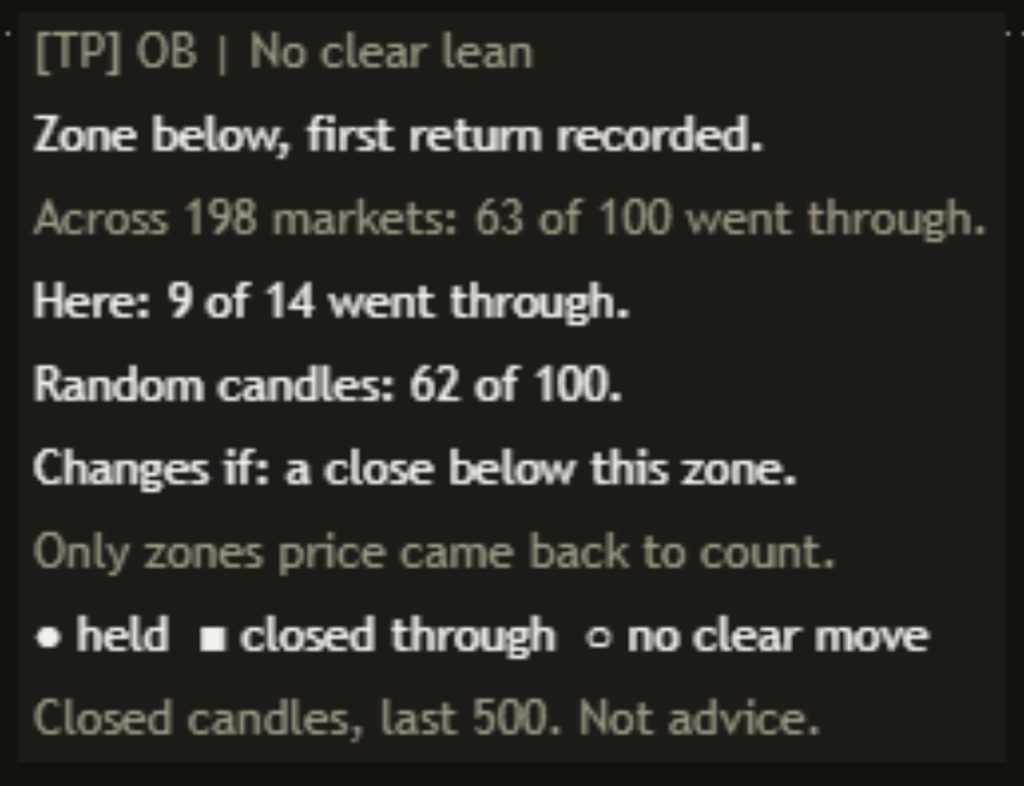
The default Compact panel on the chart at the top of this page (NAS100, daily), read word for word on the published indicator on 19 Oct 2026, top to bottom:

  • The header: "[TP] OB | No clear lean"
  • The zone: "Zone below, first return recorded."
  • This chart: "Here: 9 of 14 went through."
  • The teaching line: "Only zones price came back to count."
  • The footer: "Closed candles, last 500. Not advice."

Read it plainly: on this chart, 9 of the 14 settled first returns to zones below went through. Every number here comes from this chart, and the header does not call a side.

Back to the chart

 A first return being watched

While a first return is inside its ten-candle window, its zone gets a gold border and "Show still-open event" (on by default) puts one gold ring on the return candle. Its tooltip says "Still open, not counted yet". It is not in the counts until the result is in, and then it becomes a circle, a square or a ring like the rest.

Only one return is watched at a time. If price reaches another zone for the first time while a window is open, that zone is marked as touched and faded, but it is not counted, so the same stretch of candles is never counted twice.

Back to the chart
Ob el tip paper Ob el tip ink

The rule, on every zone

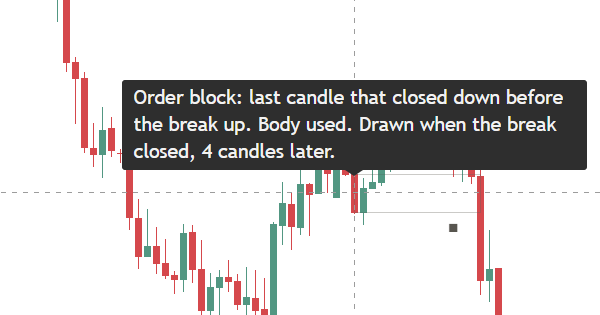
Each zone has a small dot at its start candle. Hover it, or tap it on a phone, and it explains that zone in words. On NAS100 daily, 19 Oct 2026:

Zone tooltip"Order block: last candle that closed down before the break up. Body used. Drawn when the break closed, 4 candles later."

The teaching line in the panel has its own tooltip with the full definition: "An order block is the last candle that closed the other way before price closed through a confirmed swing."

Back to the chart
Close-up of the Full panel on a light chart: the Changes if line and the mark legend above the footer. Close-up of the Full panel on a dark chart: the Changes if line and the mark legend above the footer.

Full detail

"Panel detail" on Full adds two rows. First, what would change the read, which is always the zone's own far edge:

Change row"Changes if: a close below this zone." / "Changes if: a close above this zone."

Then the legend "● held ■ closed through ○ no clear move".

Back to the chart

Two panel layouts

Compact (default)

The header, the zone in words, this chart's own count, one teaching line and the footer. Five rows at most.

Full

Everything in Compact, plus "Changes if" with the zone's own edge, and the mark legend. Seven rows at most.

How the Mentor helps you at every level

Same indicator, same panel. What you take from it grows with you. The quoted lines are the panel's own words. Counts marked as a worked example illustrate the format and are not from a chart.

  1. Level 1

    Beginner

    What gets in the way

    • Treating every box as a floor or a ceiling that price has to respect.
    • Charts where broken zones vanish, so only the ones that held are left.
    • Labels and codes with no words behind them.

    The habit it builds: seeing a zone as one past candle, drawn by a rule you can check.

    What the Mentor says

    Teaching line"Order block: opposite candle before break."

    Teaching line"A zone is a past candle, not a floor."

  2. Level 2

    Intermediate

    What gets in the way

    • Not knowing a zone was drawn late, so it looks as if it knew in advance.
    • Counting every touch of the same zone as fresh evidence.
    • Letting a long wick decide what a zone did.

    The habit it builds: first returns only, judged on closes only.

    What the Mentor says

    Zone state, worked example"Zone below, untouched for 14 candles."

    Zone state, worked example"Back at a zone below, 2 candles ago."

  3. Level 3

    Advanced

    What gets in the way

    • Remembering the zones that held and forgetting the ones that broke.
    • Trusting a handful of past returns on one chart.
    • Reading a single return as proof, without counting the rest.

    The habit it builds: reading this chart's whole count, the zones that broke as well as the ones that held, as one thought.

    What the Mentor says

    This chart, NAS100 daily, 19 Oct 2026"Here: 9 of 14 went through."

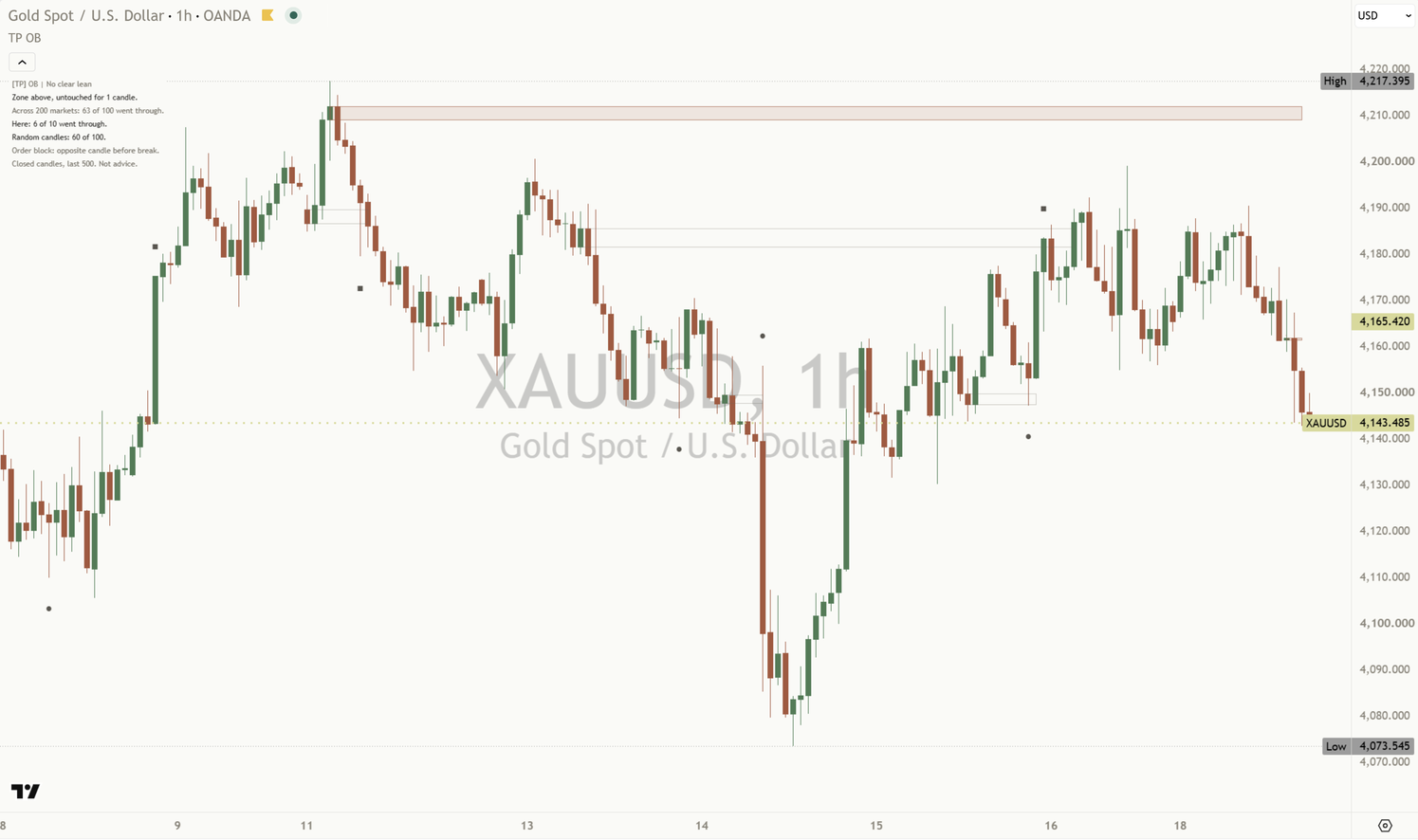
    This chart, XAUUSD one hour, zone above"Here: 6 of 10 went through."

  4. Level 4

    Expert

    What gets in the way

    • Telling a story about why price turned at a zone, when the chart only shows that it did.
    • Forgetting that the counts belong to this chart and these settings only.
    • Changing the swing setting until an old chart looks clean.

    The habit it builds: a steady second pair of eyes: the same plain read on every chart, with its limit every time.

    What the Mentor says

    Teaching line"Zones mark where price turned, not why."

    Teaching line"Held before is history, not a promise."

It reads both sides the same way

Zone below price From a break up

Held means price closed clear above it. Closed through means a close below its bottom.

NAS100 daily, 19 Oct 2026"Here: 9 of 14 went through."

Zone above price From a break down

Mirrored: held means price closed clear below it.

XAUUSD one hour, 19 Oct 2026"Here: 6 of 10 went through."

The header Both sides

The tool does not call a side.

Every chart"[TP] OB | No clear lean"

Three things to remember

  1. A zone is a past candle. The rule is on the chart. Hover the dot and read it before reading anything into the box.
  2. Count the zones that broke too. "Here: 9 of 14 went through" says most first returns on that chart did not hold.
  3. History, not a promise. The counts describe past zones on this chart. The next return can go either way.

Honest about timing, honest about limits

Why every zone is drawn late

A swing is only confirmed once five candles have closed after it (on Balanced), and a zone only exists once a candle closes through that swing. So a box always appears some candles after the candle it starts on, and its tooltip says how many. Nothing is drawn from a candle that is still open, and no zone, count or mark changes once it is final. Bar Replay shows exactly what the chart showed at the time.

What it does not do

No arrows, no percentages in the panel, no colour without words, and no claim about who acted at a zone or why price turned there. It does not hide zones that broke. Every number on the panel comes from the chart you are on. This chart's own count comes from the settled first returns of the last 500 candles, often fewer than 15, and moves as the window rolls.

Change the swing strength or switch to the full candle and the zones change with it, so this chart's count does too. None of those settings is the right one.

Order blocks mentor xauusd 1h
XAUUSD one hour, default settings. Another chart, its own count, here for a zone above: "Here: 6 of 10 went through." (read 19 Oct 2026).
A NAS100 daily chart at phone width: the zones and marks on the chart, and the Compact Mentor panel readable at the top left.
At phone width, the Compact panel at Tiny text stays readable.

Settings

The defaults work out of the box. These are the ones worth knowing.

On a small screen, swipe the table sideways to see every column.
SettingWhat it doesDefault
Swing strength / Custom swing lengthHow many candles on each side confirm a swing. Responsive uses 3, Balanced 5, Structural 10, Custom 2 to 50. Fewer candles give more zones, sooner.
ResponsiveBalancedStructuralCustom
Balanced; 5
Zone usesBody uses open to close. Full candle uses high to low. This changes the zones and their history.
BodyFull candle
Body
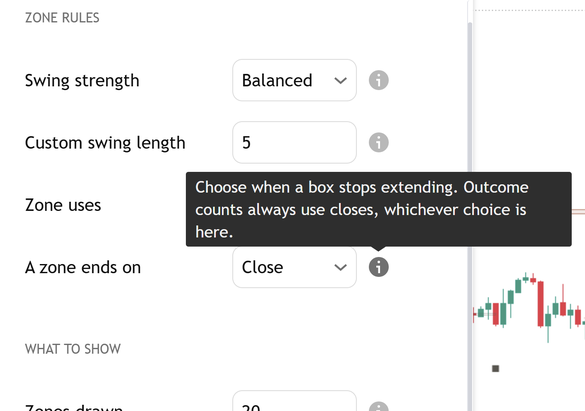
A zone ends onWhen a box ends its extension once price has come back: on a close beyond its far edge, or on a wick. The counts always use closes, whichever is chosen.
CloseWick
Close
Higher timeframe zones / Custom higher timeframeDraws zones from a bigger timeframe as dashed outlines: one step up (for example one hour to four hours, four hours to daily) or a timeframe you pick. They are never counted in this chart's history.
OffOne step upCustom
Off; 4 hours
Zones drawn / Show past zonesHow many recent zone boxes stay on the chart (1 to 90; 6 keeps about three per side), and whether settled and expired zones stay as faded outlines. Neither changes the counts.6; On
Zone fill transparency / Show zone bordersHow lightly untouched zones shade the candles (70 to 100, higher is lighter), and a thin border around each zone.87; On
Mark past events / Marks drawn / Mark sizeThe circle, square and ring at settled first returns, how many to keep (0 to 30), and how big they are.
TinySmallNormalLarge
On; 12; Normal
Show still-open eventOne gold ring while a first return is waiting for its result.On
Show the Mentor panel / Panel detailFull adds the change condition and the mark legend.
CompactFull
On; Compact
Where to put the panelAuto puts it at the top left, clear of the newest candles, or pick any of nine spots.
AutoTop LeftBottom Left
Auto
Panel text size / ColoursTiny is the usual choice for a phone. Colours on Auto matches your chart background: Paper on a light chart, Ink on a dark one.
TinySmallNormalLarge
Tiny; Auto

Every setting has a small (i) next to it. Hover over it, or tap it on a phone, and it explains that setting in plain English, right there on your chart.

Order blocks mentor settings tooltip
The (i) next to A zone ends on, opened. Captured from the published script.
See the whole settings window

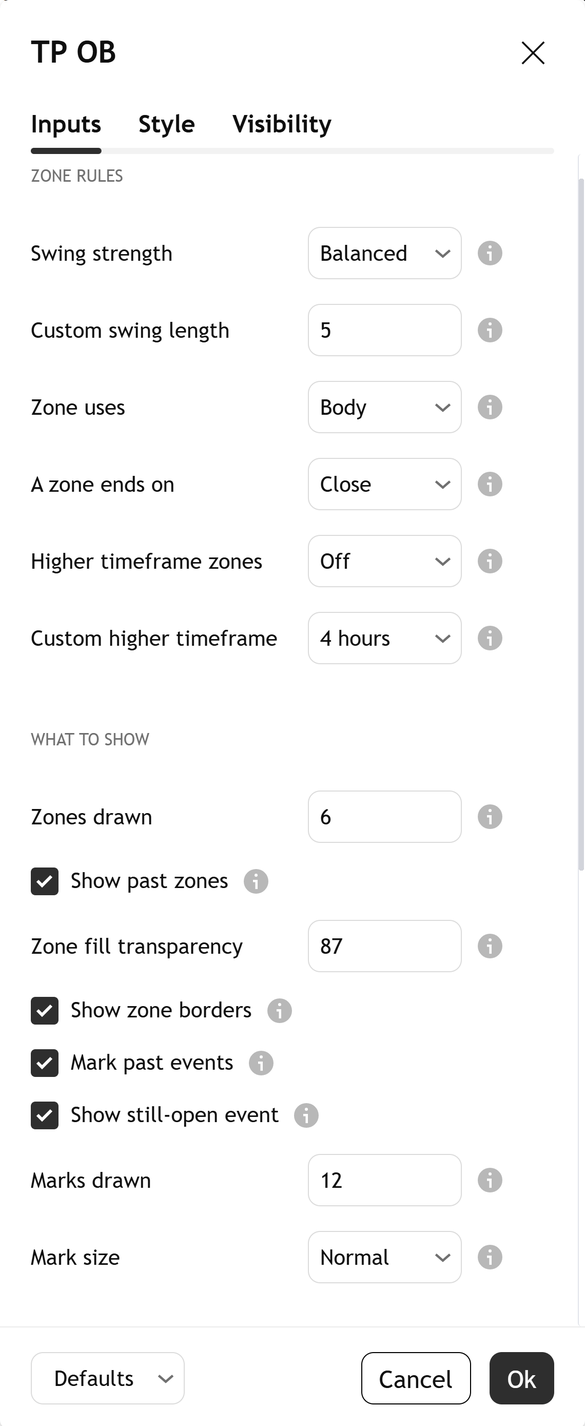
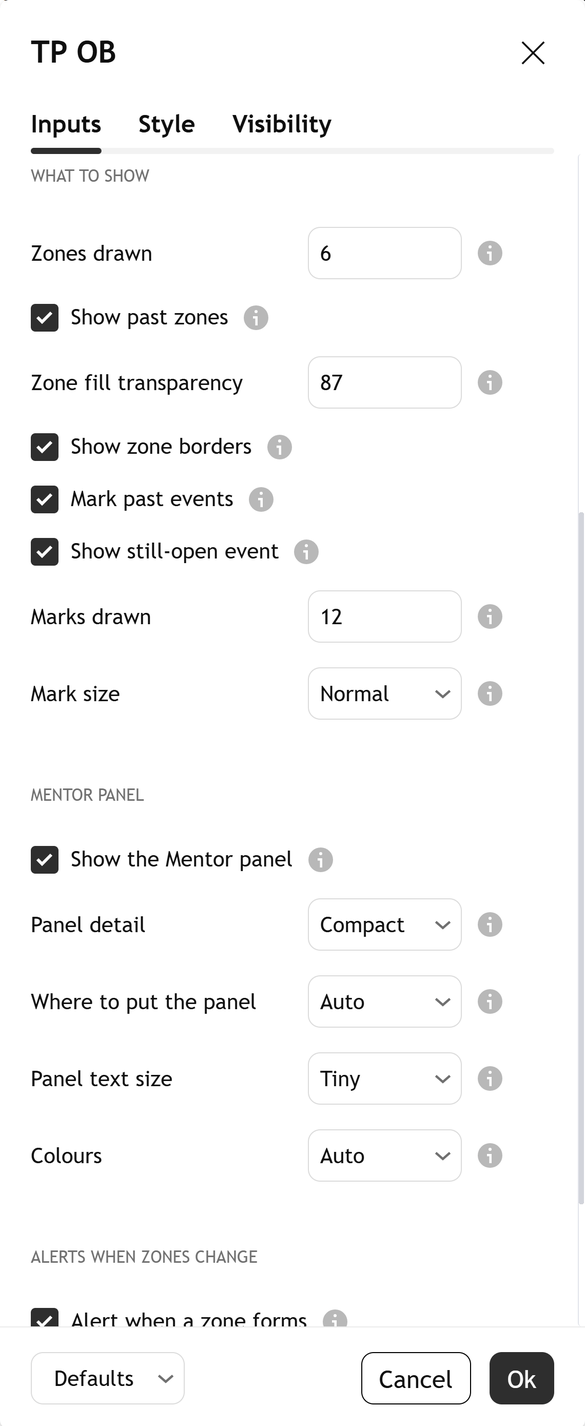
Open it by double-clicking the indicator's name on your chart. Top to bottom, at the defaults:

Settings, part 1: the Zone rules group: Swing strength, Custom swing length, Zone uses, A zone ends on, Higher timeframe zones and Custom higher timeframe.
1. Zone rules
Settings, part 2: the What to show group: Zones drawn, Show past zones, Zone fill transparency, Show zone borders, Mark past events, Show still-open event, Marks drawn and Mark size.
2. What to show
Settings, part 3: the Mentor panel group: Show the Mentor panel, Panel detail, Where to put the panel, Panel text size and Colours.
3. Mentor panel
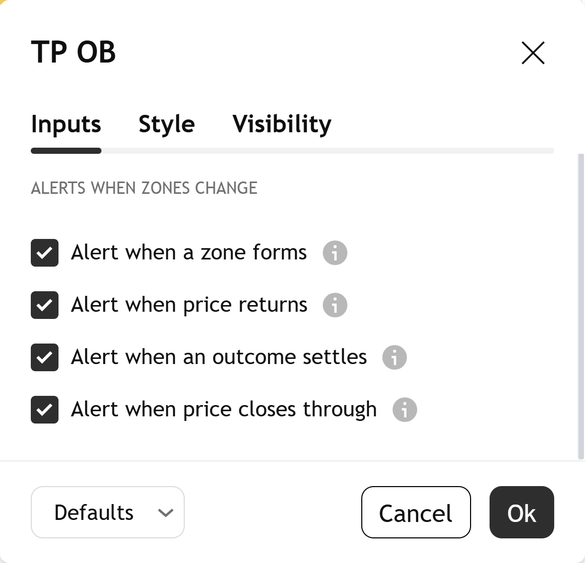
Settings, part 4: the Alerts when zones change group: Alert when a zone forms, Alert when price returns, Alert when an outcome settles and Alert when price closes through.
4. Alerts
Light or dark, it matches

The zones, marks and panel come in a warm light and a warm dark palette. With "Colours" on Auto, it reads your chart background and picks the right one. The marks keep their shapes in both, so their meaning never depends on colour.

Alerts

Each alert says what happened, once, after a candle closes. Four conditions are in TradingView's alert dialog. None of them tells you what to do.

  • Zone formedOrder Blocks Mentor: a zone formed after a finished-candle swing break.
  • Price returned to a zoneOrder Blocks Mentor: price returned to a zone on a finished candle.
  • A zone's outcome settledOrder Blocks Mentor: a zone's outcome settled on a finished candle.
  • Closed through a zoneOrder Blocks Mentor: price closed through a zone on a finished candle.

Open TradingView's alert dialog, pick this indicator in the condition box, and choose the condition by name. Each one fires once per event, not on every candle inside a zone. The four "Alert when" switches in the settings turn each condition off at the source.

Learn more

Start with the lesson, then watch the indicator explained.

Foundry lesson

Order blocks: what a zone is, and what it actually did

What an order block is in plain words, how a confirmed swing and a close-through make one, why every zone is drawn late, what counts as a first return, and how to read this chart's own count. Concept first, indicator second, with a quiz.

Open the lesson
Trading journal

Keep a study log

Note each zone as it forms, say what you expect on its first return, then write down what happened, right or wrong. Over time your own notes show you more than any single chart.

Coming soon

Watch it explained

Video · 2:12How to read [TP] Order Blocks - MentorEvery part of the indicator, one at a time, on real charts: the zones and how they are drawn, the faded past zones, the circle, square and ring marks, and the three counts in the panel.
Video · 2:04Order blocks explained: what a zone is, and what it actually didWhat an order block is, why every zone is drawn late, why broken zones must stay on the chart, and why a count of the past is history, not a promise, in plain English. Concept first, then the indicator. Read the full lesson

One concept, read well

[TP] RSI - Mentor, [TP] Volume - Mentor, [TP] Market Structure - Mentor, [TP] Trend - Mentor, [TP] VWAP - Mentor, [TP] Fibonacci - Mentor, [TP] MACD - Mentor, [TP] Bollinger Bands - Mentor, [TP] Regime - Mentor, [TP] Market Board - Mentor, [TP] Order Blocks - Mentor, [TP] Support and Resistance - Mentor, [TP] Volume Profile - Mentor and [TP] Elliott Wave - Mentor each read one thing deeply, for free. Markets rarely move on one thing. The full Titan suite reads them together: momentum, volume, trend structure and flow, combined into one plain-English read.

Questions

Is it free?

Yes. [TP] Order Blocks - Mentor is free on TradingView. Add it from the Indicators menu. Nothing is locked.

What is an order block, in plain words?

The last candle that closed the other way before price closed through a recent swing. Before a break up, it is the last candle that closed down. Before a break down, the last candle that closed up. Its price range is drawn as a box. That describes a past candle. It does not say who acted there or what price does next.

Does it repaint?

No. Swings are confirmed only after their candles close, a zone is drawn only when the break candle closes, and returns, results, marks, counts and alerts all wait for finished candles. Every zone is drawn some candles after the candle it starts on, and its tooltip says how many. Once drawn, a zone never moves and a result never changes.

Why does it keep zones that broke?

Because a chart that only shows the zones that held makes every zone look reliable. Here a zone that price closed through stays as a faded outline, next to the ones that held, and both are in the count. That is the only fair way to read them.

What counts as a return, and why only the first?

The first finished candle after the zone was drawn whose high-to-low range reaches into the zone. Later touches of the same zone add nothing, because the second visit is not a fresh test. And only one return is watched at a time, so the same candles are never counted twice.

Why does it always say "No clear lean"?

Because the indicator does not call a side for a zone. It counts this chart's first returns and shows them, so you weigh them yourself. Our own offline test is in the Titan research note above: it is our research, not something the indicator reads on your chart.

Why does "Here" sometimes say "Too few here to count yet"?

Because this chart's own count needs at least 8 settled first returns on the side being read, inside the last 500 candles. Until then the panel says "Too few here to count yet (n)." with the number so far. Even with more, one chart has too few returns to tell a habit from chance, so its count never sets the header.

What are the dashed higher timeframe zones?

An option, off by default. "Higher timeframe zones" draws zones from a bigger timeframe as dashed outlines, one step up or a timeframe you choose. They are there to look at only: they are never counted in this chart's history and never change the panel.

Body or full candle?

Body is the default: the zone runs from the candle's open to its close. Full candle uses its high to low, so the zones are wider and price reaches them more often. The choice changes the zones and the counts, and the zone tooltip says which one is in use.

Does it tell me when to act?

No. It describes where past zones were and what price did when it came back to them. It cannot see what comes next. Decisions stay with you.

The chart looks busy. What can I do?

It starts clean: 6 zones and 12 marks by default. If you raised them, lower "Zones drawn", turn off "Show past zones" (the counts stay the same), raise "Zone fill transparency", or lower "Marks drawn". Keep "Panel detail" on Compact for seven rows at most, and pick a spot under "Where to put the panel".

Get our weekly market brief free.