Live · 22 Oct 2026 SPX 7,663.43 -1.21% NDX 28,958.69 -2.90% VIX 19.03 +14.09% GOLD 4,039.80 -2.66% CL 99.10 -2.64% BTC 81,390.93 -3.12%
Free TradingView indicator

[TP] Volume - Mentor

Volume that explains itself, in plain English, compared with what is usual for the time of day.

The same volume columns you already know, shaded by how busy each bar really was, with a Mentor panel that tells you whether all that activity moved price, and a light session VWAP and busiest price on the chart.

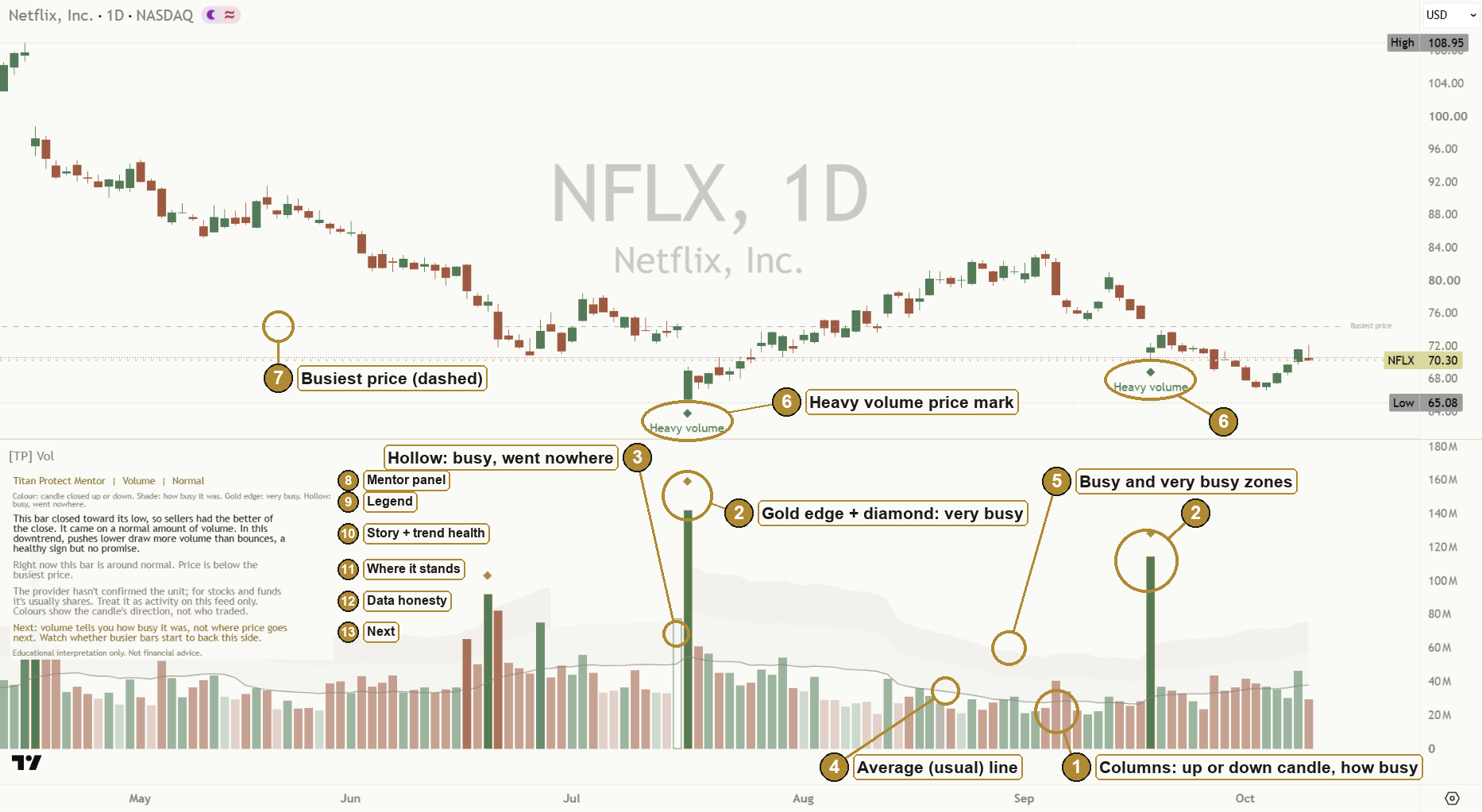
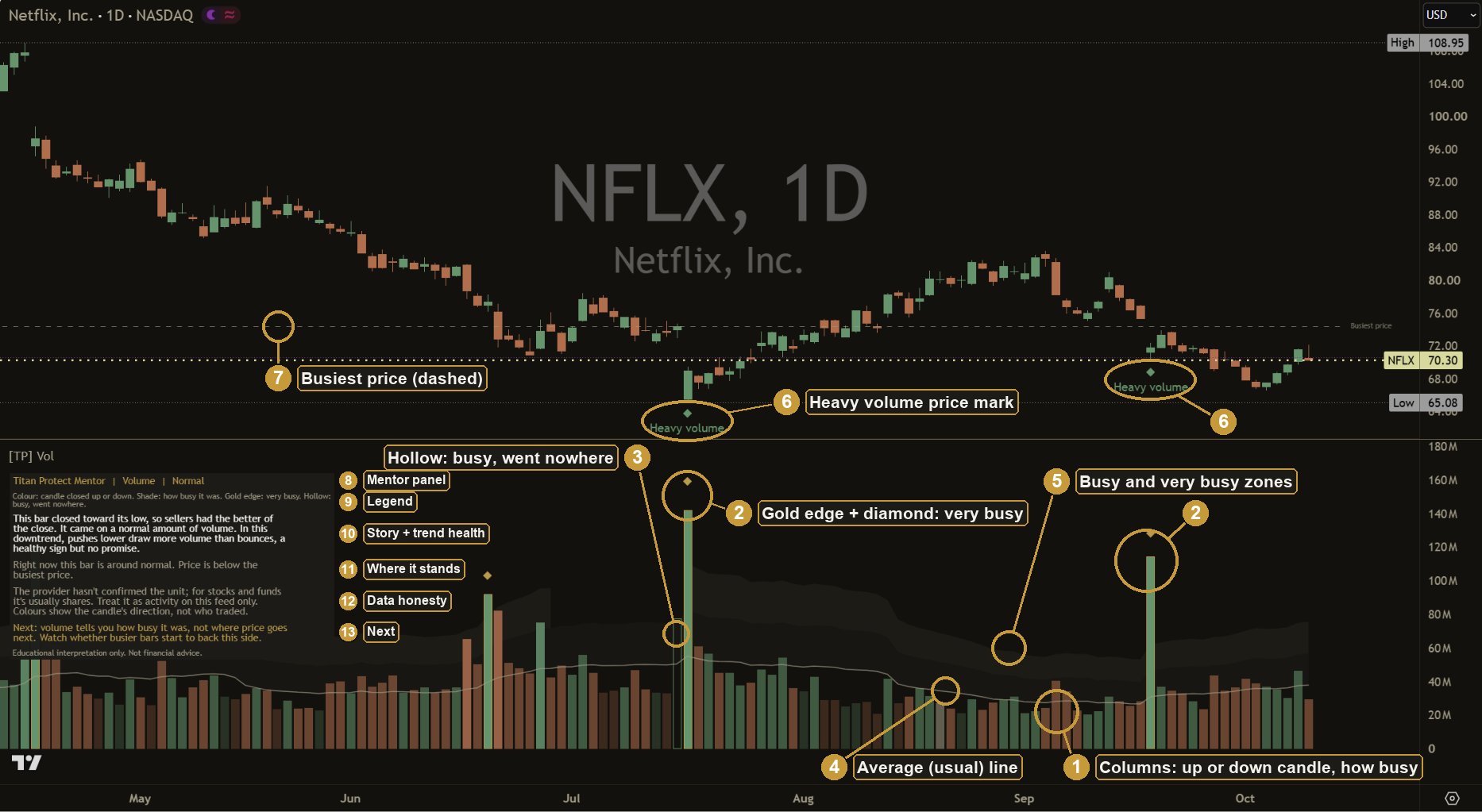
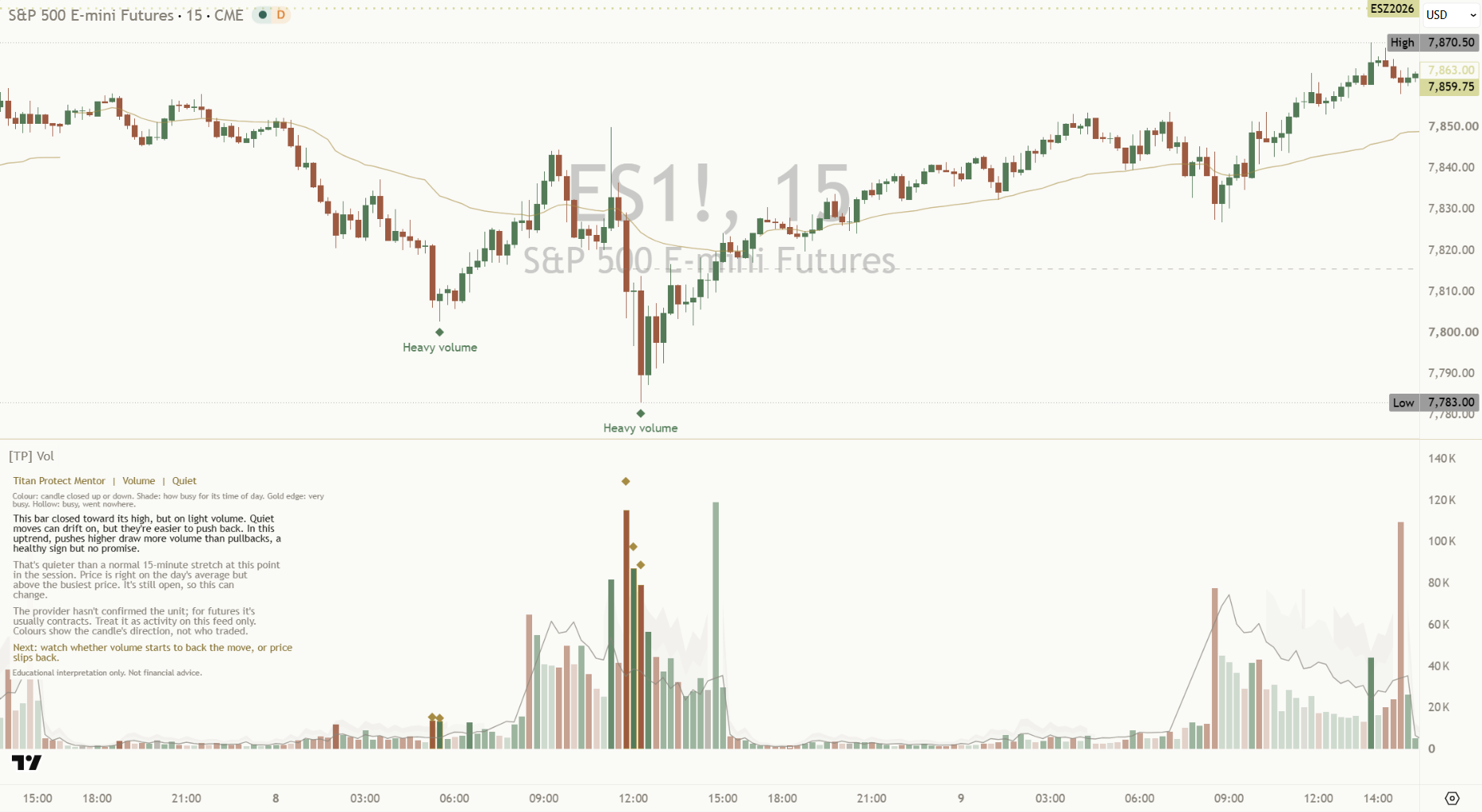
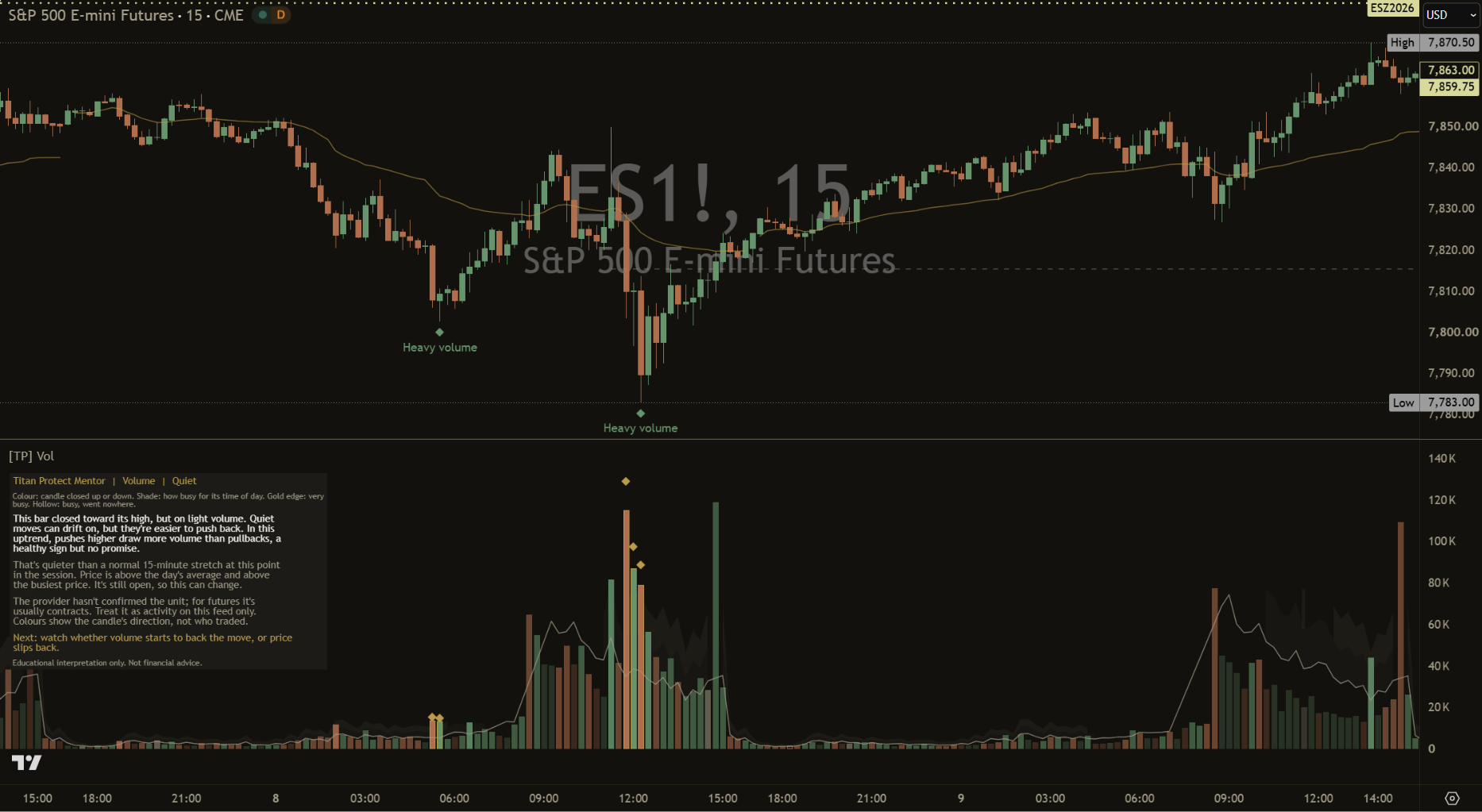
[TP] Volume - Mentor on a light daily chart: green and terracotta volume columns shaded by how busy each bar was, very busy bars with a gold edge and diamond, a hollow busy bar that went nowhere, a thin grey usual line with soft busy zones, Heavy volume marks on the price chart, a faint dashed busiest-price line, and the Mentor panel explaining the reading in plain English. [TP] Volume - Mentor on a dark daily chart: green and terracotta volume columns shaded by how busy each bar was, very busy bars with a gold edge and diamond, a hollow busy bar that went nowhere, a thin grey usual line with soft busy zones, Heavy volume marks on the price chart, a faint dashed busiest-price line, and the Mentor panel explaining the reading in plain English.
A real chart, shown in the matching Titan Canvas style. Example only, not a recommendation.

What it is in 30 seconds

Volume counts how much changed hands in each bar: how many people showed up behind a move. A column only means something next to what is usual, and on intraday charts "usual" depends on the time of day. Volume does not tell you where price will go. It tells you how much effort was behind a move, and whether that effort got anywhere.

It talks to you

The Mentor panel reads the volume for you in plain English: where the bar closed, how busy it was, whether the activity moved price, whether a trend's pushes are drawing more volume than its pullbacks, and the one thing worth watching next.

It compares like with like

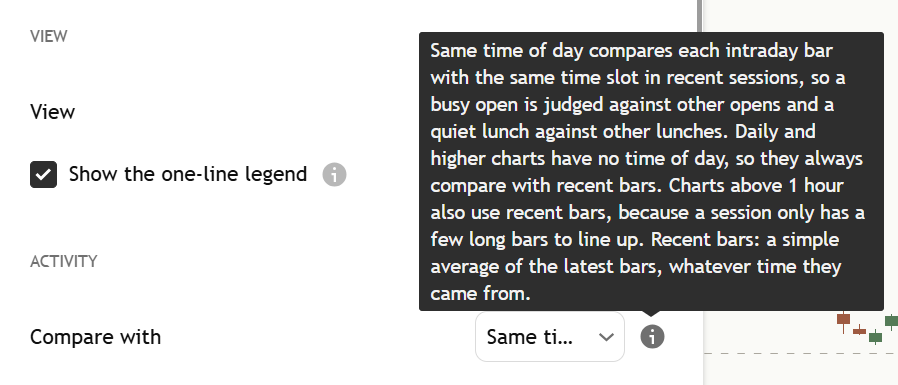
On intraday charts each bar is compared with the same time of day over recent sessions, so a busy open is judged against other opens and a quiet lunch against other lunches.

It is honest about the data

It takes the unit from what the data provider reports, and hedges when the provider doesn't say. A bar with missing volume is left as a gap, not a false zero. On a chart with no volume it draws nothing and says so. Swing marks only appear once confirmed.

The labelled chart

Every part of the indicator, numbered. Tap a number to jump to what it means.

Volume mentor labelled paper Volume mentor labelled ink
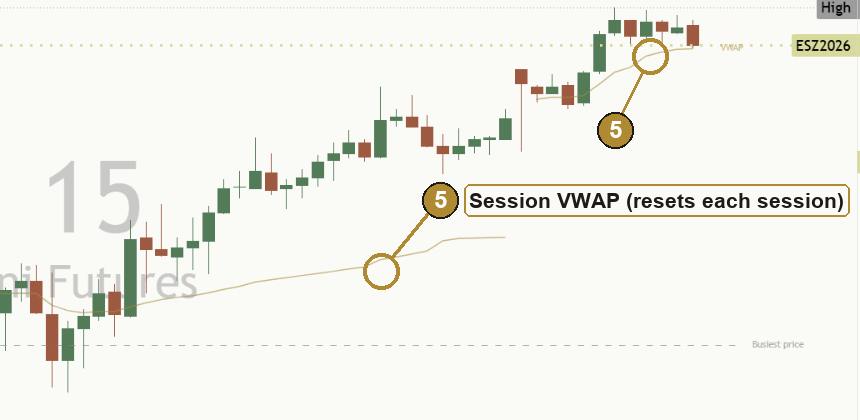
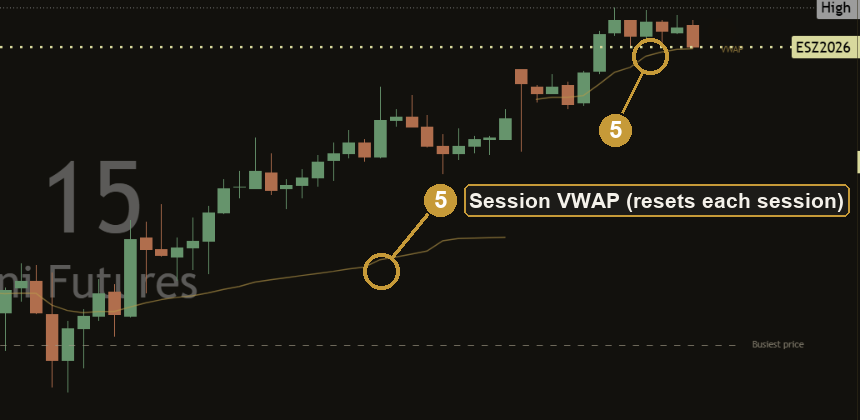
The session VWAP (7) shows on intraday charts only, so it is labelled on the intraday close-up below.
  1. Volume columns
  2. Gold edge + diamond
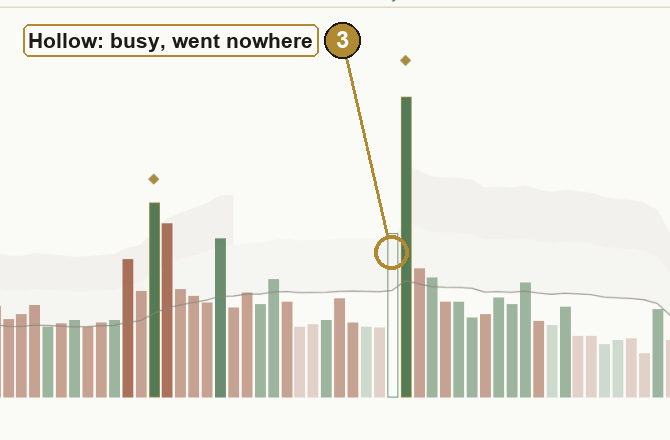
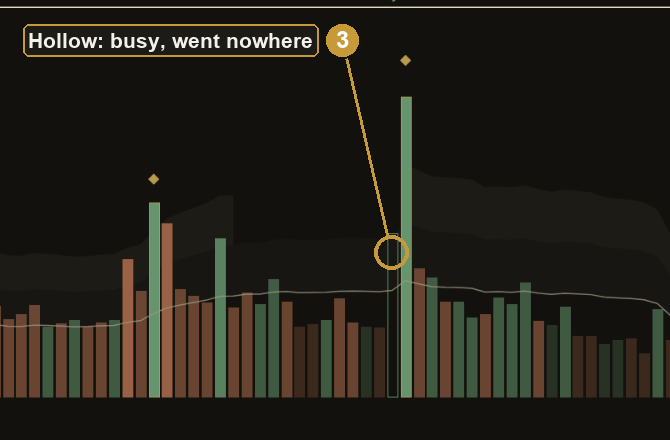
  3. Hollow bar
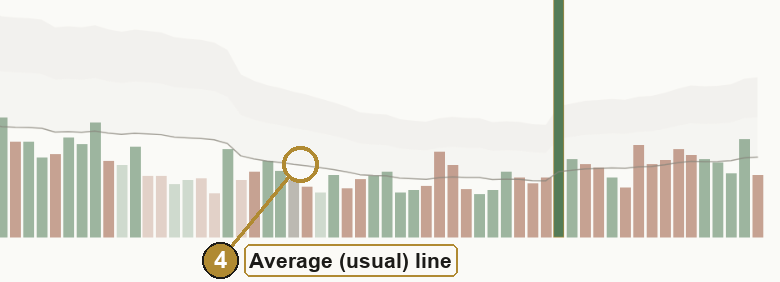
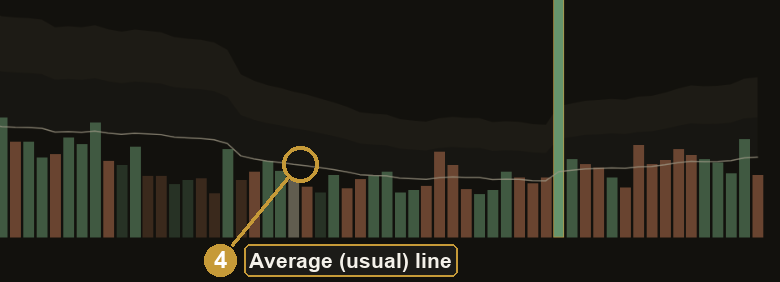
  4. Usual line
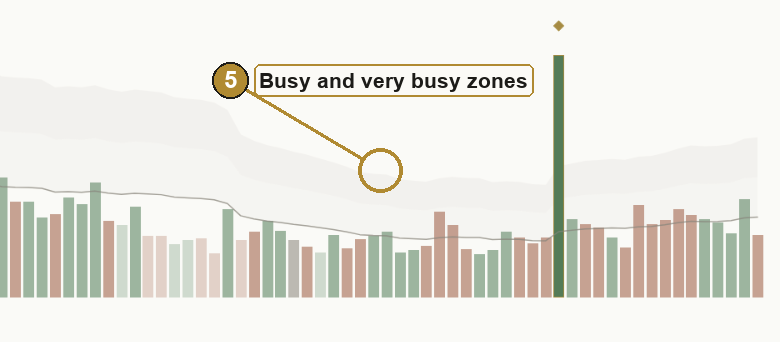
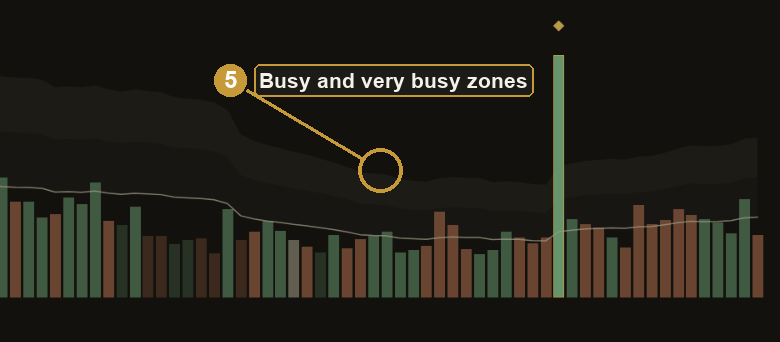
  5. Busy zones
  6. Heavy volume marks
  7. Session VWAP
  8. Busiest price
  9. Mentor panel

Each part, up close

Up and down are treated the same way throughout. Every read has a version for each side.

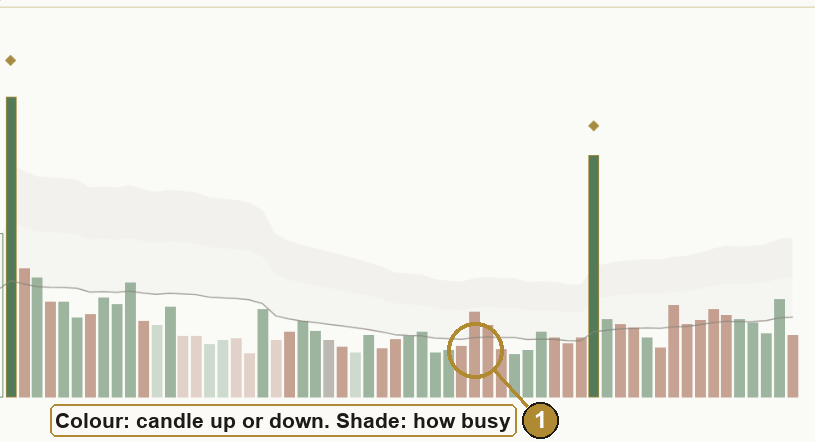
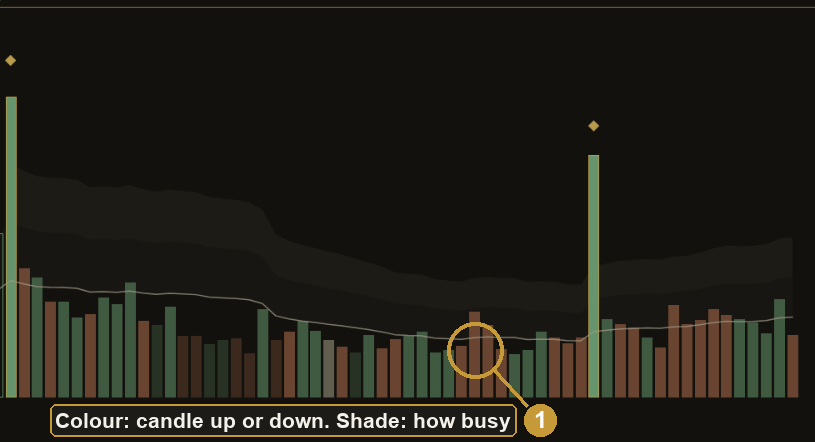
Close-up of green and terracotta volume columns on a light chart, from faint quiet bars to full-colour very busy bars. Close-up of green and terracotta volume columns on a dark chart, from faint quiet bars to full-colour very busy bars.

The volume columns

Colour shows the candle's direction: whether it closed up or down. It doesn't show who led the bar. Shade shows how busy the bar was compared with usual. The panel's legend says it in one line: "Colour: candle closed up or down. Shade: how busy for its time of day."

  • Green: the candle closed up. It does not prove buyers started the trades.
  • Terracotta: the candle closed down. It does not prove sellers started the trades.
  • Grey: the candle closed where it opened.

Faint is quiet (under 0.7 times usual), medium is normal, strong is busy (1.5 times or more), full colour is very busy (2 times or more).

Back to the chart
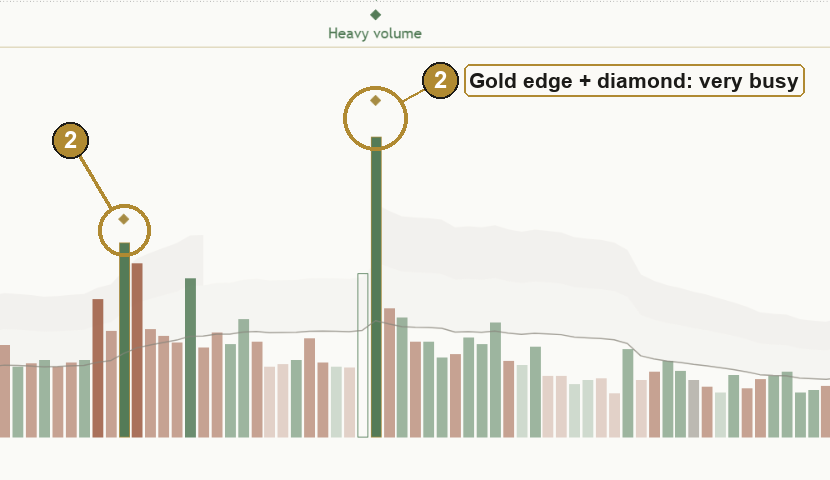
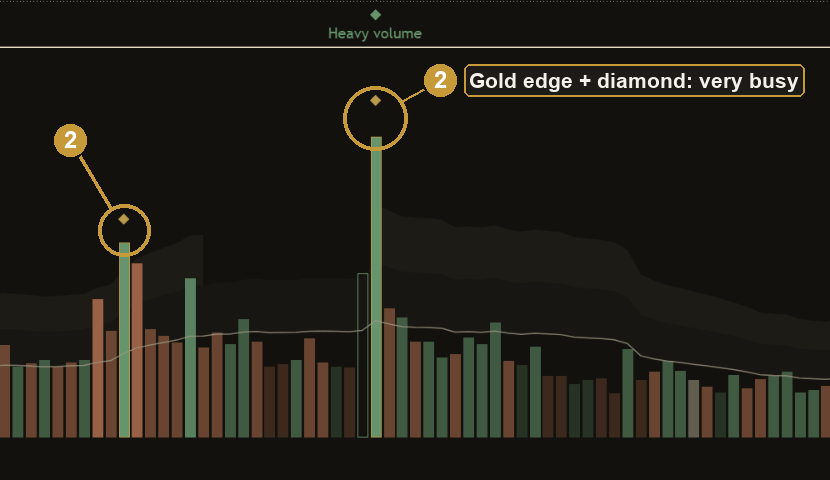
Close-up of a very busy volume column with a gold outline and a small gold diamond above it, light theme. Close-up of a very busy volume column with a gold outline and a small gold diamond above it, dark theme.

Gold edge and diamond

A column at 2 times usual volume or more gets a gold outline and a gold diamond. Gold means only this in the volume pane, so it stands out at a glance. A very busy down bar gets the same gold edge as a very busy up bar.

Very busy says a lot of people were involved, not which way price goes next. It can start a move, carry one on, or be the last push of one.

Back to the chart
Close-up of a hollow volume column with only a coloured outline: a busy bar where price hardly moved, light theme. Close-up of a hollow volume column with only a coloured outline: a busy bar where price hardly moved, dark theme.

The hollow bar

A busy bar (1.5 times usual or more) where price hardly moved, its range 0.7 times its typical size or less, is drawn hollow. Effort without result.

A green outline: the candle closed up but price barely moved, and sellers may have been soaking up the buying. A terracotta outline: the candle closed down but price barely moved, and buyers may have been soaking up the selling. A clue, not a verdict. It can also just be a pause.

Back to the chart
Close-up of the thin grey usual line running through the volume columns, light theme. Close-up of the thin grey usual line running through the volume columns, dark theme.

The usual line

The thin grey line is what is usual for each bar. A column that reaches it is about normal.

On intraday charts from 1 minute to 1 hour it is the usual volume for that time slot over the last 10 sessions, so it rises at the open and close and dips at lunch. On longer charts, and on daily and higher, it is the average of the last 20 bars. It is the exact baseline the Mentor uses, and it is hidden wherever it would rise above every recent column.

Back to the chart
Close-up of two very soft grey shaded bands above the usual line, marking busy and very busy, light theme. Close-up of two very soft grey shaded bands above the usual line, marking busy and very busy, dark theme.

The busy and very busy zones

Two very soft shaded bands sit above the usual line: from usual up to busy (1.5 times), and from busy up to very busy (2 times). A column poking into the lower band is busy; one poking through the upper band is very busy.

The zones have no edge lines, so they never look like gold outlines, and they are not drawn above the tallest recent column, so the columns keep the pane's height.

Back to the chart
Close-up of a green Heavy volume diamond under a swing low candle on the price chart, light theme. Close-up of a green Heavy volume diamond under a swing low candle on the price chart, dark theme.

Heavy volume marks on price

A very busy bar that turned out to be a swing point gets a small diamond labelled Heavy volume: terracotta above the candle for a swing high, green below the candle for a swing low.

A swing only counts once 5 bars on each side have closed, so the mark arrives late by design and never moves afterwards. A 20-bar cooldown per side keeps the price chart clear. Lots of people cared about that price, but it can still give way, or be taken out.

Back to the chart
Close-up of a thin gold session VWAP line on an intraday price chart, labelled VWAP at the right edge, light theme. Close-up of a thin gold session VWAP line on an intraday price chart, labelled VWAP at the right edge, dark theme.

Session VWAP

One thin gold line on the price chart: the day's average price, weighted by volume. It starts fresh each session. Price above it means the session's trading has, on average, happened lower than where price is now. Price below it means the opposite.

Intraday only, because on daily and higher charts each bar is already a whole session. Hidden on feeds with no volume and in the Simple view. When the provider reports tick volume it is weighted by activity, and the panel calls it the day's activity-weighted average.

Back to the chart
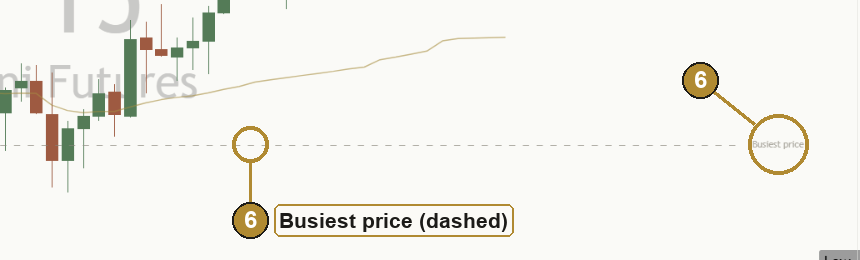
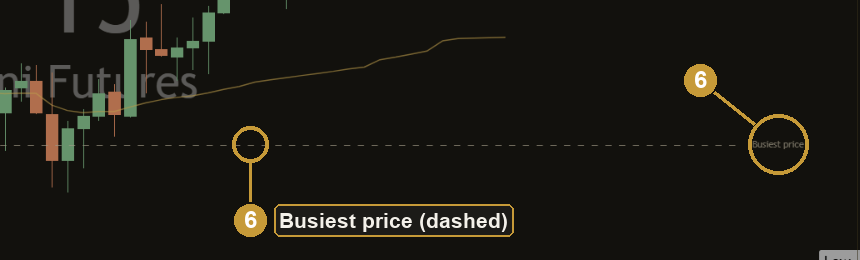
Close-up of a faint grey dashed line on the price chart labelled Busiest price, light theme. Close-up of a faint grey dashed line on the price chart labelled Busiest price, dark theme.

The busiest price

One faint dashed line at the price where the most volume traded over the last 150 bars. Each bar's volume is placed at its typical price and sorted into 40 price rows; the line sits in the middle of the fullest one.

A quick taste of a volume profile: where the most business was done recently. It is worked out again on each new bar, so it can shift as the window rolls forward. Off in the Simple view.

Back to the chart
Mentor panel paper Mentor panel ink

The Mentor panel

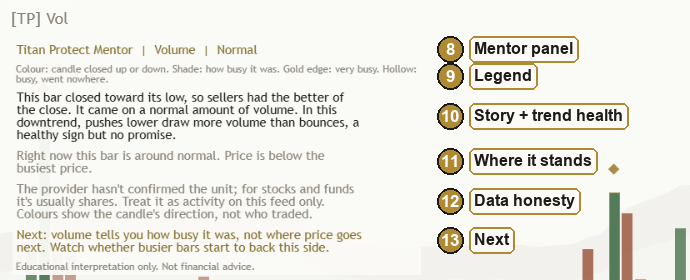
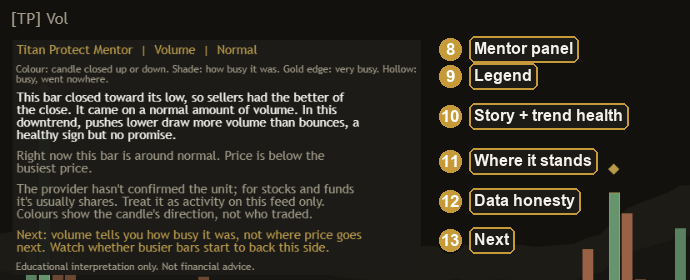
Read it top to bottom: the header with a one-word read (Quiet, Normal, Busy or Very busy), a one-line legend, the story (where the bar closed in its range, whether the effort got anywhere, and how the trend's pushes and pullbacks compare), the latest standout bar or range break and how old it is, where activity sits for its time of day and where price sits against the VWAP and busiest price, what the volume on this feed counts, and Next in gold.

It never shows numbers, and the footer always says the same thing: educational interpretation only. More on what it says to you at every level.

Back to the chart

Three views, one switch

Simple

The columns, the usual line and a short panel: the main read, what the volume counts and what to watch.

Standard (default)

Adds the busy zones, the gold edge and hollow bars, the Heavy volume marks, the session VWAP and the busiest price, with a panel sized for a normal volume pane.

Full

Everything, with the longer panel: older standout bars, building or fading activity, an estimate of the flow inside the bar, and a heads-up when volume doesn't back a new high or low.

Volume and price together

Two classic reads, in the Standard and Full views. Neither draws anything on the chart, and neither says where price goes next.

Trend health

Are pushes drawing more volume than pullbacks? In an uptrend or downtrend, the Mentor compares how busy the bars that moved with the trend were against the bars that moved against it, over the last 20 closed bars, each against its own usual.

"In this uptrend, pushes higher draw more volume than pullbacks, a healthy sign but no promise."

"In this downtrend, bounces now draw more volume than pushes lower, so its support is thinning. A heads-up, not a turn."

Range-break participation

Was a break on above-usual or thin volume? When a bar closes outside its recent 20-bar range, the Mentor says how much volume came with it, and what would show the break didn't stick. A bar that pokes out and closes back inside isn't counted.

"Just now, price broke above its recent range on above-usual volume. Breaks with participation tend to be more convincing, though even these can slip back."

"...on thin volume. Thin breaks fail more often, so treat it with caution."

How the Mentor helps you at every level

Same indicator, same panel. What you take from it grows with you. These are real lines the panel writes, for a market trending up, trending down, and going nowhere.

  1. Level 1

    Beginner

    What gets in the way

    • Volume is a wall of coloured columns.
    • Nobody says what counts as "a lot".
    • A green column looks like "buyers won", when it only means the candle closed up.

    The habit it builds: reading volume as how many showed up, compared with what is usual, in words you would use yourself.

    What the Mentor says

    Uptrend"This bar closed toward its high, so buyers had the better of the close. It came on a normal amount of volume. It goes with the bigger uptrend, which helps but isn't a promise."

    Downtrend"This bar closed toward its low, so sellers had the better of the close. It came on a normal amount of volume. It goes with the bigger downtrend, which helps but isn't a promise."

    No clear trend"This bar closed near the middle of its range, so neither side won the close. It covered a typical range on a normal amount of volume."

  2. Level 2

    Intermediate

    What gets in the way

    • Every open looks huge and every lunch looks dead.
    • Tick volume gets read as shares.
    • Tall columns get read as direction.

    The habit it builds: compare like with like (the same time of day), know what the feed counts, and ask whether the activity moved price.

    What the Mentor says

    Uptrend"This bar covered real ground and closed toward its high, with plenty of volume behind it. Moves like this can carry on, or be the last push before they run out of steam."

    Downtrend"This bar covered real ground and closed toward its low, with plenty of volume behind it. Moves like this can carry on, or be the last push before they run out of steam."

    No clear trend"That's about usual for this time of day, close to the average line. This is normally one of the busier times, so a big column here is no surprise."

  3. Level 3

    Advanced

    What gets in the way

    • Missing effort without result.
    • Treating a busy swing as a floor or ceiling that must hold.
    • Forgetting that swing marks are confirmed late.

    The habit it builds: effort against result first, then whether the trend's pushes still draw more volume than its pullbacks, then the confirmed swing, with its lag and its "can fail" said out loud.

    What the Mentor says

    Uptrend"Lots of volume, but price barely moved, though it closed toward its high. It stayed narrow, so sellers may have been soaking up the buying, or it's just a pause. A clue, not a verdict. I've drawn it hollow."

    Downtrend"Just now, a very busy bar turned out to be a swing low, marked on the price chart. Marks arrive a few bars late, once the bars after the swing have closed. Lots of people cared about that price, but it can still give way."

    No clear trend"Lots of volume, but price barely moved and closed near the middle. Price stayed in a narrow range while volume picked up. That's a tug of war, and it can break either way."

  4. Level 4

    Expert

    What gets in the way

    • Fatigue: the tenth chart of the day gets less attention than the first.
    • Your own bias quietly leaning one way.
    • Tools that claim to see order flow they can't see.

    The habit it builds: a second pair of eyes in the Full view: price against the day's average and the busiest price, an honestly labelled estimate of the flow inside the bar, a heads-up when volume is no longer backing a new high or low, and whether a range break had the crowd behind it. Descriptive alerts watch for you.

    What the Mentor says

    Uptrend"Just now, price pushed to a new high, but the running volume tally (OBV) didn't follow. Fewer people may be backing the rise. A heads-up only: it's often early or wrong."

    Downtrend"Price is below the day's volume-weighted average (thin gold line), and below the busiest recent price (dashed line). Inside the bar, selling looked a bit stronger (an estimate from smaller candles, not real order flow)."

    No clear trend"Price is right on the day's volume-weighted average (thin gold line), and near the busiest recent price (dashed line)."

It reads every kind of market

Uptrend Price and 50 EMA above the 200 EMA

The bigger picture is up. The Mentor says when a bar goes with it, and that this helps but isn't a promise. It also checks whether pushes higher draw more volume than pullbacks.

"Next: watch whether the next few bars keep climbing with volume behind them. If volume dries up straight away, the push may have been a one-off."

Downtrend Price and 50 EMA below the 200 EMA

The bigger picture is down. Read exactly the same way, mirrored: pushes lower against bounces.

"Next: watch whether the next few bars keep falling with volume behind them. If volume dries up straight away, the push may have been a one-off."

No clear trend Averages mixed

No bigger picture either way. The Mentor doesn't force a direction, and says what would show who is taking over.

"Next: watch for a bar where price and volume both pick up. That's usually the first clue about who's taking over."

Three things to remember

  1. Busy compared with what? A tall column means nothing until you know what is usual for that time of day. The Mentor does that comparison for you.
  2. Effort against result. Lots of volume that moves price and lots of volume that goes nowhere are two different stories. Both are clues, not verdicts.
  3. Know your feed. Shares, contracts and tick counts are not the same thing. The panel tells you what the provider reports, hedges when it doesn't say, and reminds you to compare only with the same feed.

Honest about the data, fair about the clock

What the volume counts

The unit comes from what the data provider reports: tick volume (a count of price changes), the asset itself, or the quote currency. When the provider doesn't say, the panel gives a hedged hint, not a claim: on stocks it's usually shares, on futures usually contracts, and on CFD and forex feeds it's often tick volume. Either way, only compare volume with the same feed.

A bar with missing volume is left as a gap in the columns, not drawn as a false zero, and it is left out of "usual".

On a chart with no volume, nothing is drawn and the panel says: "This chart doesn't carry usable volume, so I can't tell you how busy it's been. I'd rather say nothing than guess."

Time of day

On intraday charts from 1 minute to 1 hour, each bar is compared with the same time slot over the last 10 sessions, in the exchange's own time zone. A slot needs at least 5 of them before it is trusted; until then the panel says it is using recent bars.

Charts longer than 1 hour use recent bars, because a session only has a few long bars to line up, and each one mixes busy and quiet hours. Daily and higher charts have no time of day, so they always use recent bars.

Light 15 minute chart: the grey usual line rises at each open and close and dips at lunch, with a thin gold session VWAP and a faint dashed busiest-price line on the price chart. Dark 15 minute chart: the grey usual line rises at each open and close and dips at lunch, with a thin gold session VWAP and a faint dashed busiest-price line on the price chart.
Intraday: the usual line follows the shape of the day.
Volume mentor tick paper Volume mentor tick ink
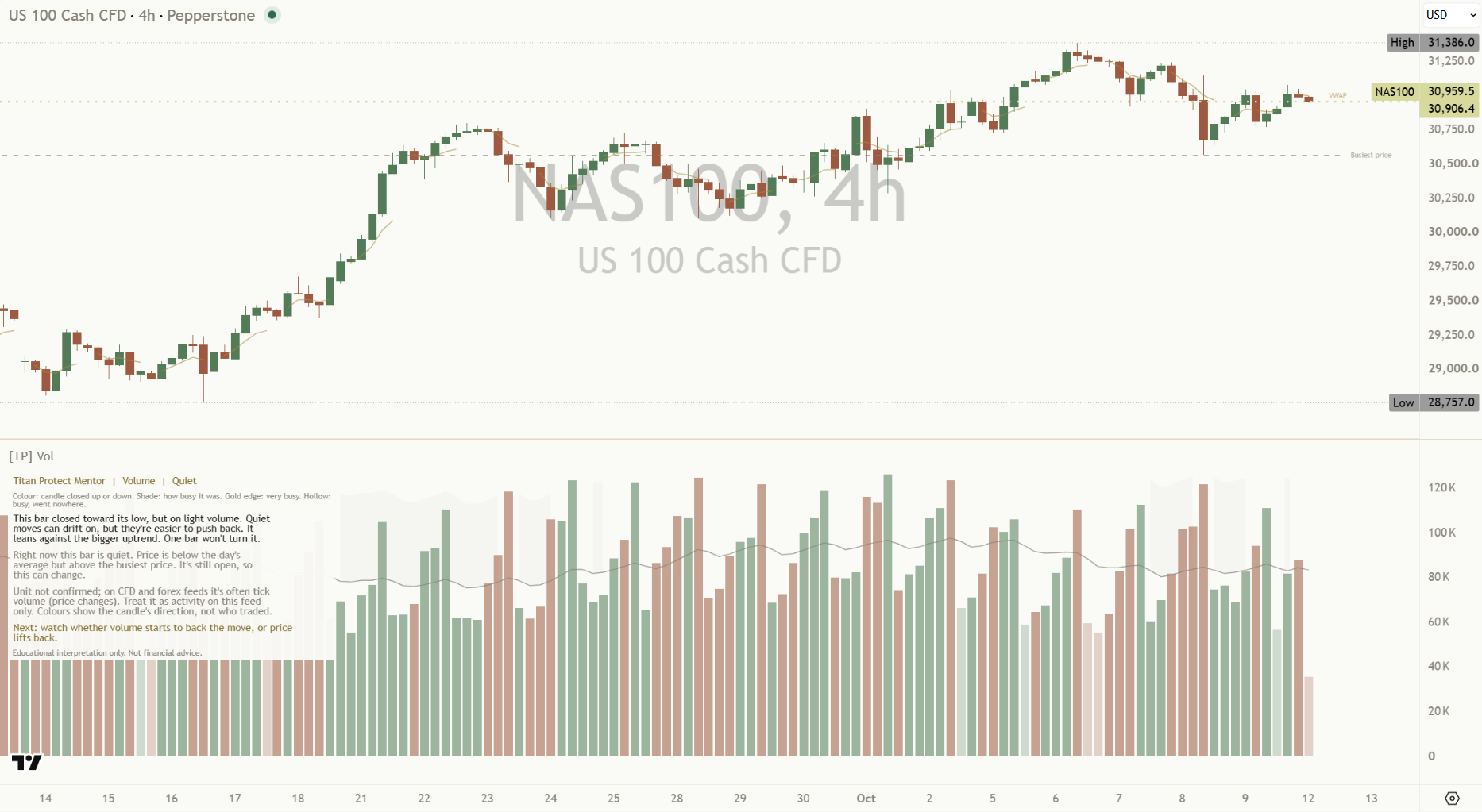
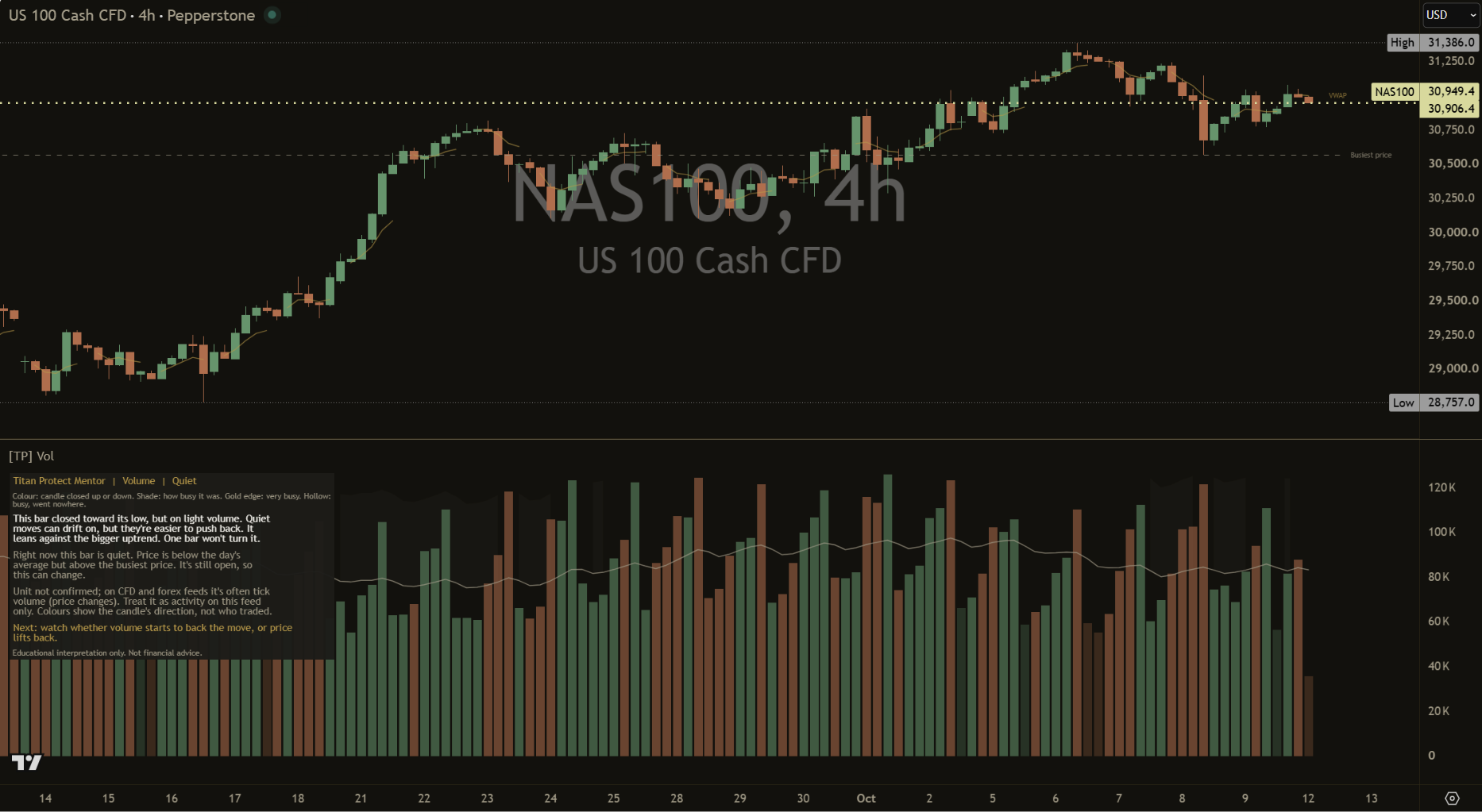
A CFD feed: the panel says what the volume counts, and hedges when the provider doesn't say.

Settings

The defaults are built to work out of the box. These are the ones worth knowing.

On a small screen, swipe the table sideways to see every column.
SettingWhat it doesDefault
ViewSwitches whole layers at once.
SimpleStandardFull
Standard
Compare withSame time of day (intraday charts from 1 minute to 1 hour) or recent bars.Same time of day
Days to comparePast sessions that make up "usual" for a time slot.10
Volume average lengthBars that make up "usual" when comparing with recent bars.20
Quiet / Busy / Very busy thresholdWhere each tier starts, as a share of usual volume.0.70 / 1.50 / 2.00
Narrow-bar / Wide-bar thresholdWhen a bar "went nowhere" or "covered real ground", against its typical size.0.70 / 1.25
Show session VWAP / the busiest priceThe two light lines on the price chart.On / On
Busiest price lookbackHow many bars the busiest price covers.150 bars
Show very busy swing marks on priceThe Heavy volume diamonds, confirmed after 5 bars each side.On
Bars between same-side marksCooldown between marks on each side.20
Read trend health from volumeCompares pushes with pullbacks in a trend, over a window of closed bars, with a margin before it calls it.On, 20 bars, 1.20
Trend health alert waits (bars, 0 = auto)How long a call must hold before its alert fires. Auto waits 16 bars on intraday charts and 3 on daily and higher. Any other number applies everywhere.0 (auto)
Read range breaks with volumeNotes a close outside the recent range and how much volume came with it.On, 20 bars
Panel position9 spots, the same as every Titan indicator: Top, Middle or Bottom, each Left, Center or Right. Top Left
Panel text size4 sizes, the same as every Titan indicator.
TinySmallNormalLarge
Small
Line width (characters)How wide the panel text wraps.60
Panel styleFull explains the evidence. Compact keeps the main read, what the volume counts and what to watch.
FullCompact
Full
ThemeAuto matches your chart background, or force Light or Dark.
AutoLightDark
Auto
Tooltip example
Every setting has a small (i) next to it. Hover over it, or tap it on a phone, and it explains that setting in one line, right there on your chart.
See the whole settings window

Open it by double-clicking the indicator's name on your chart. Top to bottom:

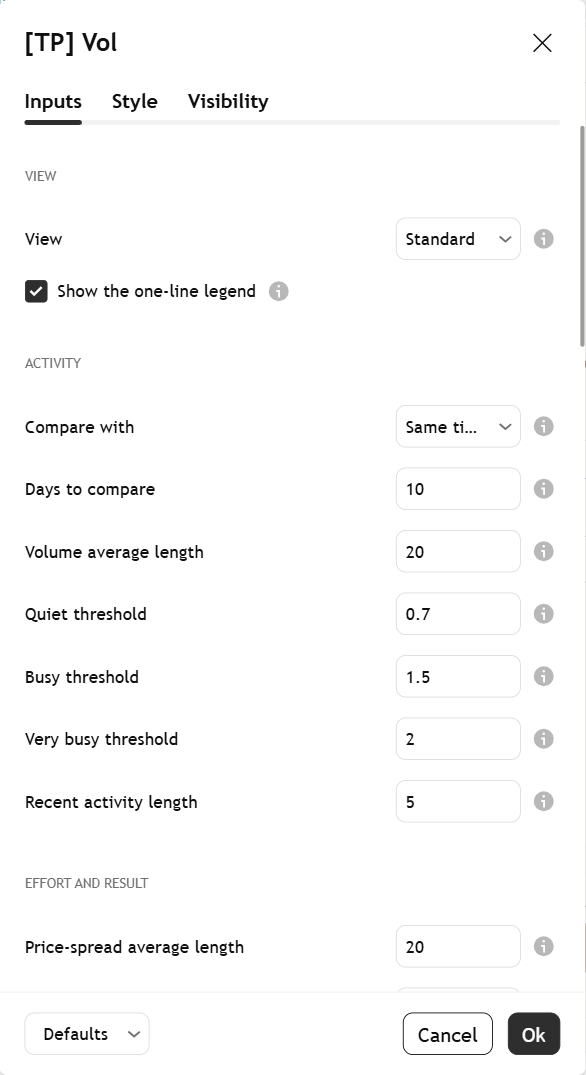
Settings, part 1: the View preset and legend switch, then the Activity group: compare with, days to compare, volume average length, the quiet, busy and very busy thresholds and the recent activity length.
1. View and activity
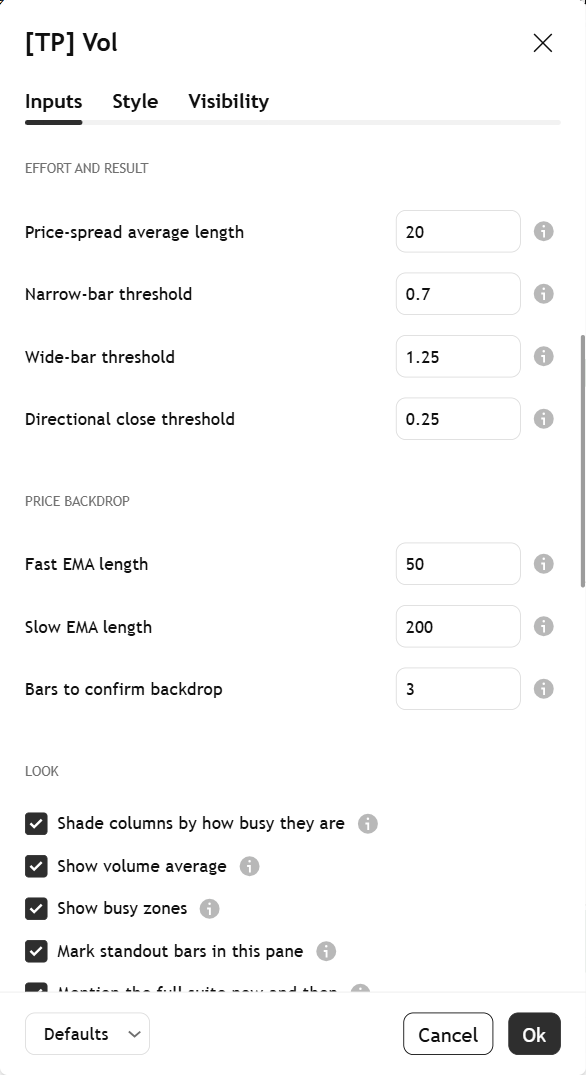
Settings, part 2: effort and result thresholds, the price backdrop averages and confirmation bars, and the Look switches for shading, the average, the zones, the standout marks and the suite note.
2. Effort, backdrop, look
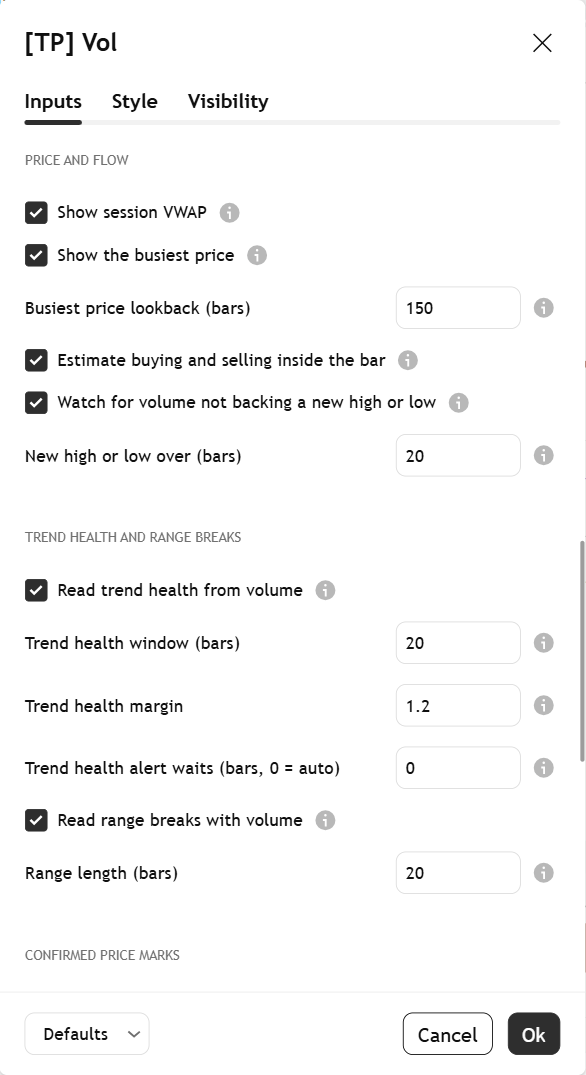
Settings, part 3: session VWAP, busiest price and its lookback, the inside-the-bar estimate, the check for volume not backing a new high or low, then the Trend health and range breaks group: window, margin, alert wait and range length.
3. Price and flow, trend health and range breaks
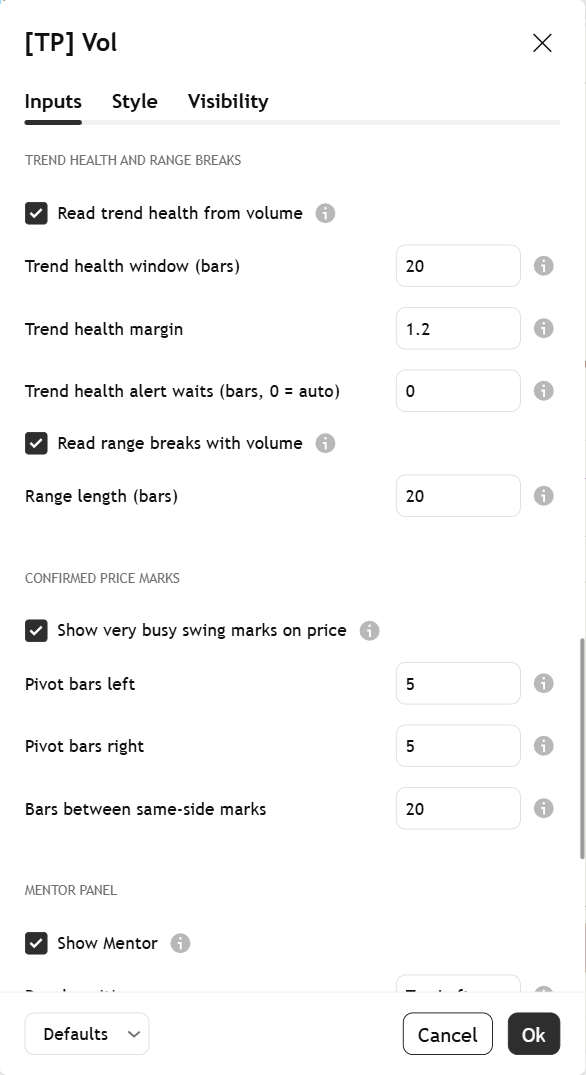
Settings, part 3b: the Trend health and range breaks group again for context, then the Confirmed price marks group: the very busy swing marks switch, pivot bars left and right, and bars between same-side marks.
3b. Trend health and confirmed price marks
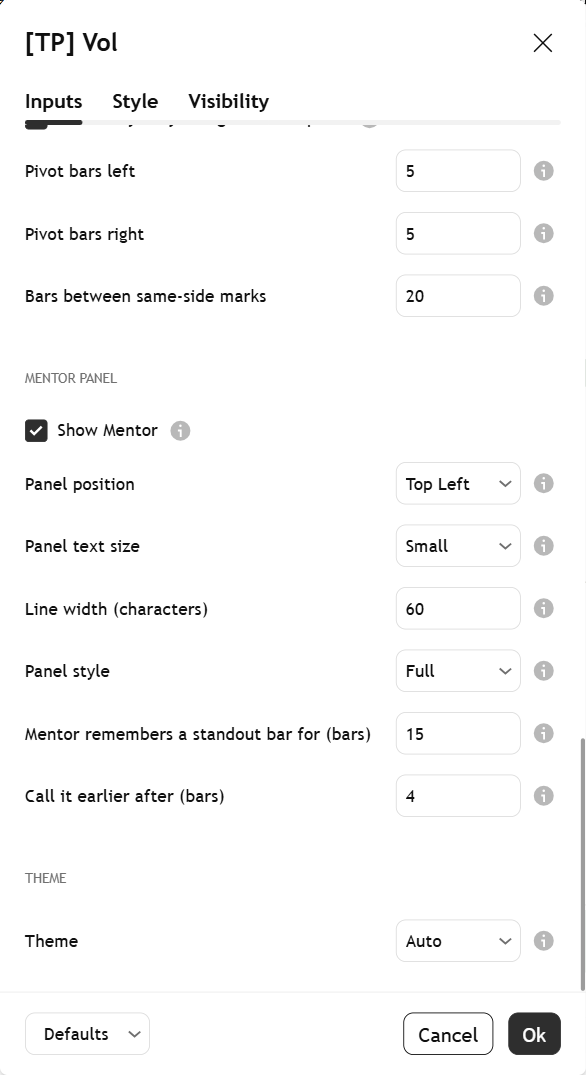
Settings, part 4: the Mentor panel settings (show, position, text size, line width, style, how long it remembers a standout bar) and the theme.
4. Mentor panel and theme
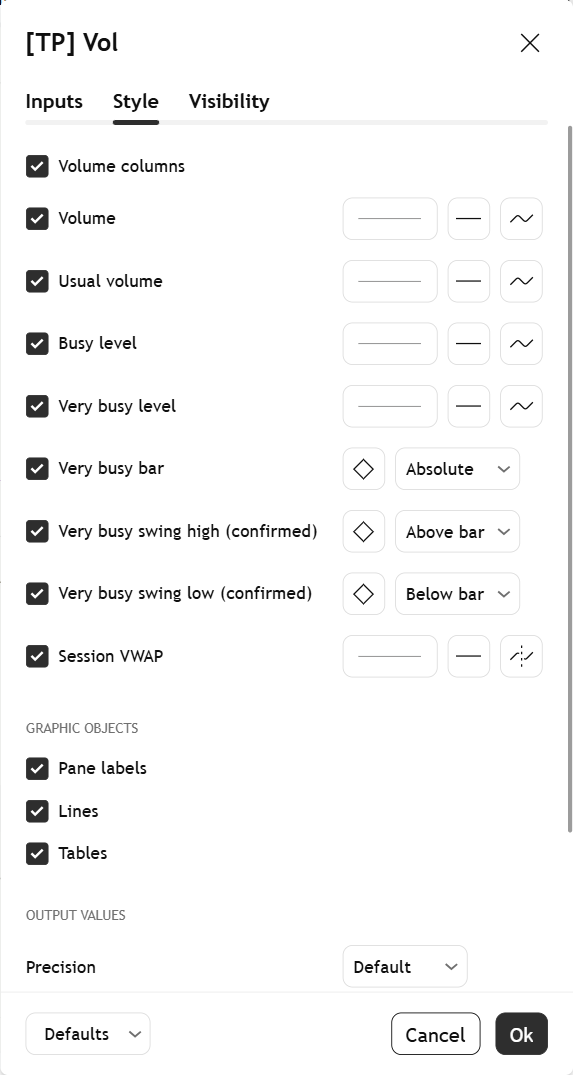
The Style tab: colour, thickness and visibility for each plot, fill and marker the indicator draws.
5. Style tab (rarely needed)
Best on the Titan Canvas

The indicator's colours match the Titan Canvas chart style, a warm Paper (light) and Ink (dark) look for TradingView with muted green and terracotta candles and gold kept for what matters. With Theme on Auto, the Mentor picks the right palette for whichever one you use. No setting needed.

Alerts

Set any of these as TradingView alerts. They work in every view, as long as their read is switched on. The messages describe what happened. They never tell you what to do.

  • Very busy swing high confirmedVolume Mentor: a very busy bar turned out to be a swing high.
  • Very busy swing low confirmedVolume Mentor: a very busy bar turned out to be a swing low.
  • Busy, wide bar closed toward its highVolume Mentor: a busy bar covered real ground and closed toward its high.
  • Busy, wide bar closed toward its lowVolume Mentor: a busy bar covered real ground and closed toward its low.
  • Busy bar that went nowhereVolume Mentor: a busy bar made little progress.
  • Volume didn't back a new high or lowVolume Mentor: price made a new high or low that the running volume tally (OBV) didn't match.
  • Uptrend: pushes heavier than pullbacksVolume Mentor: in this uptrend, pushes higher are drawing more volume than the pullbacks.
  • Uptrend: pullbacks heavier than pushesVolume Mentor: in this uptrend, pullbacks are now drawing more volume than the pushes, so the trend's support is thinning.
  • Downtrend: pushes heavier than bouncesVolume Mentor: in this downtrend, pushes lower are drawing more volume than the bounces.
  • Downtrend: bounces heavier than pushesVolume Mentor: in this downtrend, bounces are now drawing more volume than the pushes lower, so the trend's support is thinning.
  • Range break up on busy volumeVolume Mentor: price closed above its recent range on above-usual volume.
  • Range break up on thin volumeVolume Mentor: price closed above its recent range on thin volume.
  • Range break down on busy volumeVolume Mentor: price closed below its recent range on above-usual volume.
  • Range break down on thin volumeVolume Mentor: price closed below its recent range on thin volume.

Trend-health alerts wait until the call has held (by default 16 bars on intraday charts, 3 on daily and higher), so they stay calm. Range-break alerts only count a bar that has closed outside the range.

Learn more

Start with the lesson, then watch the indicator explained.

Watch it explained

Video · 2:44How to read [TP] Volume - MentorEvery part of the indicator, one at a time, on real charts, and what the Mentor panel is telling you.
Video · 2:30Volume explainedActivity, time of day, effort versus result and where the business was done, in plain English. Read the full lesson

One concept, read well

[TP] RSI - Mentor, [TP] Volume - Mentor, [TP] Market Structure - Mentor, [TP] Trend - Mentor, [TP] VWAP - Mentor, [TP] Fibonacci - Mentor, [TP] MACD - Mentor, [TP] Bollinger Bands - Mentor, [TP] Regime - Mentor and [TP] Market Board - Mentor each read one thing deeply, for free. Markets rarely move on one thing. The full Titan suite reads them together: momentum, volume, trend structure and flow, combined into one plain-English read.

Questions

Is it free?

Yes. [TP] Volume - Mentor is free on TradingView. Add it from the Indicators menu. Nothing is locked.

Does it repaint?

The marks don't. Heavy volume marks are only drawn once the swing is confirmed, 5 bars later by default, and never vanish afterwards. The volume-tally heads-up, trend health and range breaks use closed bars only. The current bar's volume and read can change until the bar closes, as with any volume indicator, and the panel says so while the bar is open. The busiest price is worked out again on each new bar, so it can shift as the window rolls forward.

Does it tell me when to act?

No. It describes activity: how busy each bar was compared with usual, whether that effort moved price, and what is worth watching. Volume shows participation, not direction. Decisions stay with you.

Why does the open no longer look "very busy"?

On intraday charts from 1 minute to 1 hour, each bar is compared with the same time of day over recent sessions. Opens are normally busy, so an ordinary open reads as normal, and a genuinely unusual bar at lunch stands out instead. You can switch "Compare with" to Recent bars if you prefer the flat average.

Why does my forex or CFD chart mention "tick volume"?

Spot forex and most CFDs have no single exchange, so the feed often counts price changes instead of shares or contracts. The Mentor takes the unit from what the provider reports. Many providers don't say, so on CFD and forex feeds the panel hedges: "Unit not confirmed; on CFD and forex feeds it's often tick volume (price changes). Treat it as activity on this feed only." Tick volume still tracks activity, so the read is useful, but only compare it with the same feed.

My index chart shows nothing. Is it broken?

Many index charts carry no volume of their own. Rather than draw a false zero, the Mentor draws nothing and says so. A fund or future that tracks the index has real volume and will work. If just one bar is missing its volume on an otherwise normal chart, that column is left as a gap for the same reason.

Is the green and terracotta colouring real buying and selling?

No, and the panel says so: "Colours show the candle's direction, not who traded." Green when it closed up, terracotta when it closed down. Every trade has a buyer and a seller, so the colour doesn't say who led the bar. In the Full view, the inside-the-bar line is an estimate from smaller candles, clearly labelled as not real order flow.

Which markets and timeframes does it work on?

Any symbol with volume on TradingView, on any timeframe. Same-time-of-day comparison applies on intraday charts from 1 minute to 1 hour; the session VWAP shows on intraday charts only.

The panel takes up too much room. What can I do?

Switch to the Simple view or set Panel style to Compact (main read, what the volume counts and Next), pick a smaller text size, or move it to any of the 9 panel positions. You can also switch off the one-line legend once you know it.

Get our weekly market brief free.