Live · 23 Oct 2026 SPX 7,623.68 -0.52% NDX 28,957.53 +0.00% VIX 19.45 +2.21% GOLD 4,010.00 -1.24% CL 103.44 +3.99% BTC 81,228.08 -0.10%
Free TradingView indicator

[TP] Market Board - Mentor

Is it the whole market, or just my chart? This board answers that in one plain line. It shows how 30 markets closed on the last finished day, then puts your chart beside them in words, for example: "AAPL rose while 18 of 23 fell."

When your chart goes against the board, does that tell you anything about the next session? The Mentor marks every past day like it on your chart and counts what came next: kept its move, gave it back, or flat. The header stays plain: "No clear lean". It reads finished days only. The counts are history, not promises.

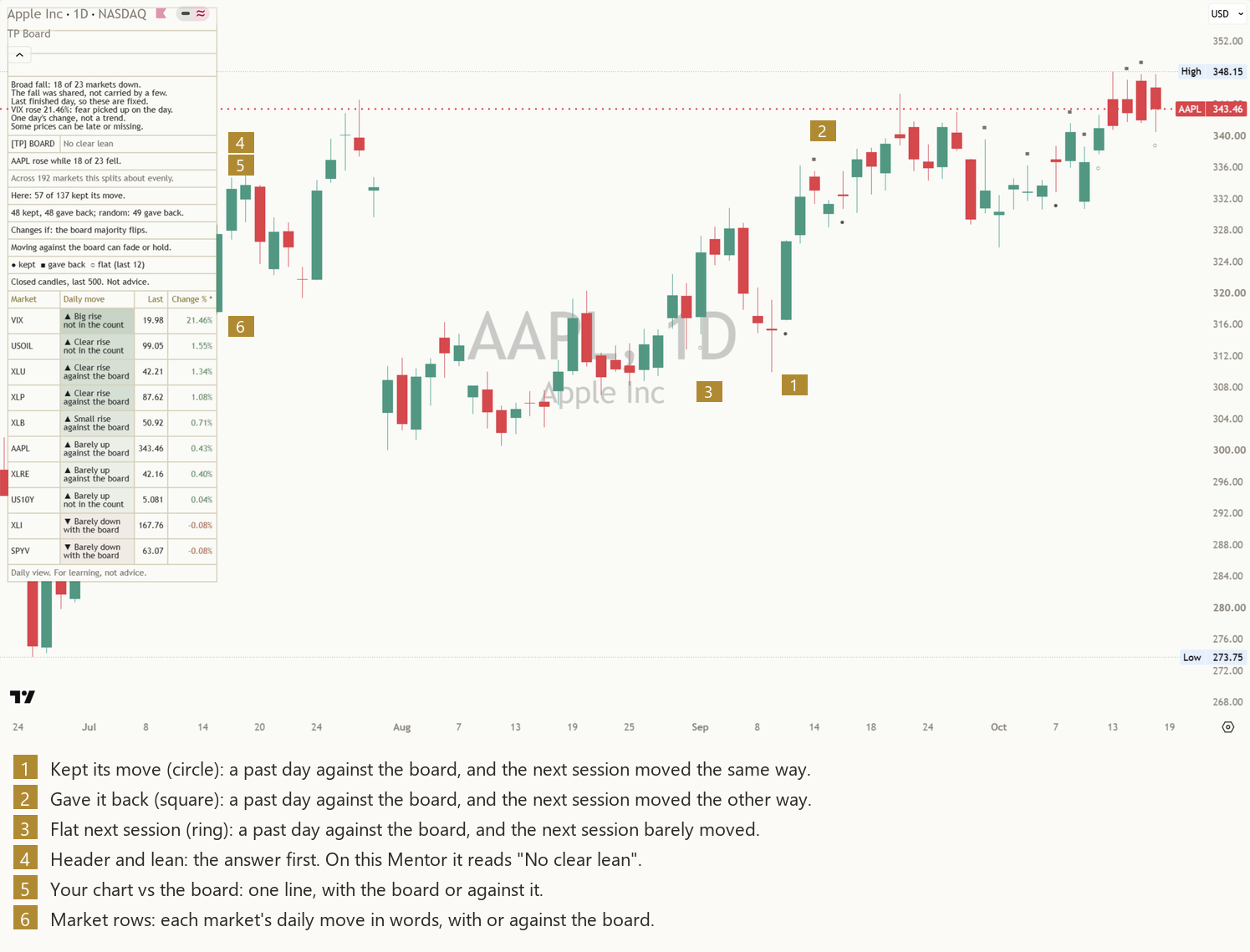
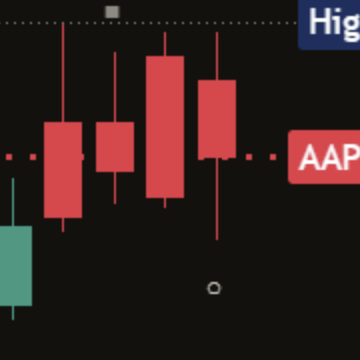
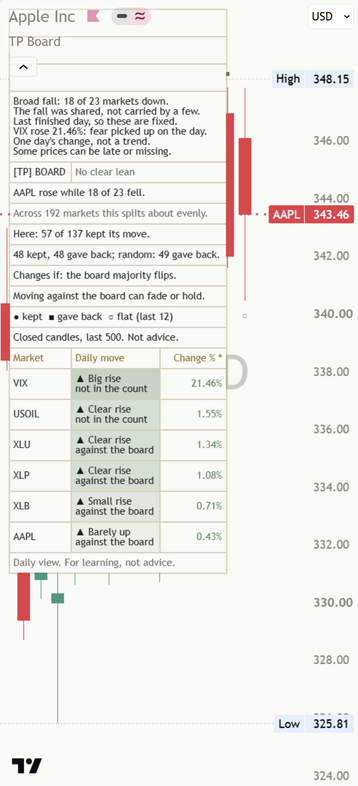
[TP] Market Board - Mentor on a light AAPL daily chart: price candles with small neutral circle, square and ring marks at past days against the board, and the Mentor panel with the market rows at the top left. Captured before the 19 Oct 2026 update, so the panel still shows two study rows it no longer shows. [TP] Market Board - Mentor on a dark AAPL daily chart: price candles with small neutral circle, square and ring marks at past days against the board, and the Mentor panel with the market rows at the top left. Captured before the 19 Oct 2026 update, so the panel still shows two study rows it no longer shows.
AAPL daily, default settings, read after the Friday 16 October close. Captured before the 19 Oct 2026 update: the panel no longer shows the two study rows under the AAPL line. A real chart, an example only, not a recommendation.

What it is in 30 seconds

A move on one chart can mean two very different things. If most markets fell too, your chart moved with the whole market. If most markets rose and yours fell, something about your chart was different that day. This board tells the two apart from finished days, then looks back at what happened after past days like it on the same chart. It describes the past. It does not say what comes next.

It reads the whole board

Thirty markets, each with its daily move in words: "▲ Clear rise", "▼ Small fall", "● Unchanged". Twenty-three of them make up the board's count. The rest, like VIX, gold and the dollar, are shown for context and say "not in the count".

It puts your chart beside it

One line answers the question: "AAPL rose while 18 of 23 fell." or "AAPL rose with 18 of 23." With the board or against it, in plain words, from the last finished day.

It counts, and says what it found

Past days your chart went against the board are counted by what the next session did, on your chart: "Here: 57 of 137 kept its move." (AAPL daily). The header does not call a direction: "No clear lean".

The finished-day rule

A day is only read once it is finished. A daily candle that is still open can turn around before the close, and so can the board. So the board shows each market's last finished daily candle, and the Mentor compares your chart's last finished day with the board's last finished day, never the ones still forming.

One finished day at a time

Your chart's line, the counts and the marks only change when your chart's daily candle closes. On an hourly chart that means once a day, not once an hour.

The next session decides

A day against the board is only counted once the next finished session settles it. Until then it is a ring whose tooltip says "Still open, not counted yet".

Each market closes on its own clock

Stocks, futures and VIX finish their days at different times. Each row moves to the new day only after its own daily close, so no row ever shows a day that is not finished.

Each part, up close

Rising and falling are treated the same way throughout. Every read has a mirrored version. The marks use neutral shapes, never arrows, so their meaning lives in the shape, not the colour.

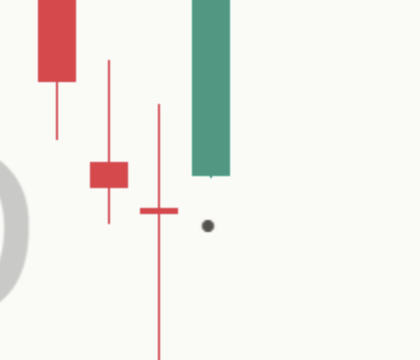
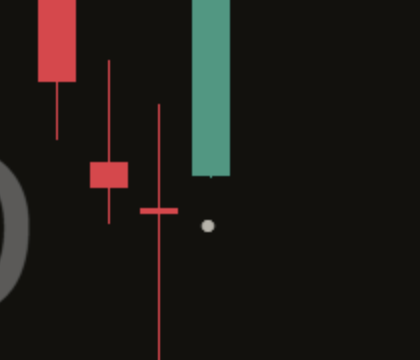
Close-up of a kept mark on a light chart: a small filled circle under the low of a day against the board, with the next candle moving the same way. Close-up of a kept mark on a dark chart: a small filled circle under the low of a day against the board, with the next candle moving the same way.

 Kept its move

A day against the board is a finished day where your chart moved one way and most of the board moved the other. Your chart rose while most markets fell, or fell while most rose.

The next finished session settles it. If your chart moved the same way again by more than 0.10%, the day gets a filled circle under its low. Hover over it and the tooltip says "Kept its move".

Back to the chart
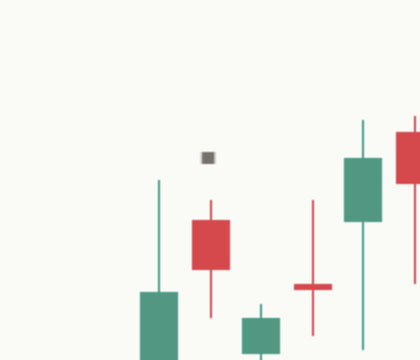
Close-up of a gave-back mark on a light chart: a small square over the high of a day against the board, with the next candle moving the other way. Close-up of a gave-back mark on a dark chart: a small square over the high of a day against the board, with the next candle moving the other way.

 Gave it back

A square over the day's high means the next session went the other way by more than 0.10%. Your chart rose against a falling board, then fell the next day. Or it fell against a rising board, then rose. The tooltip says "Gave it back".

Back to the chart
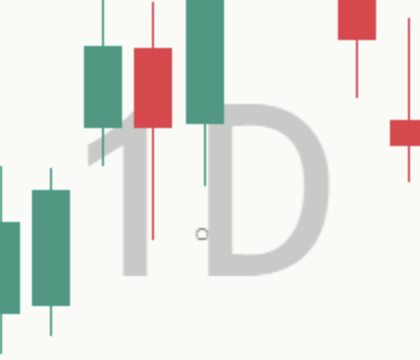
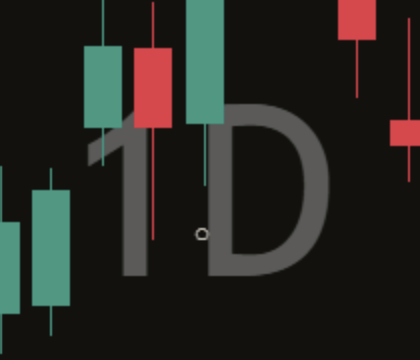
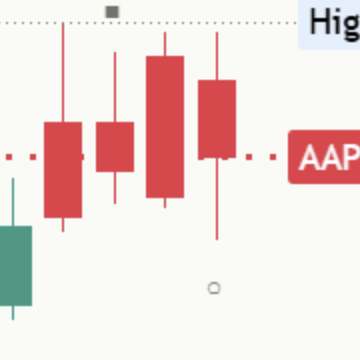
Close-up of a flat ring on a light chart: a small hollow ring under the low of a day against the board, with a next candle that barely moved. Close-up of a flat ring on a dark chart: a small hollow ring under the low of a day against the board, with a next candle that barely moved.

 Flat next session

A hollow ring means the next session closed within 0.10% of the day before, either way. Not kept, not given back: flat. The tooltip says "Flat next session".

A mark appears only after its next session has closed, so nothing moves once drawn. The chart keeps the last 12 marks by default (0 to 30), all in one solid neutral colour. "Mark past events" switches them off without changing the panel's counts.

Back to the chart
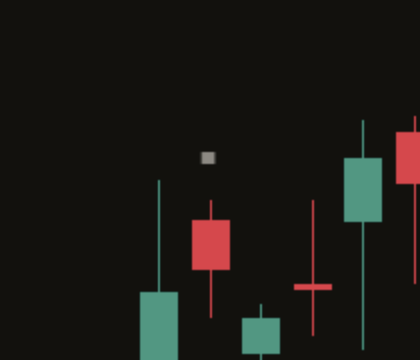
Close-up of the panel top on a light chart: [TP] BOARD and No clear lean, then the AAPL line. Close-up of the panel top on a dark chart: [TP] BOARD and No clear lean, then the AAPL line.

Header and lean

The header is two cells: "[TP] BOARD" and the answer. On this Mentor the answer is always "No clear lean", in a muted colour. The board tells you what happened; it does not call a direction for you.

The panel never prints a percentage. It shows the counts.

Back to the chart
Close-up of the Mentor panel on a light AAPL daily chart: the header, then AAPL rose while 18 of 23 fell. Close-up of the Mentor panel on a dark AAPL daily chart: the header, then AAPL rose while 18 of 23 fell.

Your chart vs the board

The line under the header is the whole point of the board. It names your chart, says how it moved on the last finished day, and says what the board did. The forms it takes (worked examples):

  • Against the board: "AAPL rose while 18 of 23 fell."
  • With the board: "AAPL rose with 18 of 23."
  • Your chart barely moved: "AAPL was flat; board had 18 of 23 rise."
  • The board was split, as many up as down: "AAPL flat; board split: 12 up, 12 down."
  • Too few markets had a price: "Board too small to compare today."
  • Before the first finished day: "Waiting for a finished board day."

A move within 0.10% either way counts as flat, for your chart and for each market. The board needs at least 10 counted markets with a price before it compares. When as many rose as fell, the board is split and makes no with or against call. On the chart at the top of this page, after the Friday 16 October close, the line read "AAPL rose while 18 of 23 fell."

Back to the chart
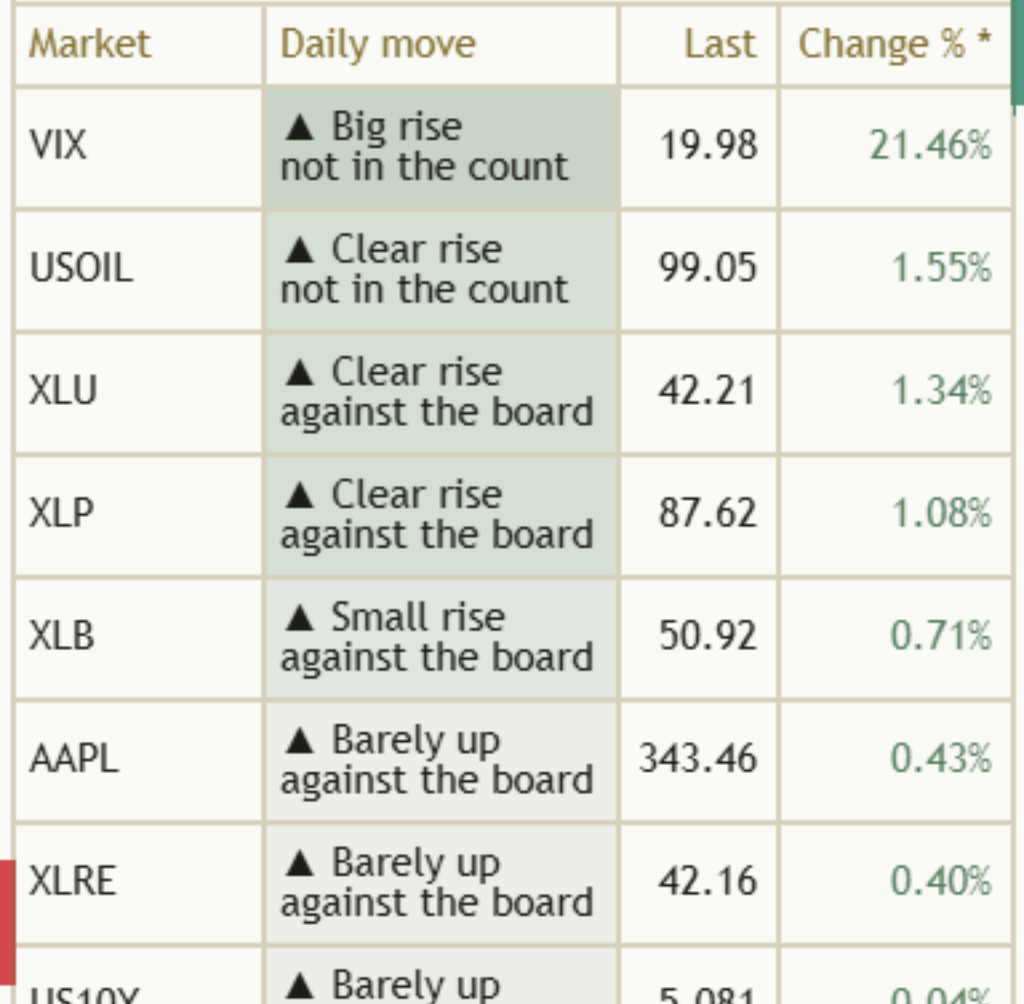
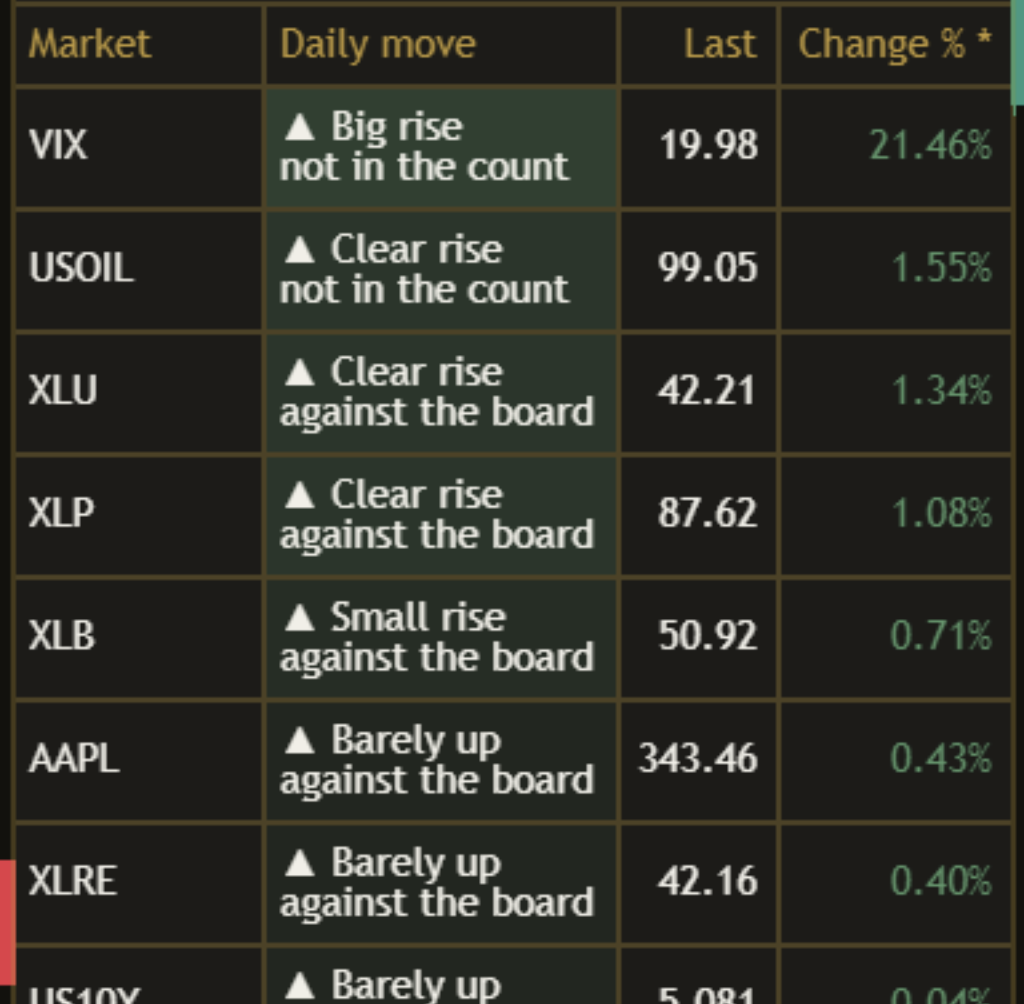
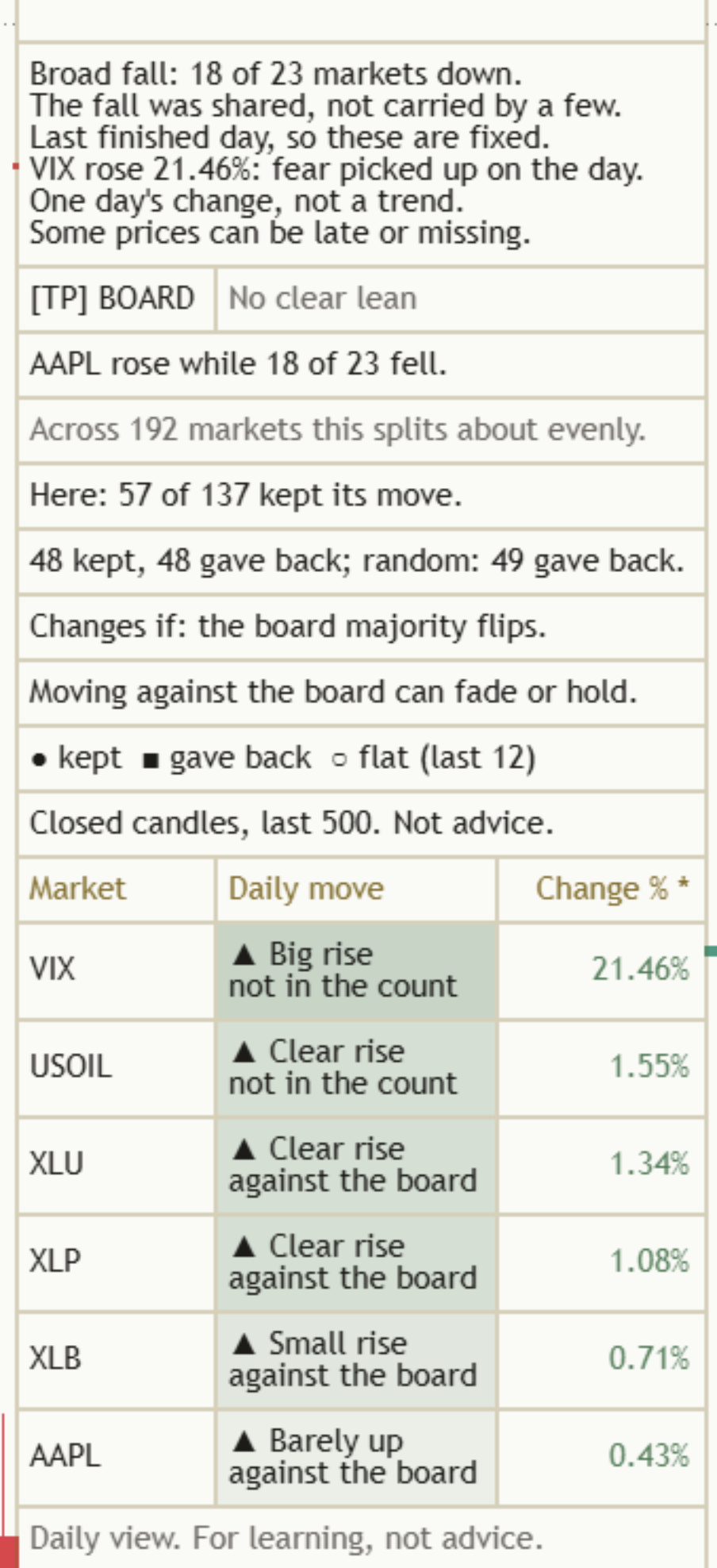
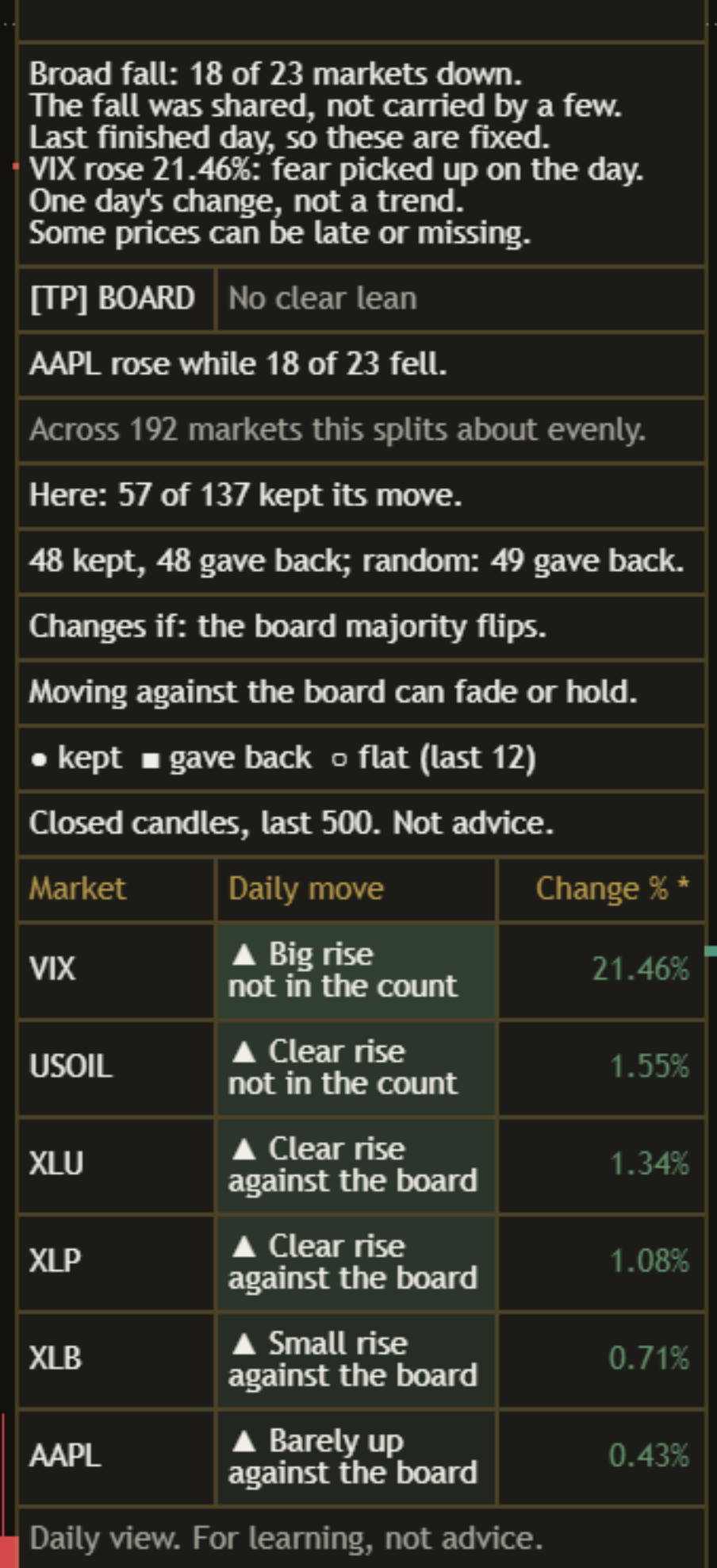
Close-up of the market rows on a light chart: market codes, the daily move in words with a with-the-board or against-the-board note, the last price and the change. Close-up of the market rows on a dark chart: market codes, the daily move in words with a with-the-board or against-the-board note, the last price and the change.

The market rows

Under the panel, each market gets a row: its code, its daily move in words, its last price and its change. The words come in four sizes each way, so colour is never the only clue:

  • "▲ Big rise" (2.5% or more), "▲ Clear rise" (1.0% to 2.5%), "▲ Small rise" (0.5% to 1.0%), "▲ Barely up".
  • "▼ Big fall", "▼ Clear fall", "▼ Small fall", "▼ Barely down", with the same sizes.
  • "● Unchanged", and "! No price" when a market code has no price.

Under the move, each row says "with the board", "against the board", "board is split", or "not in the count" for the seven context markets (VIX, the dollar, the 10-year yield, gold, silver, oil and bitcoin). The rows are sorted by change, with an asterisk on the sorted column.

Back to the chart
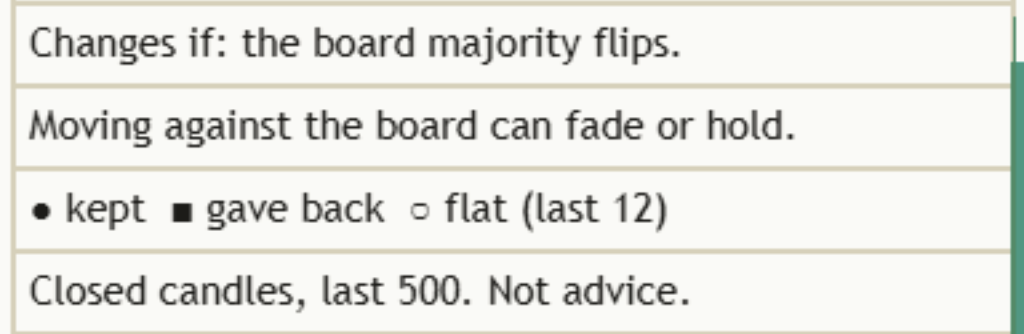
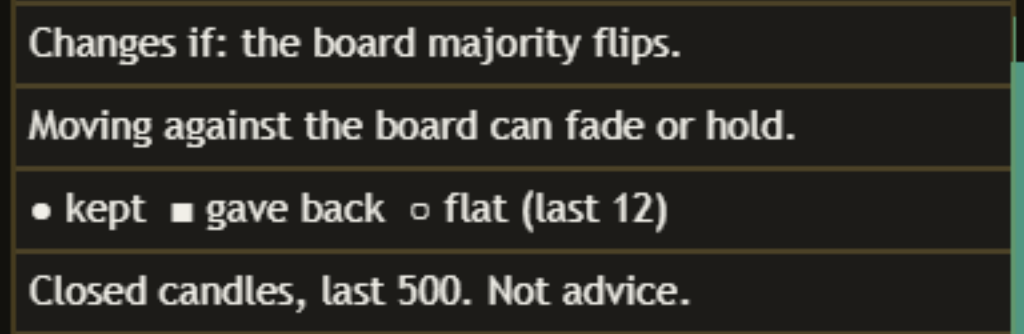
Close-up of the lower Mentor rows on a light chart: the Changes if line, the limit, the mark legend and the footer. Close-up of the lower Mentor rows on a dark chart: the Changes if line, the limit, the mark legend and the footer.

The counts, and the rest of the panel

Under your chart's line comes this chart's own count:

This chart's own count"Here: 57 of 137 kept its move."

"Here" counts your chart's past days against the board in the last 500 finished days, and how many kept their move. Under 8 days it reads "Too few here to count yet (n)." with the number so far. Every number on the panel comes from your chart and the board on it. The count is history, so it never sets the header.

"Mentor detail" starts on Full, which adds "Changes if: the board majority flips." and the legend "● kept ■ gave back ○ flat (last 12)". Every panel ends with one limit line and the footer "Closed candles, last 500. Not advice." On Standard the panel keeps the header, your chart's line, the "Here" count, the limit and the footer: five rows.

The default Full panel on the chart at the top of this page (AAPL daily, after the Friday 16 October close), top to bottom:

  • The header: "[TP] BOARD" and "No clear lean"
  • Your chart vs the board: "AAPL rose while 18 of 23 fell."
  • This chart: "Here: 57 of 137 kept its move."
  • The change condition: "Changes if: the board majority flips."
  • The limit, one of three lines: "Moving against the board can fade or hold."
  • The legend: "● kept ■ gave back ○ flat (last 12)"
  • The footer: "Closed candles, last 500. Not advice."

Above these rows sits a short board summary. On that day it read "Broad fall: 18 of 23 markets down." and "Last finished day, so these are fixed."

Back to the chart
Close-up of the still-open ring on a light chart, under the latest day against the board, whose next session has not finished. Close-up of the still-open ring on a dark chart, under the latest day against the board, whose next session has not finished.

Still-open day, on by default

When the latest finished day went against the board, "Show still-open event" puts one ring under that day's low. On the AAPL chart above it sits under Friday 16 October. Its tooltip says "Still open, not counted yet". It is not in the counts until the next session finishes, and then it becomes a circle, a square or a ring like the rest.

Back to the chart
Close-up of the board in Phone view on a light chart: three columns and six market rows under the Mentor panel. Captured before the 19 Oct 2026 update, so the panel still shows two study rows it no longer shows. Close-up of the board in Phone view on a dark chart: three columns and six market rows under the Mentor panel. Captured before the 19 Oct 2026 update, so the panel still shows two study rows it no longer shows.

Phone view

"Columns to show" on Phone keeps three columns (market, daily move, change) and at most six market rows, so the board fits a small screen. All columns shows five, and Fewer columns, the default, shows four.

Back to the chart

Two panel layouts

Full (default)

The header, your chart beside the board, "Here", "Changes if: the board majority flips.", one limit line, the mark legend and the footer. Seven rows.

Standard

The header, your chart beside the board, "Here", one limit line and the footer. Five rows.

What is on the board

Thirty markets come with the board, in two lists you can edit. Up to 36 can be shown.

In the count (23)

Index futures: ES1!, NQ1!, YM1!, RTY1!. Funds: IWM, SPYV, SPYG, SMH, and the sector funds XLP, XLV, XLY, XLRE, XLB, XLU, XLI.

Large stocks: TSLA, AAPL, MSFT, GOOGL, META, AMZN, NVDA, AVGO.

Shown for context (7)

VIX, DXY, US10Y, GOLD, SILVER, USOIL and BTCUSD. They tell their own story, so they are shown with "not in the count" and left out of the board's majority.

How the Mentor helps you at every level

Same indicator, same panel. What you take from it grows with you. The quoted lines are the panel's own words. Lines marked as a worked example show the format and are not from a chart.

  1. Level 1

    Beginner

    What gets in the way

    • Thinking a falling chart means something is wrong with that market, when everything fell.
    • Looking at one chart and never at the rest of the market.
    • A screen full of red and green numbers with no words.

    The habit it builds: asking "is it the whole market or just my chart?" before reading anything else.

    What the Mentor says

    With the board, worked example"AAPL fell with 18 of 23."

    Against the board, AAPL daily, 16 Oct"AAPL rose while 18 of 23 fell."

  2. Level 2

    Intermediate

    What gets in the way

    • Reading today's open candle as if the day were done.
    • Counting VIX or the dollar as part of the stock market's majority.
    • Treating a split board as a fault instead of an answer.

    The habit it builds: finished days only, and a board count that only uses markets that belong in it.

    What the Mentor says

    Before the first finished day"Waiting for a finished board day."

    Board summary, AAPL daily, 16 Oct"Last finished day, so these are fixed."

  3. Level 3

    Advanced

    What gets in the way

    • Treating one strong day against the market as a promise about tomorrow.
    • Trusting a handful of past days on one chart.
    • Reading a count without asking how many days it rests on.

    The habit it builds: checking how many days a count rests on before believing it, and accepting "No clear lean" as an answer.

    What the Mentor says

    This chart, AAPL daily, 16 Oct"Here: 57 of 137 kept its move."

    Too few days on this chart"Too few here to count yet (n)."

  4. Level 4

    Expert

    What gets in the way

    • Reading a single day against the board as a story when it is one day.
    • Forgetting that the counts belong to this chart and this board only.
    • Editing the market list until an old chart looks clean.

    The habit it builds: a steady second pair of eyes: the same plain read on every chart, with its limit every time.

    What the Mentor says

    Limit"One finished day is still one day."

    Limit"Moving against the board can fade or hold."

It reads every kind of day

Board rising Most markets up

Your chart is read beside it, with or against.

"AAPL rose with 18 of 23." (worked example)

Board falling Most markets down

Read exactly the same way, mirrored.

"AAPL rose while 18 of 23 fell." (AAPL daily, 16 Oct)

Board split As many up as down

Its own answer: no with or against.

"AAPL flat; board split: 12 up, 12 down." (worked example)

Three things to remember

  1. Whole market or just my chart? Ask it first. The line under the header answers it in words.
  2. Check what the count rests on. "Here: 57 of 137 kept its move." is 137 days on one chart: about half kept, about half did not. That is no edge, and the header does not pretend otherwise.
  3. History, not a promise. The counts describe the past against this board. The next day can go either way.

Honest about timing, honest about limits

Why it waits for the finished day

A daily candle that is still open can turn around before the close. So the board, your chart's line, the counts and the marks all use finished days. "Use finished daily candles" is on by default. Off shows today's candle while it is still forming, which can change with every tick. In Bar Replay, keep it on.

What it does not do

No arrows, no percentages in the panel, no colour without words, and no claim that a move against the board will last. One finished day is one day. Every number on the panel comes from your chart and the board on it. "Here" covers one chart over the last 500 finished days, too few to tell a habit from chance. On an intraday chart the panel only sees the days the chart has loaded, so its count can be smaller.

Change the market list and the board changes with it. A different board gives different days against it and different counts. None is wrong.

Titan research

We tested this rule on 192 markets offline. This is our research, not something the indicator reads on your chart.

We took 192 liquid stocks from today's ethical-screen list, daily from January 2020 to October 2026, and found every finished day where one of them moved against this same board: 59,676 days. The next session kept the move on 28,468 of them, gave it back on 28,528, and 2,680 were flat. Per 100 days: 48 kept, 48 gave back, 4 flat. Ordinary days, the ones that moved with the board, gave back 49 times in 100. A gap of 1 in 100 is nothing: going against the board told us nothing about the next session. Markets that no longer trade are missing, and the older years rest on fewer names. That is one reason the Mentor does not call a direction.

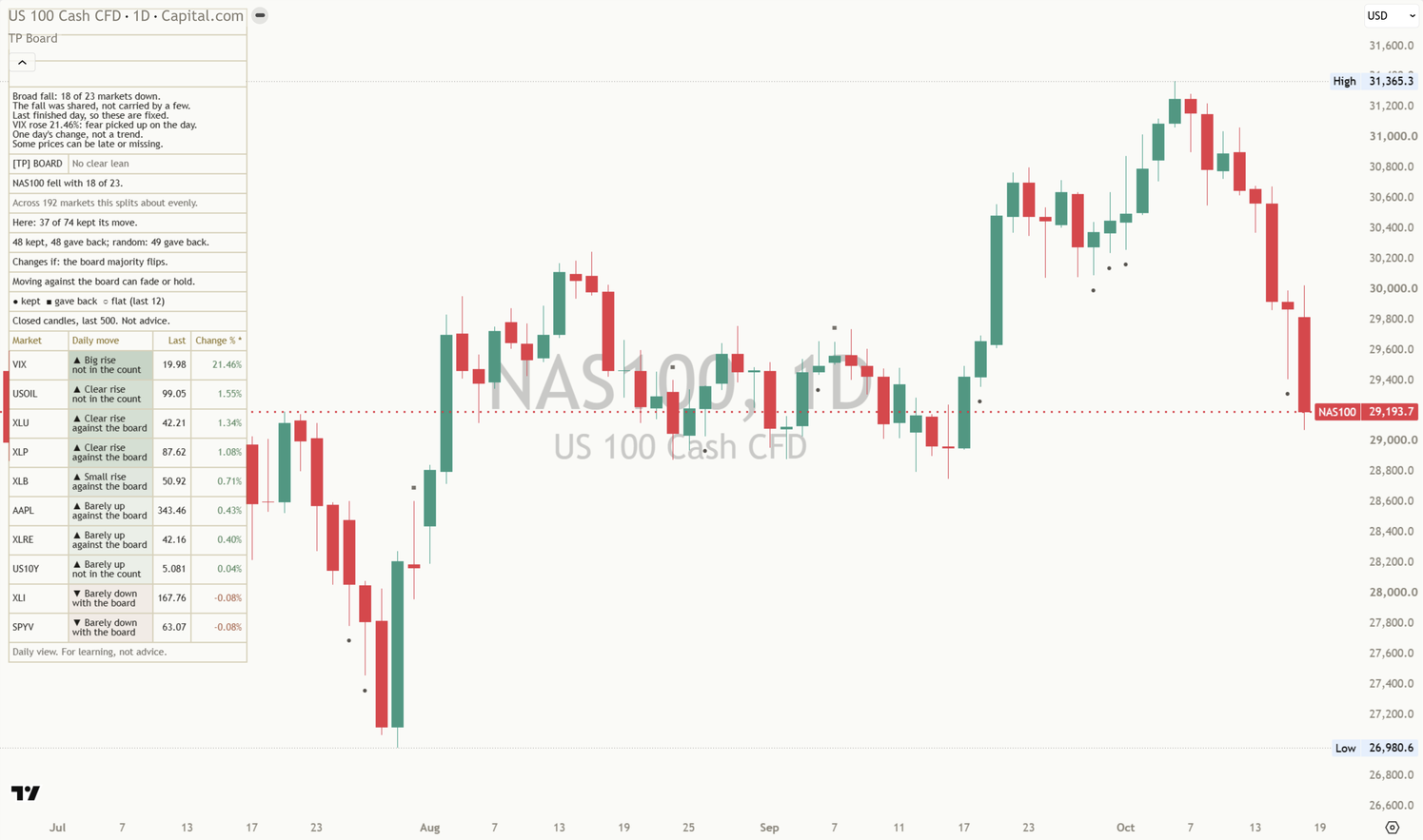
NAS100 daily chart with the Market Board Mentor: neutral marks at past days against the board, and the same 30-market board with a different line for this chart. Captured before the 19 Oct 2026 update, so the panel still shows two study rows it no longer shows.
NAS100 daily, default settings, after the Friday 16 October close. The same board, a different chart, so a different line: "NAS100 fell with 18 of 23." and "Here: 37 of 74 kept its move."
An AAPL daily chart at phone width: the board in Phone view, with the Mentor panel and six market rows readable at the top left. Captured before the 19 Oct 2026 update, so the panel still shows two study rows it no longer shows.
At phone width, Phone view keeps three columns and six rows.

Settings

The defaults work out of the box. These are the ones worth knowing.

On a small screen, swipe the table sideways to see every column.
SettingWhat it doesDefault
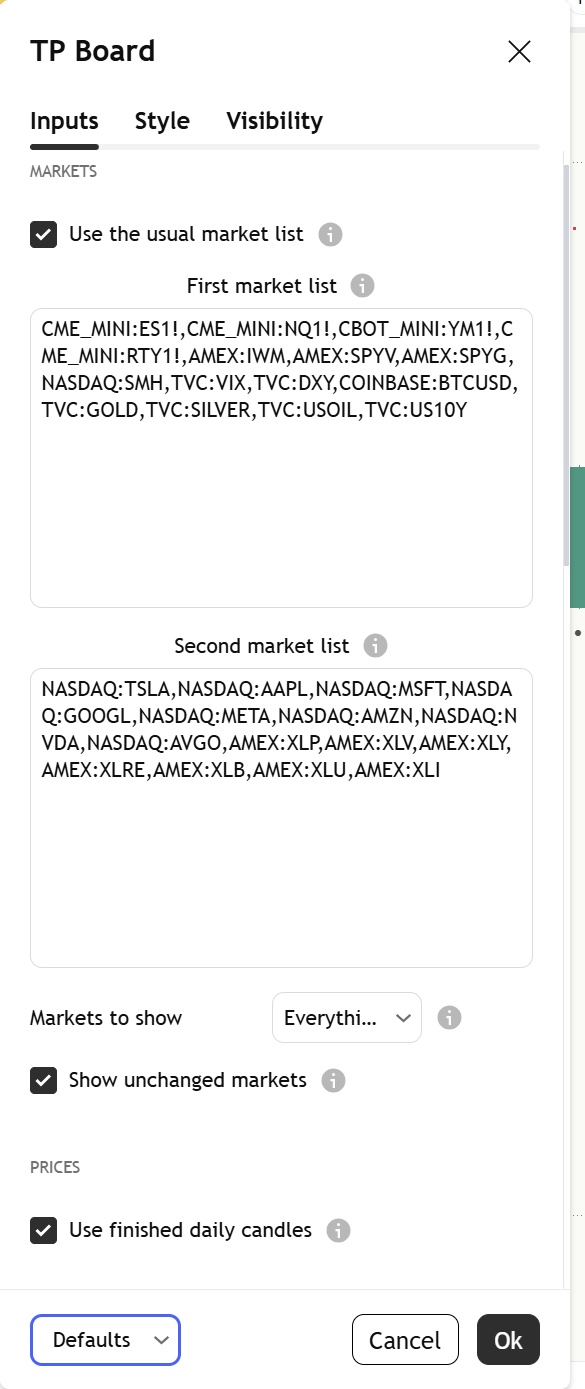
Use the usual market list / First and Second market listOn uses the 30 markets that come with the board. Off lets you enter your own codes, with the exchange name. Repeated codes are removed and the first 36 are used.On
Markets to show / Show unchanged marketsWhich rows are listed. The board's count always uses every market.
EverythingFirst tenMarkets that roseMarkets that fell
Everything; On
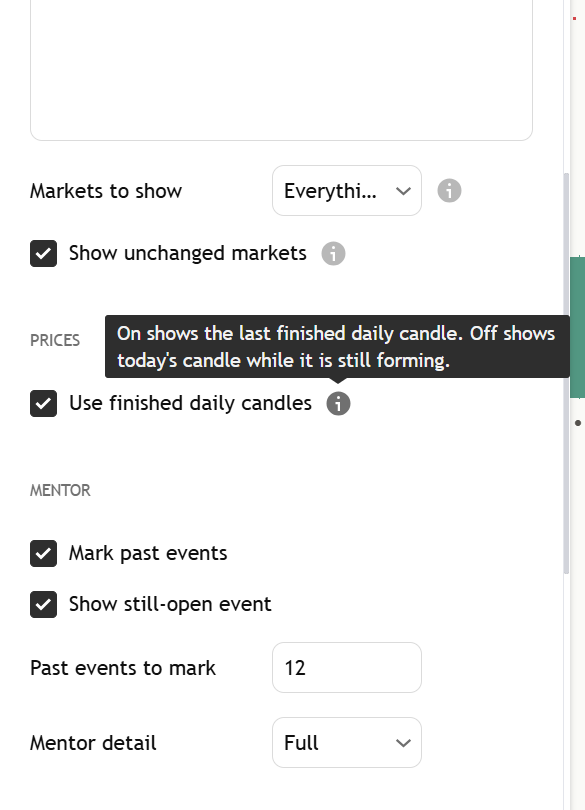
Use finished daily candlesOn shows the last finished daily candle. Off shows today's candle while it is still forming.On
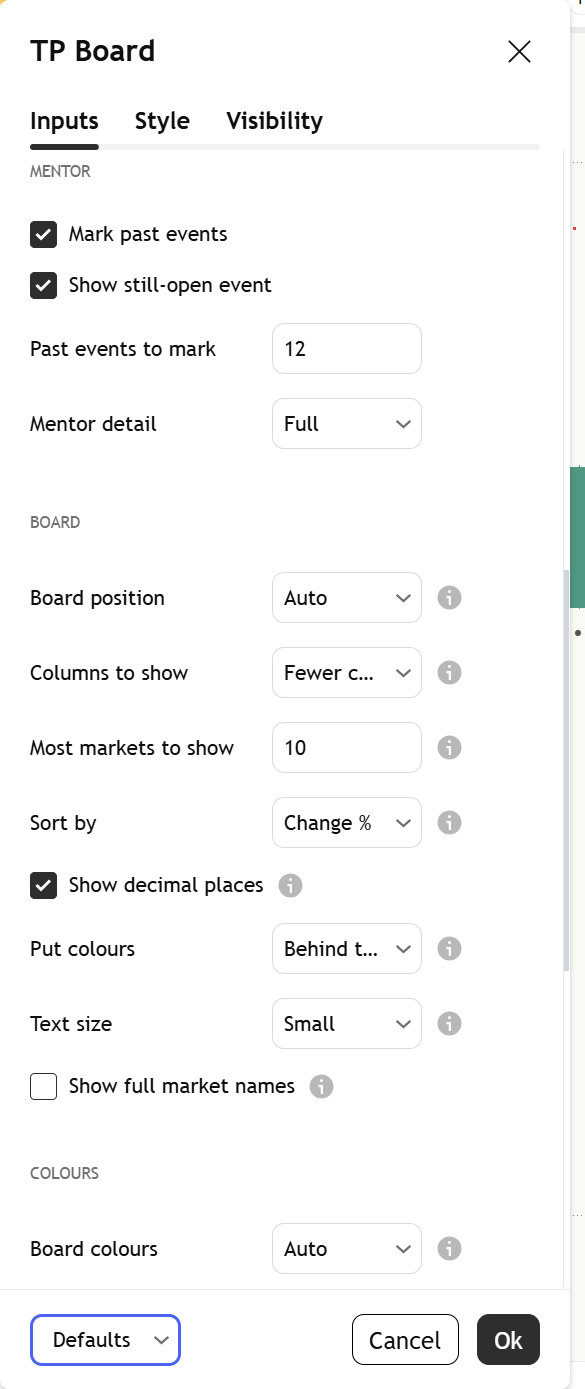
Mark past events / Past events to markThe circle, square and ring at past days against the board, and how many to keep (0 to 30).On; 12
Show still-open eventOne ring at the latest day against the board while its next session is not finished.On
Mentor detailFull adds the change condition and the mark legend.
StandardFull
Full
Board positionAuto moves between the top left and the bottom left to keep recent price clear, or pick any of nine spots.
AutoTop LeftBottom Left
Auto
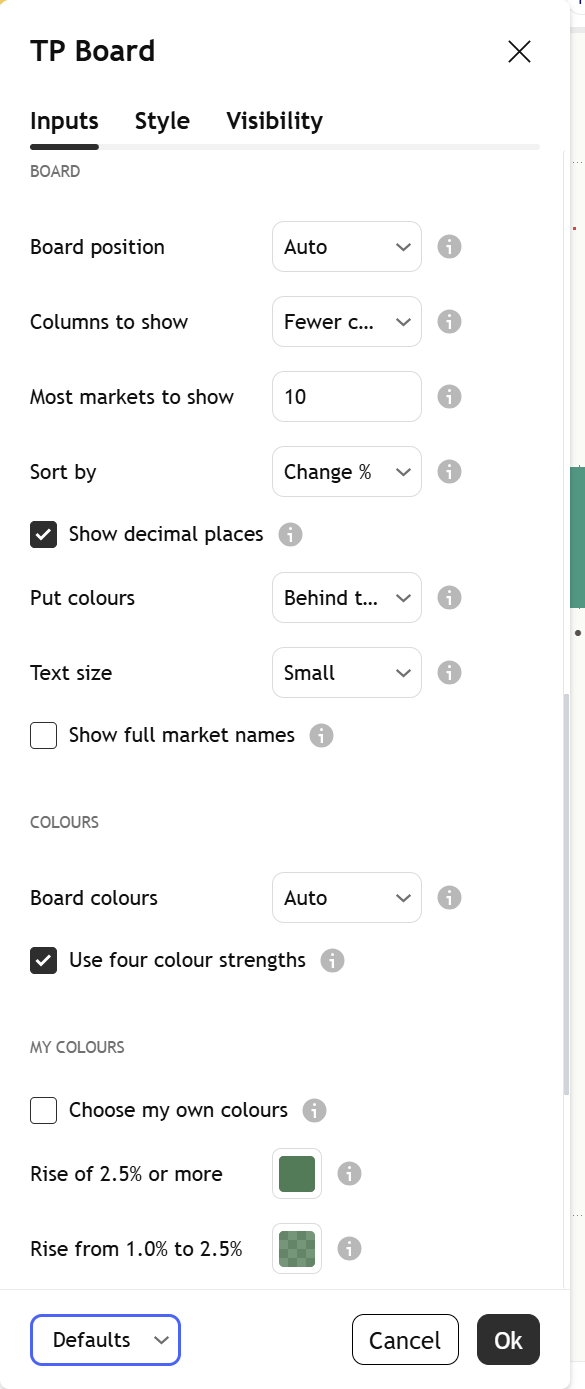
Columns to show / Most markets to showAll columns shows five, Fewer columns four, Phone three with up to six markets. The row limit goes from 3 to 20.
All columnsFewer columnsPhone
Fewer columns; 10
Sort by / Show decimal placesSort by change, size of change or market code. An asterisk marks the sorted column.
Change %Size of changeMarket code
Change %; On
Put colours / Text size / Show full market namesColour behind the words or on the words, the text size for the whole board, and the full name under each code.
TinySmallNormalLarge
Behind the words; Small; Off
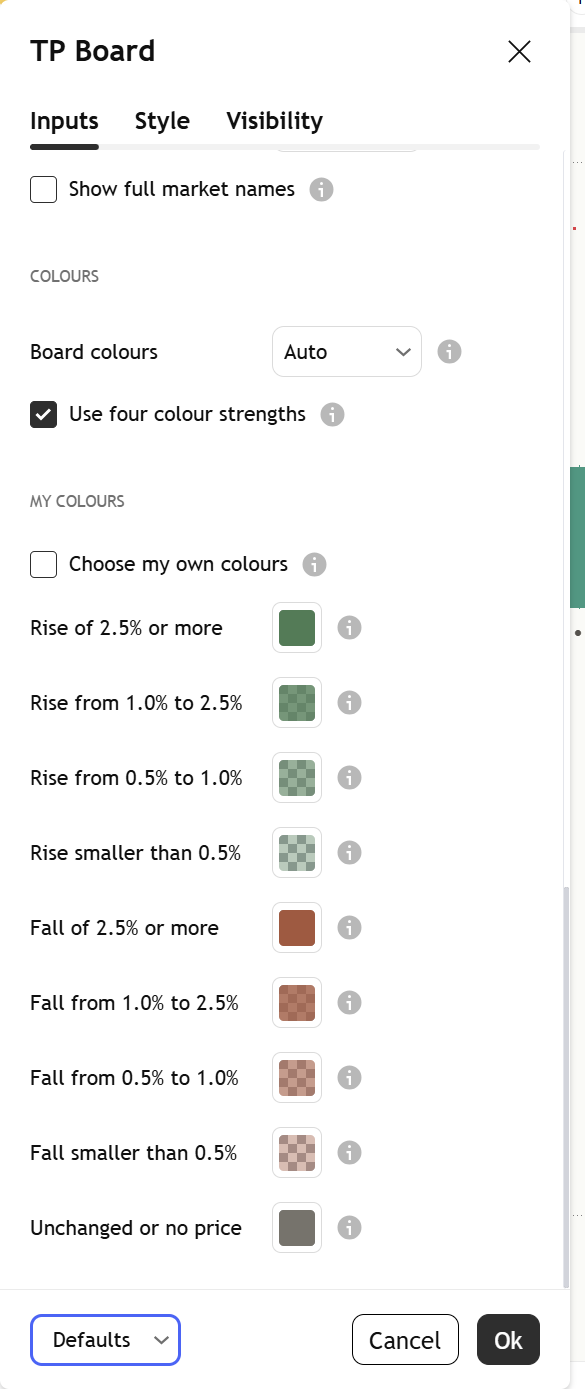
Board colours / Use four colour strengthsAuto follows your chart background. Four shades show the size of each change. "Choose my own colours" swaps in your own nine colours.
AutoLightDark
Auto; On

Every board setting has a small (i) next to it. Hover over it, or tap it on a phone, and it explains that setting in plain English, right there on your chart.

Market board mentor settings tooltip
The (i) next to Use finished daily candles, opened. Captured from the published script.
See the whole settings window

Open it by double-clicking the indicator's name on your chart. Top to bottom, at the defaults:

Settings, part 1: the Markets group: Use the usual market list, the two market lists, Markets to show and Show unchanged markets, then the Prices group with Use finished daily candles.
1. Markets and Prices
Settings, part 2: the Mentor group: Mark past events, Show still-open event, Past events to mark and Mentor detail, then the top of the Board group.
2. Mentor
Settings, part 3: the Board group: Board position, Columns to show, Most markets to show, Sort by, Show decimal places, Put colours, Text size and Show full market names.
3. Board
Settings, part 4: the Colours group (Board colours, Use four colour strengths) and the My colours group.
4. Colours
Light or dark, it matches

The board comes in a warm light and a warm dark palette. With "Board colours" on Auto, it reads your chart background and picks the right one. The marks are muted greys in both, so their meaning lives in the shape.

Alerts

Each alert says what happened on the daily candle shown. Three conditions are in TradingView's alert dialog. None of them tells you what to do.

  • A market changed by 2.5% or moreA market on the board changed by 2.5% or more on the daily candle shown.
  • Broad riseAt least 65% of the counted markets rose on the daily candle shown.
  • Broad fallAt least 65% of the counted markets fell on the daily candle shown.

Open TradingView's alert dialog, pick this indicator in the condition box, and choose the condition by name. With "Use finished daily candles" on, each alert uses the same finished day as the board.

Learn more

Start with the lesson, then watch the indicator explained.

Watch it explained

Video · 2:06How to read [TP] Market Board - MentorEvery part of the indicator, one at a time, on real charts: the market rows, the line that puts your chart beside the board, the circle, square and ring marks, and the count on your chart.
Video · 2:15Is it the whole market or just my chart? Market breadth explainedWhat breadth is, why one chart can mislead you, the finished-day rule, and why a count of the past is history, not a promise, in plain English. Concept first, then the indicator. Read the full lesson

One concept, read well

[TP] RSI - Mentor, [TP] Volume - Mentor, [TP] Market Structure - Mentor, [TP] Trend - Mentor, [TP] VWAP - Mentor, [TP] Fibonacci - Mentor, [TP] MACD - Mentor, [TP] Bollinger Bands - Mentor, [TP] Regime - Mentor, [TP] Market Board - Mentor, [TP] Order Blocks - Mentor, [TP] Support and Resistance - Mentor, [TP] Volume Profile - Mentor and [TP] Elliott Wave - Mentor each read one thing deeply, for free. Markets rarely move on one thing. The full Titan suite reads them together: momentum, volume, trend structure and flow, combined into one plain-English read.

Questions

Is it free?

Yes. [TP] Market Board - Mentor is free on TradingView. Add it from the Indicators menu. Nothing is locked.

What question does the board answer?

Is it the whole market, or just my chart? When your chart falls, it helps to know whether most markets fell too. The line under the header says it in words: with the board, against it, or a split board.

What is the finished-day rule?

A day is only read once it is finished. The board shows each market's last finished daily candle, and the Mentor compares your chart's last finished day with it. Counts and marks only change when your chart's daily candle closes, and a day against the board is only counted once the next session has finished too.

Why are VIX, gold and the dollar not in the count?

They often move the opposite way to stocks for their own reasons, so mixing them in would blur the majority. They stay on the board for context and say "not in the count". The board's count uses the 23 index futures, funds and large stocks.

Why does it always say "No clear lean"?

Because a count of past days on one chart is history, not a forecast. The Mentor shows how the board and your chart moved, and how past days against the board turned out on your chart, then leaves the call to you. Our own offline research found no edge either (see Titan research), but the panel never shows those figures.

My chart's "Here" count looks one-sided. Why no lean?

One chart has a few dozen days against the board in 500, too few to tell a habit from chance. So "Here" is shown for you to check by eye against the marks, and it never sets the header. Under 8 days it reads "Too few here to count yet (n)."

Then why show the counts at all?

Because "no edge" is a useful answer. A chart that rose while the whole market fell feels like it is telling you something. The count shows what such days on your chart were followed by, so you can check for yourself whether they told you anything about the next session.

Does it repaint?

No, with "Use finished daily candles" on (the default). The board, your chart's line, the counts and the marks all wait for finished days, and a mark appears only after the next session has closed and never moves. Turn it off and the rows show today's forming candle, which can change.

Does it tell me when to act?

No. It describes how your chart moved beside the board and what past days against it did. It cannot see what comes next. Decisions stay with you.

The board takes up too much room. What can I do?

Set "Mentor detail" to Standard for five panel rows, "Columns to show" to Phone, lower "Most markets to show", or pick a smaller "Text size". "Board position" offers Auto and nine fixed spots.

Get our weekly market brief free.