Live · 22 Oct 2026 SPX 7,663.43 -1.21% NDX 28,958.69 -2.90% VIX 19.03 +14.09% GOLD 4,039.80 -2.66% CL 99.10 -2.64% BTC 81,390.93 -3.12%
Free TradingView indicator

[TP] Bollinger Bands - Mentor

Bollinger Bands that tell you, in plain English, when price has gone quiet, and what past squeezes did on this chart. It names the squeeze, says how long it has lasted, and says plainly that a squeeze shows how quiet price is, not which way it goes next.

Most squeeze tools flash a colour and leave you to guess. This one says it in words, then keeps a record: after each squeeze ends, it watches the next 10 finished candles and notes whether price broke up, broke down, or fizzled. Those past squeezes are marked on the chart, and the panel shows the count for this chart, with the other side right under it. It only reads finished candles, so the reading never changes after a candle closes.

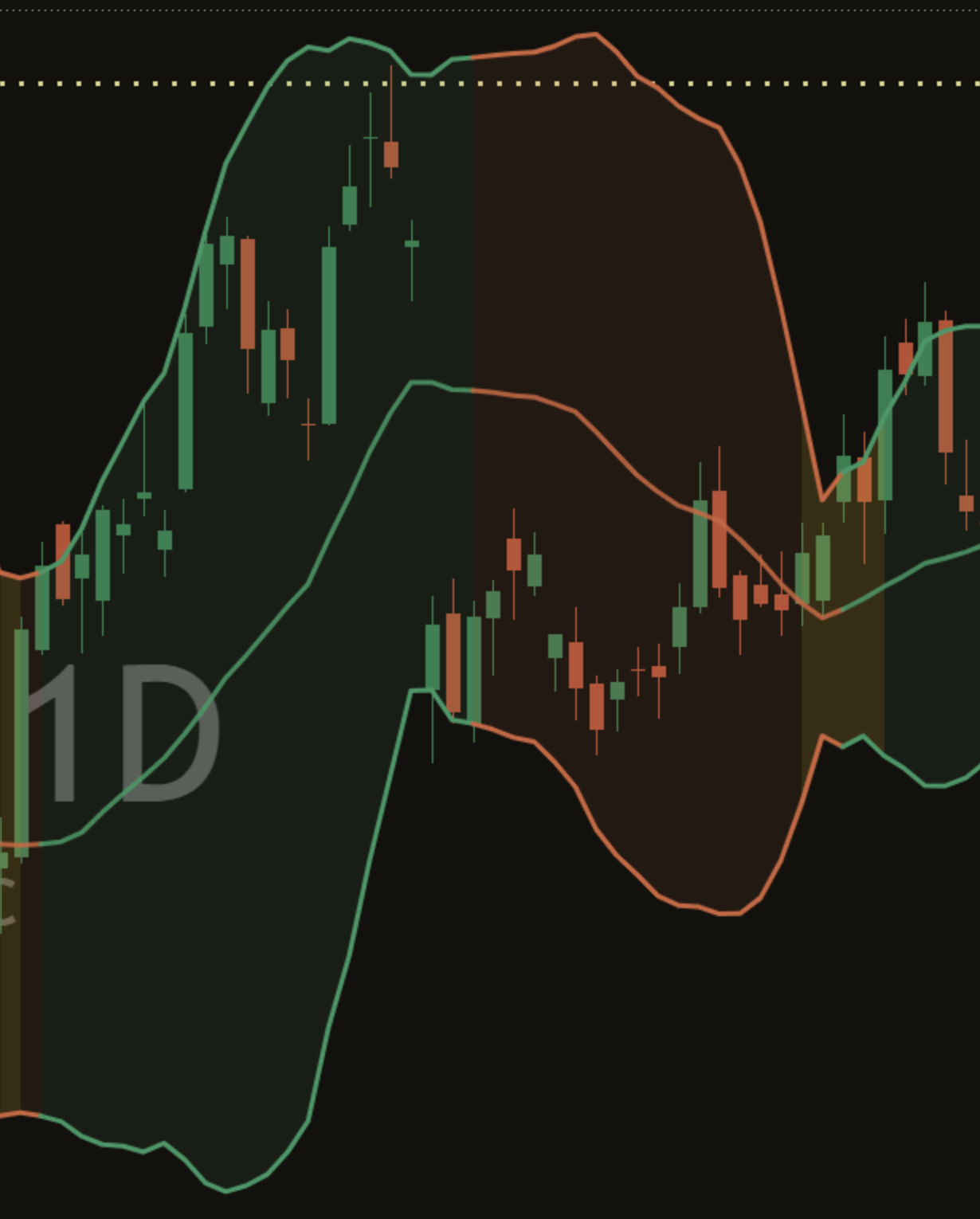
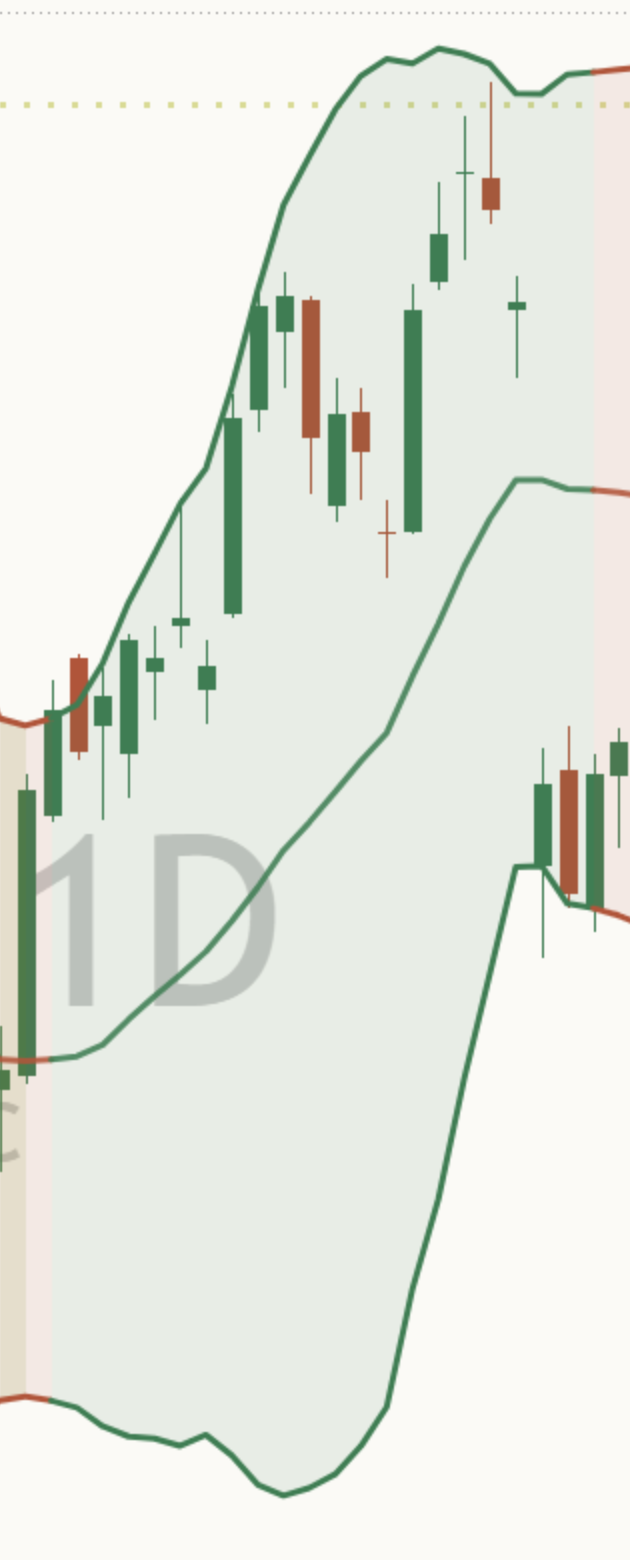
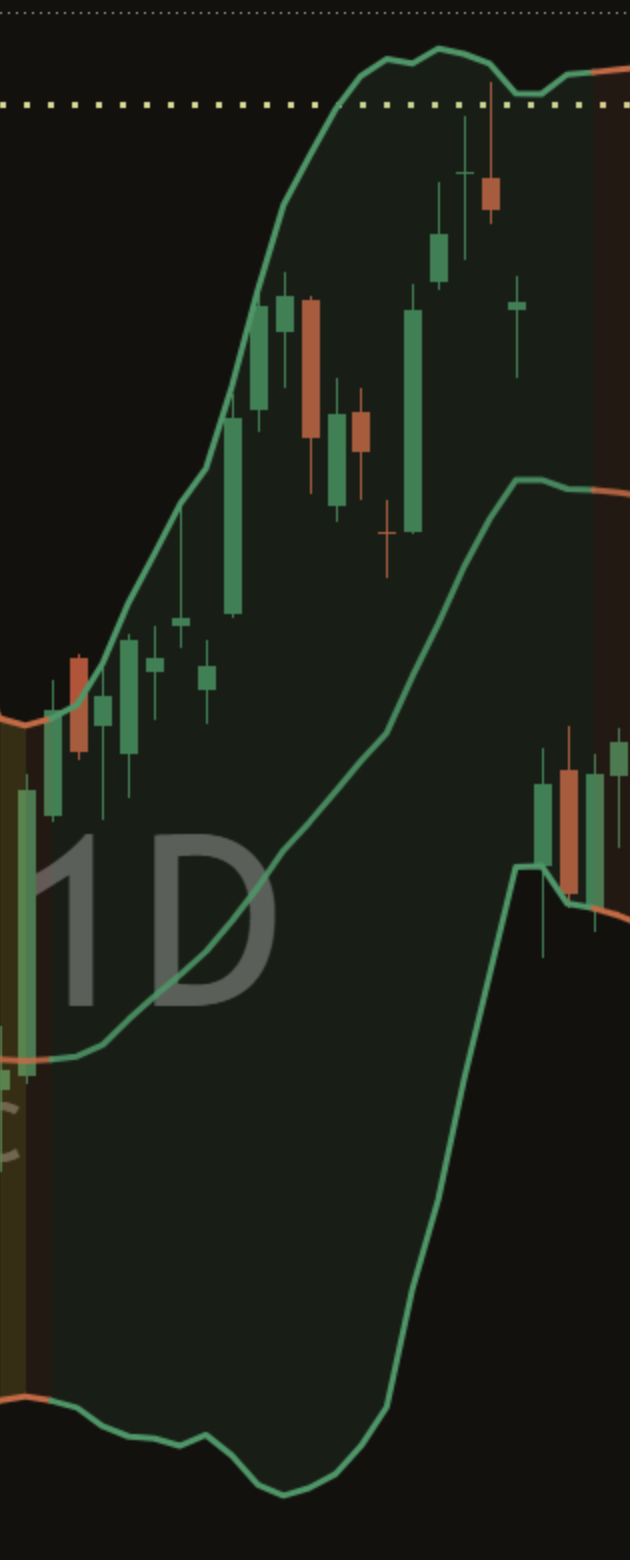
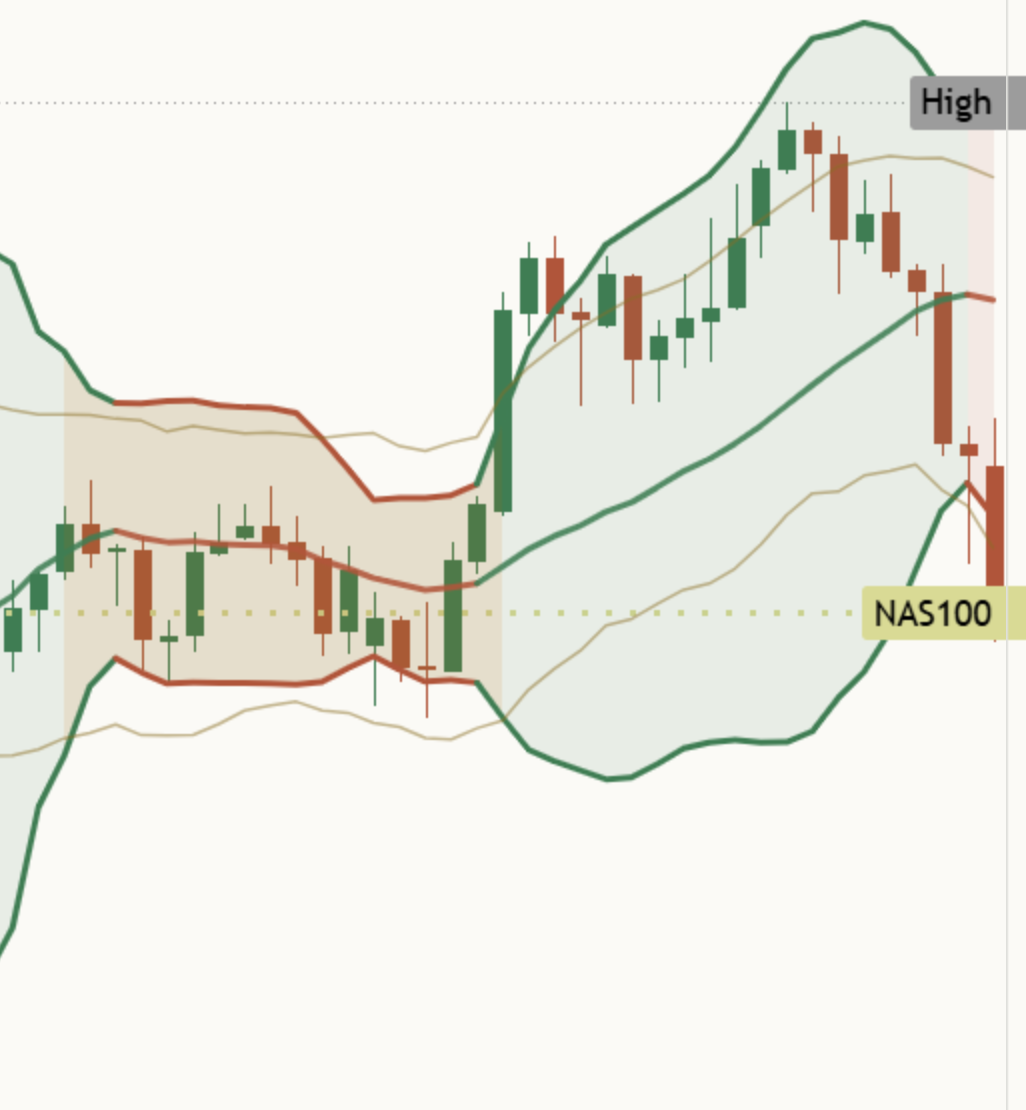
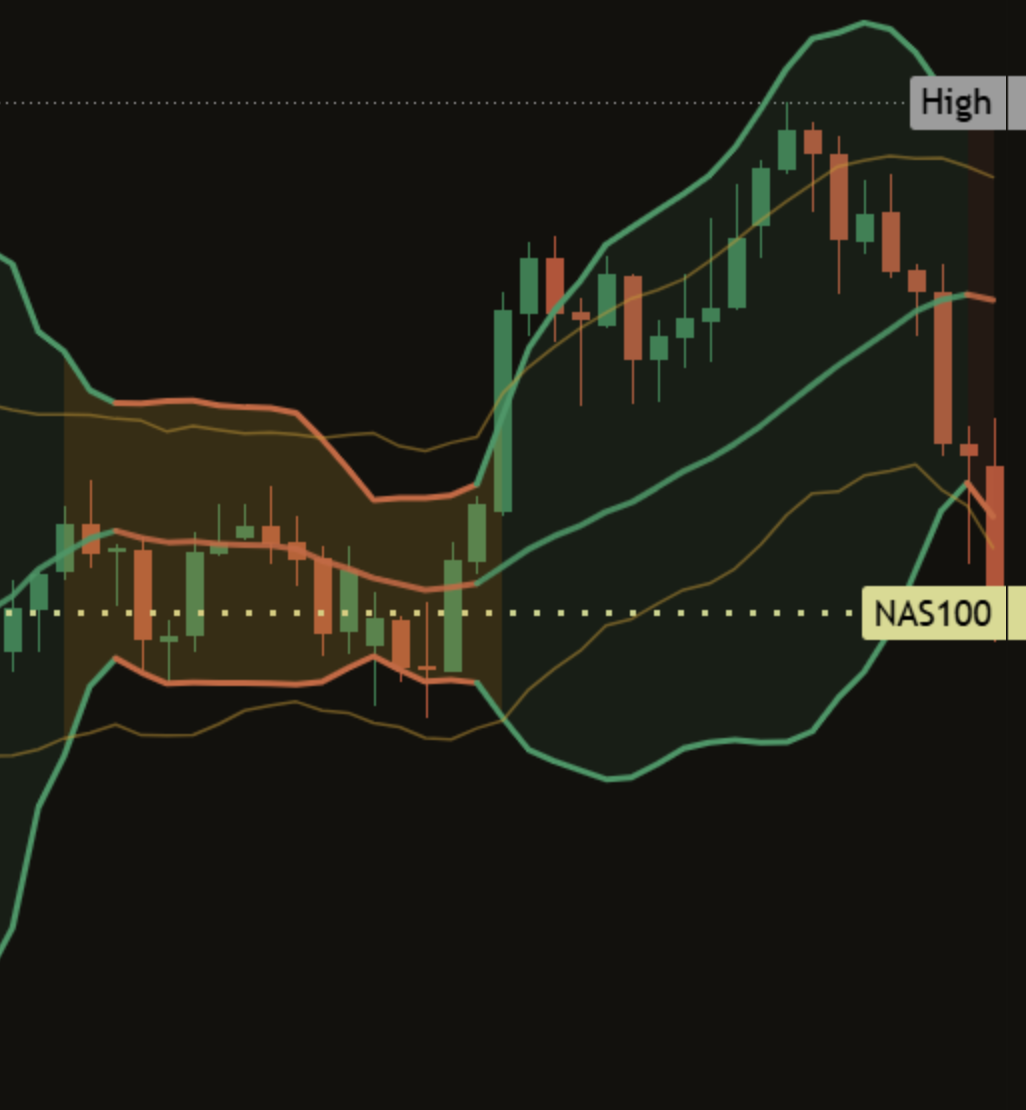
[TP] Bollinger Bands - Mentor on a light NAS100 daily chart: a middle line and two Bollinger Bands around the candles, light shading between them, gold shading where a squeeze was on, small marks on past squeeze ends, and the Mentor panel at the top left reading Squeeze ended 19 candles ago. No clear lean here. Broke up 6, broke down 3. [TP] Bollinger Bands - Mentor on a dark NAS100 daily chart: a middle line and two Bollinger Bands around the candles, light shading between them, gold shading where a squeeze was on, small marks on past squeeze ends, and the Mentor panel at the top left reading Squeeze ended 19 candles ago. No clear lean here. Broke up 6, broke down 3.
NAS100 daily, default settings, 17 Oct 2026. A real chart, an example only, not a recommendation.

What it is in 30 seconds

Bollinger Bands are two lines drawn a set distance above and below a 20-candle average. When price moves a lot, they spread apart. When price goes quiet, they pinch together. A squeeze is that quiet state, made strict: the bands have pulled inside a narrower average range. People watch squeezes because quiet spells end. But a squeeze does not say which way, or even whether, things will move. This indicator names the quiet state and its limits. It does not say where price goes next.

It names the quiet state

No colour code to learn. The panel says it in words, with how long it has lasted: "Bands are tight: a squeeze, 10 candles."

It compares with this chart

A quiet day on gold is not a quiet day on a small stock. So it counts what past squeezes did on this same chart, both sides: "Broke up 6, broke down 3." Narrow or wide is judged against this chart's own last 252 candles too.

It never claims a direction

A count of past squeezes is history, and the panel says so: "A squeeze has no side; this is history." It only reads finished candles, so a reading never changes after the candle closes.

Each part, up close

Quiet and busy, green and red, are treated the same way throughout. Nothing on the chart points one way.

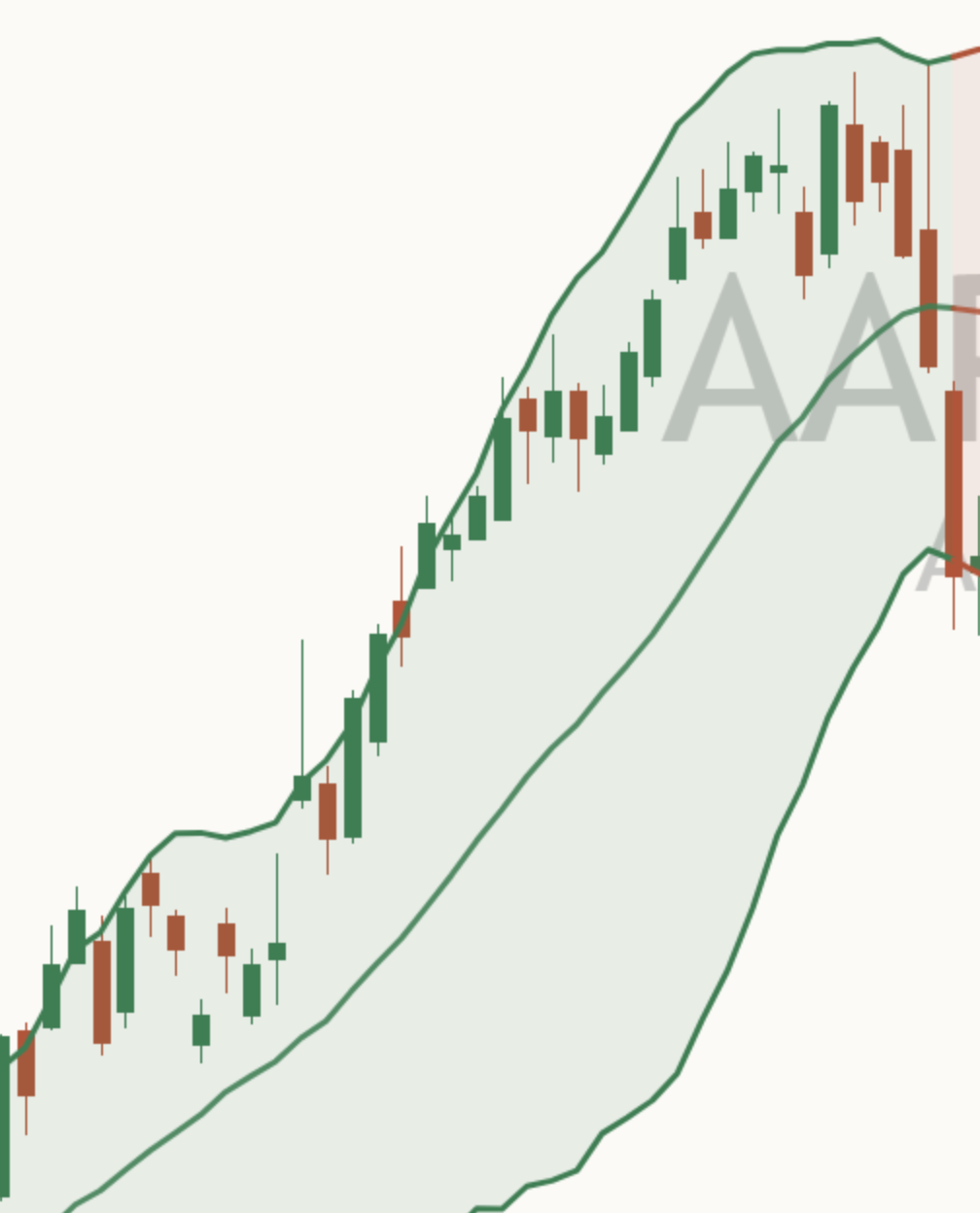
Close-up of the middle line on a light AAPL daily chart: one line through the candles, halfway between the two Bollinger Bands. Close-up of the middle line on a dark AAPL daily chart: one line through the candles, halfway between the two Bollinger Bands.

The middle line

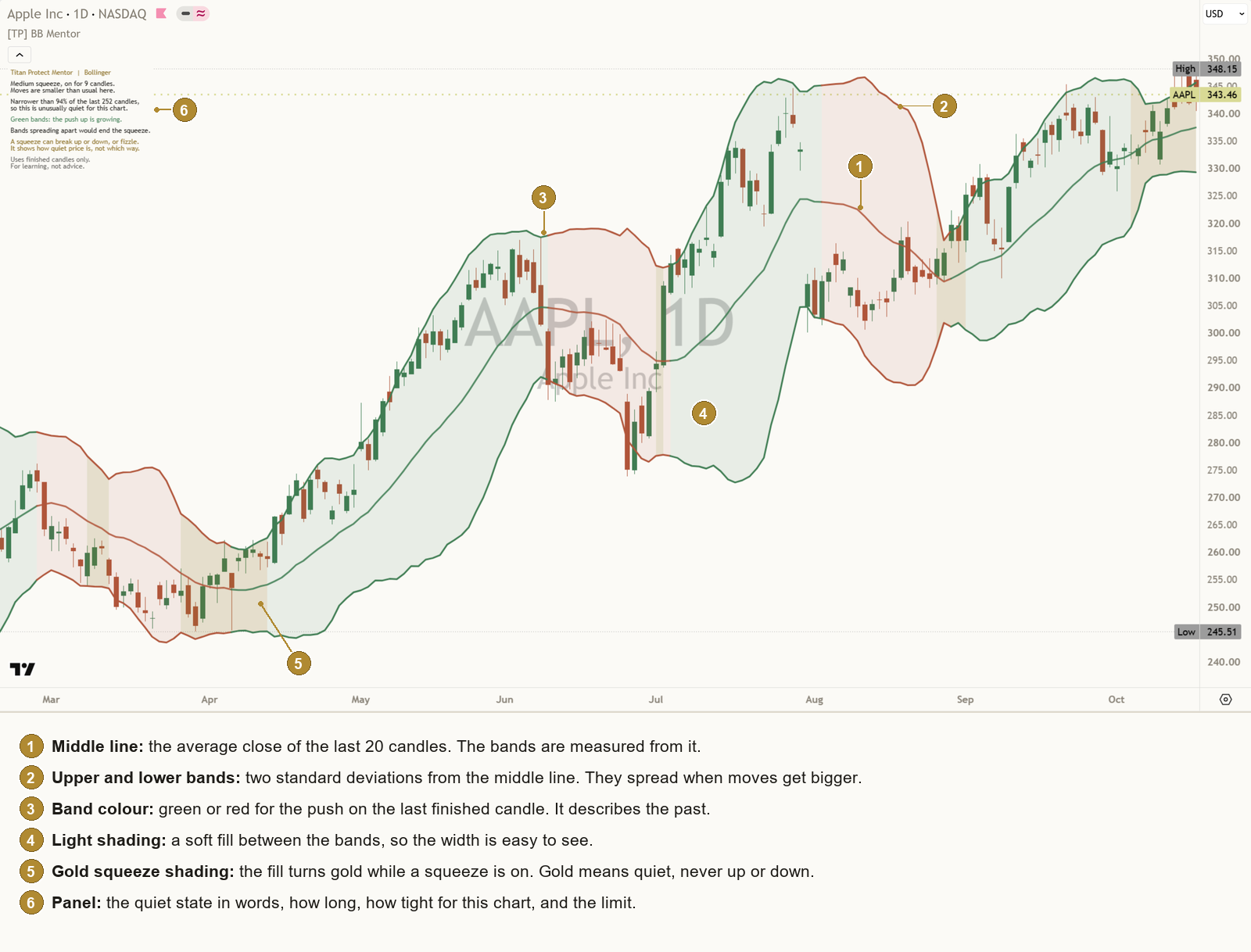
The simple average of the last 20 closes ("Candles for the middle line", 20 by default). It is the centre that both bands are measured from. It is the same middle line as TradingView's built-in Bollinger Bands at the same settings.

Back to the chart
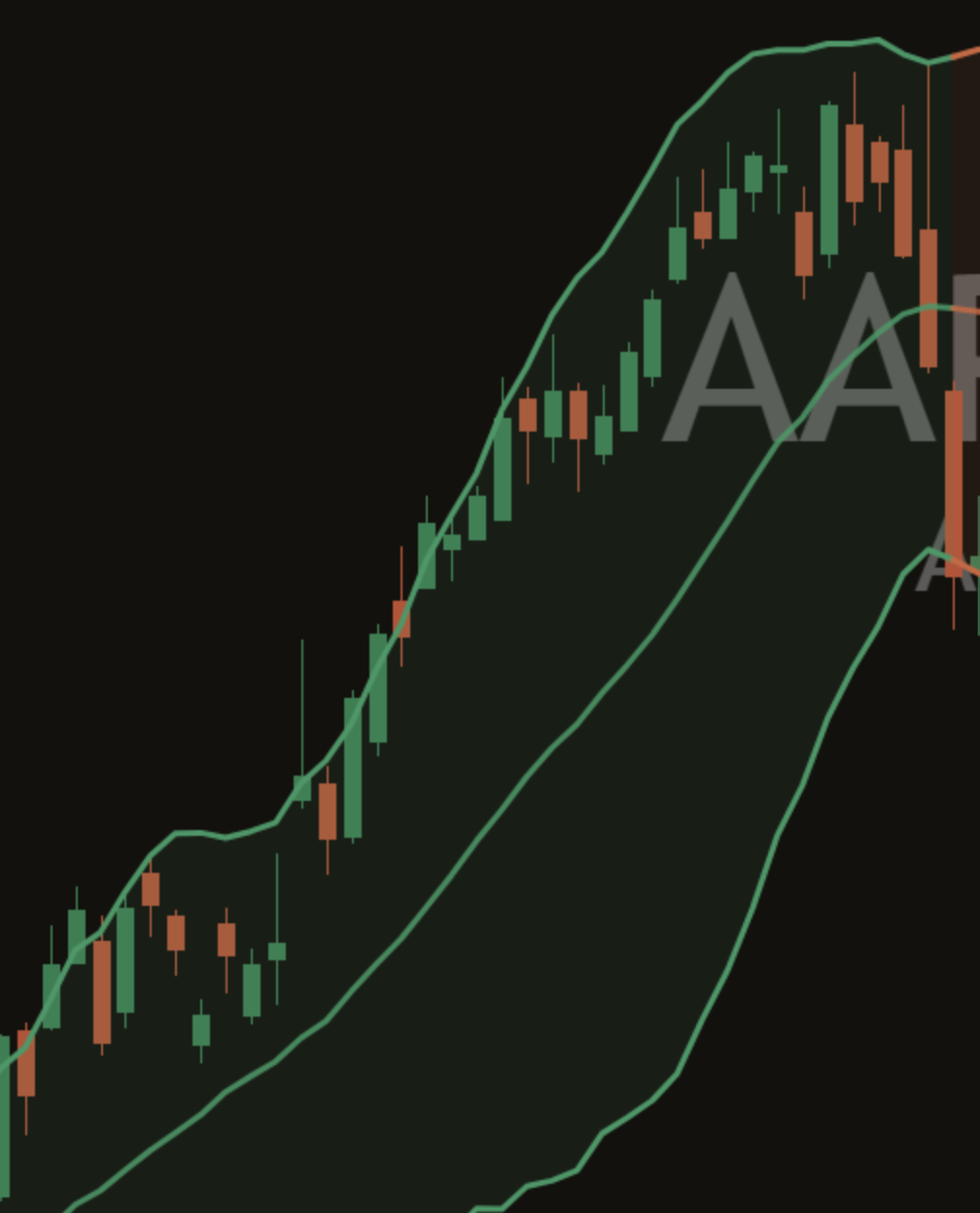
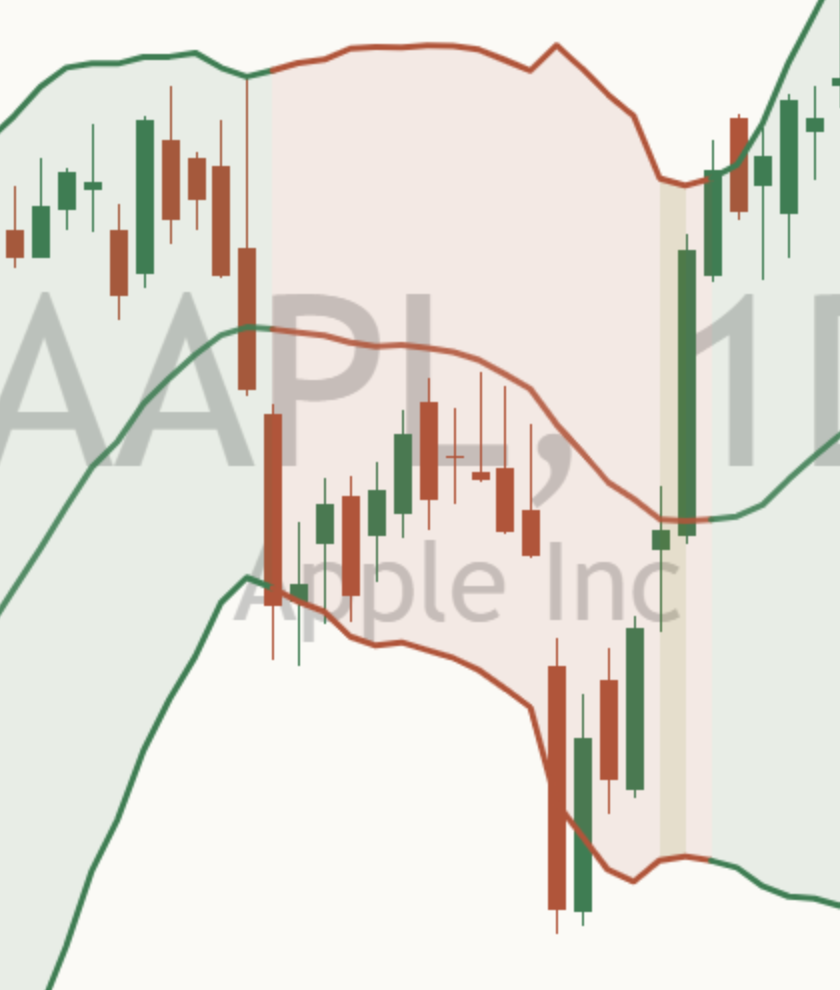
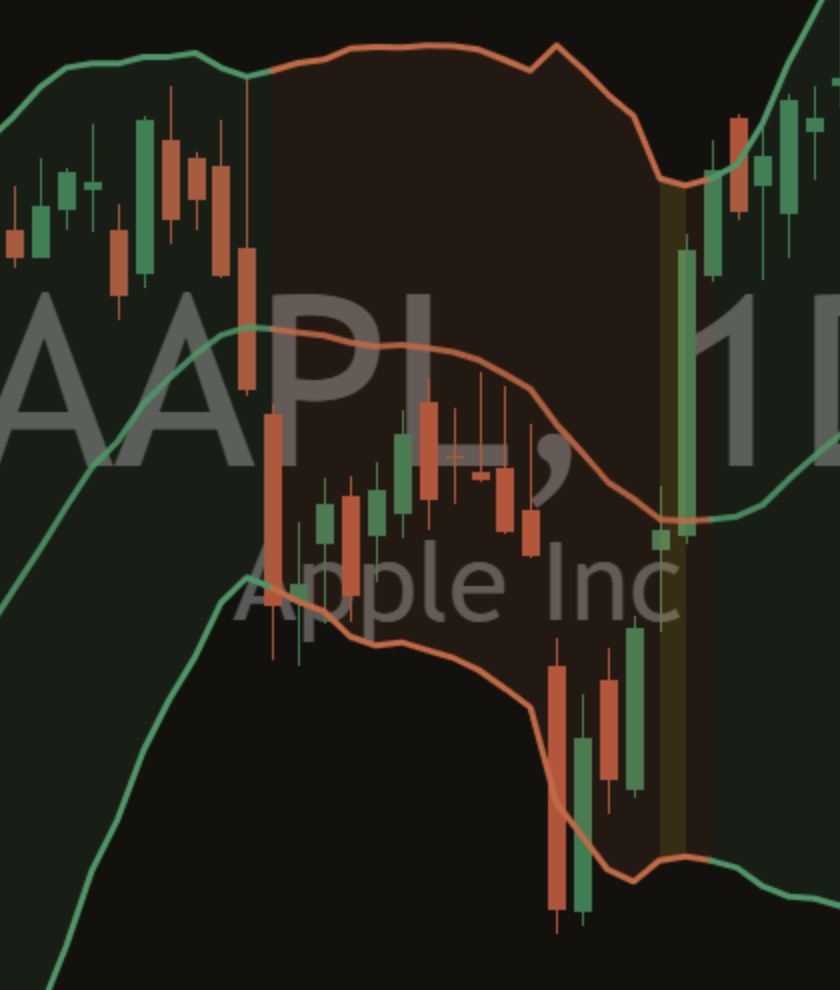
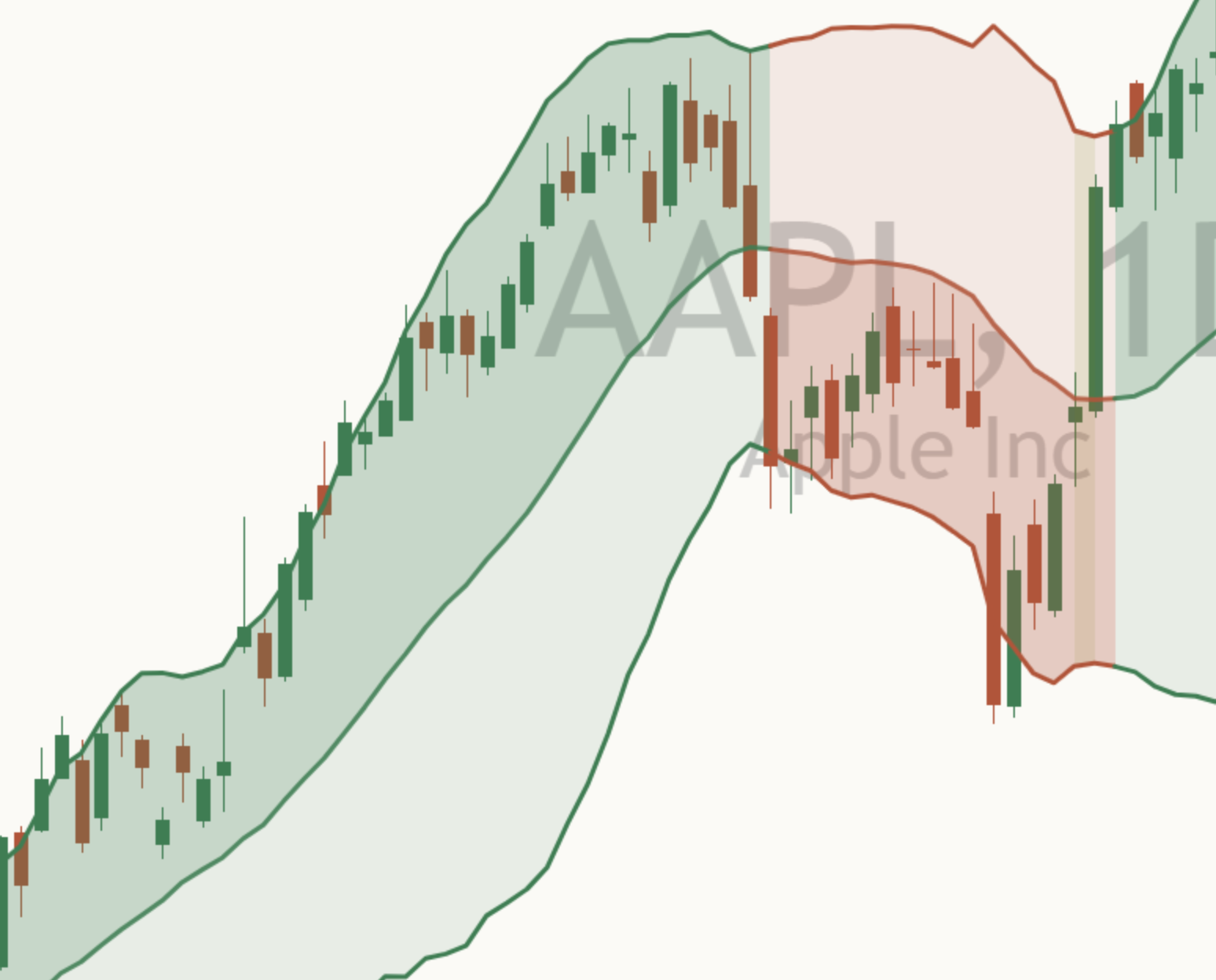
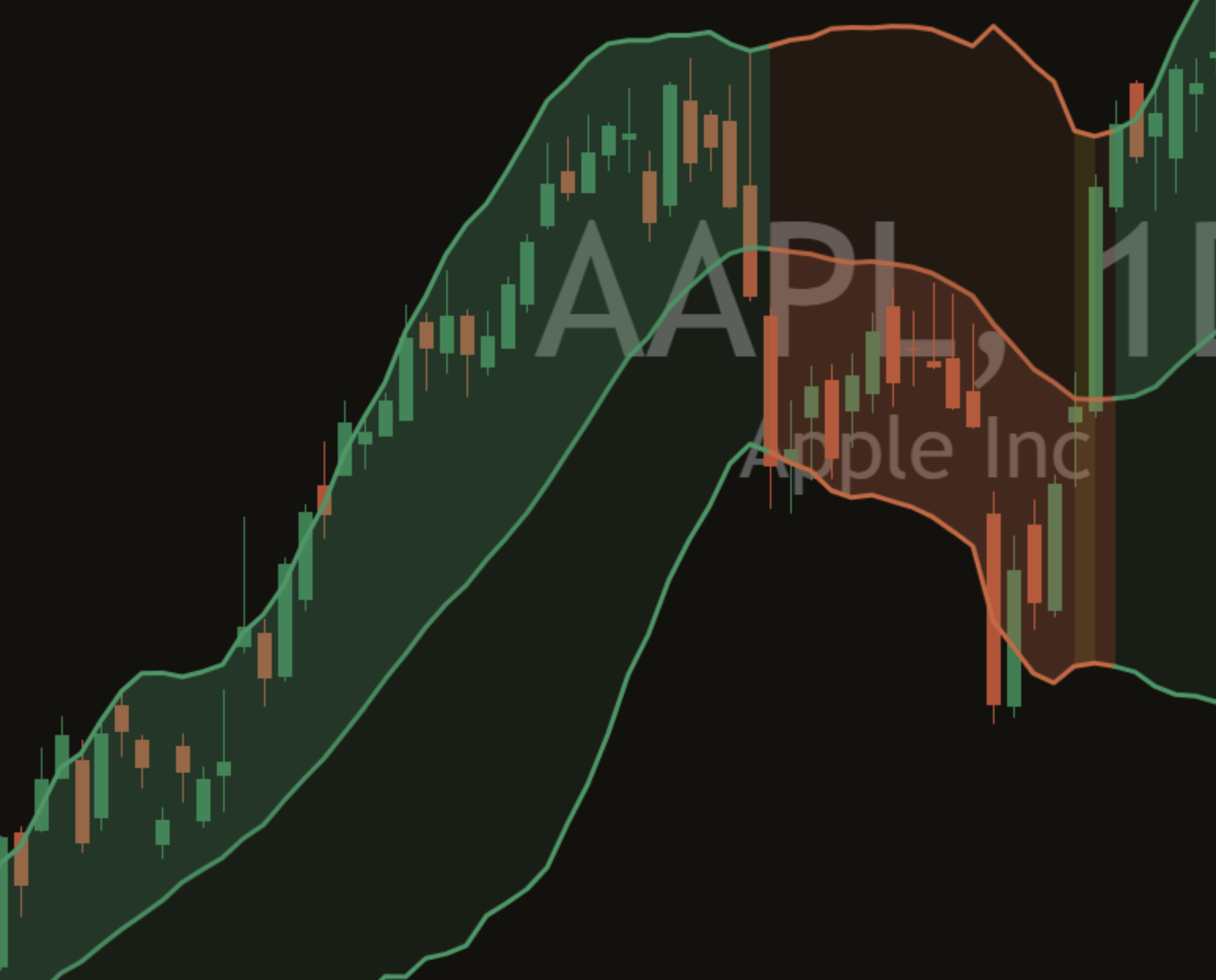
Close-up of the two Bollinger Bands on a light AAPL daily chart: wide apart after a big move, then pinched close together where price went quiet. Close-up of the two Bollinger Bands on a dark AAPL daily chart: wide apart after a big move, then pinched close together where price went quiet.

The upper and lower bands

Each band sits two standard deviations from the middle line ("Distance from the middle line", 2.0 by default). Standard deviation is a measure of how spread out recent closes are. Big moves push the bands apart. Quiet candles let them pinch together. That width is what the whole indicator reads.

  • The bands describe how spread out recent prices were. They are not a floor or a ceiling.
  • Price can close outside a band, and can stay outside for a while.
Back to the chart
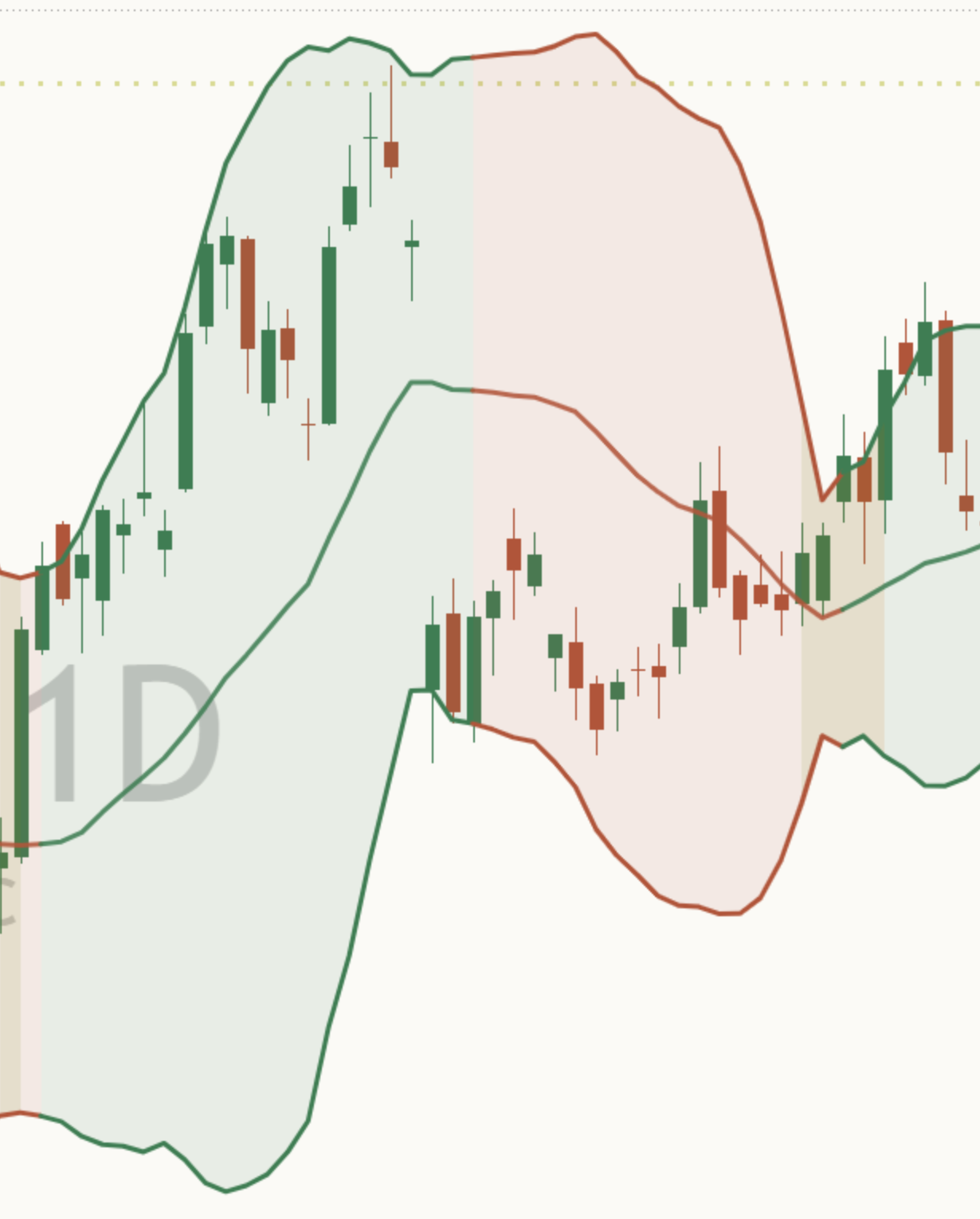
Close-up of band colour on a light chart: the middle line and bands drawn green where the push on the finished candle was up, and red where it was down. Close-up of band colour on a dark chart: the middle line and bands drawn green where the push on the finished candle was up, and red where it was down.

Band colour: the push on the last candle

The middle line and both bands are green or red. The colour shows momentum: whether price has been pushing up or down relative to its recent range, measured on the last finished candle.

The colour describes the candles that already closed. It does not say which way the next move goes, and it has nothing to do with whether a squeeze is on.

Back to the chart
Close-up of the light shading between the bands on a light AAPL daily chart, with candles visible through it. Close-up of the light shading between the bands on a dark AAPL daily chart, with candles visible through it.

Light shading between the bands

A soft fill in the band colour, so the width of the bands is easy to follow across the chart. It is on by default ("Shade between the bands") and does not change the reading. Turn it off for bare lines.

Back to the chart
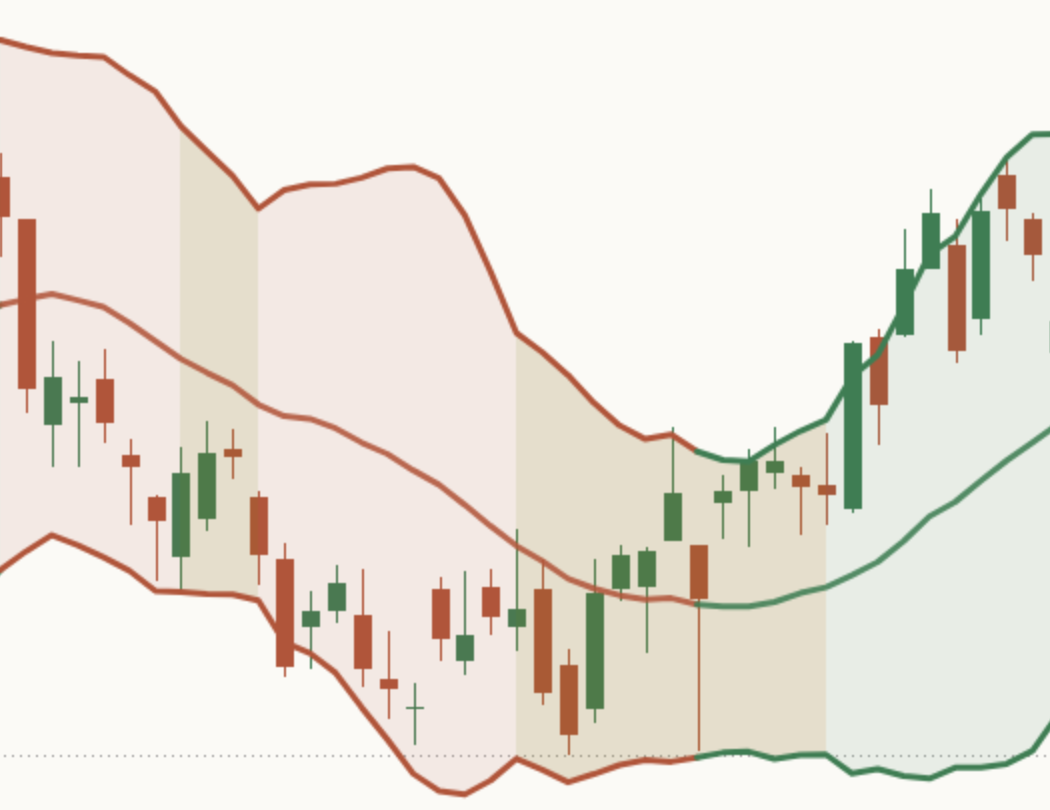
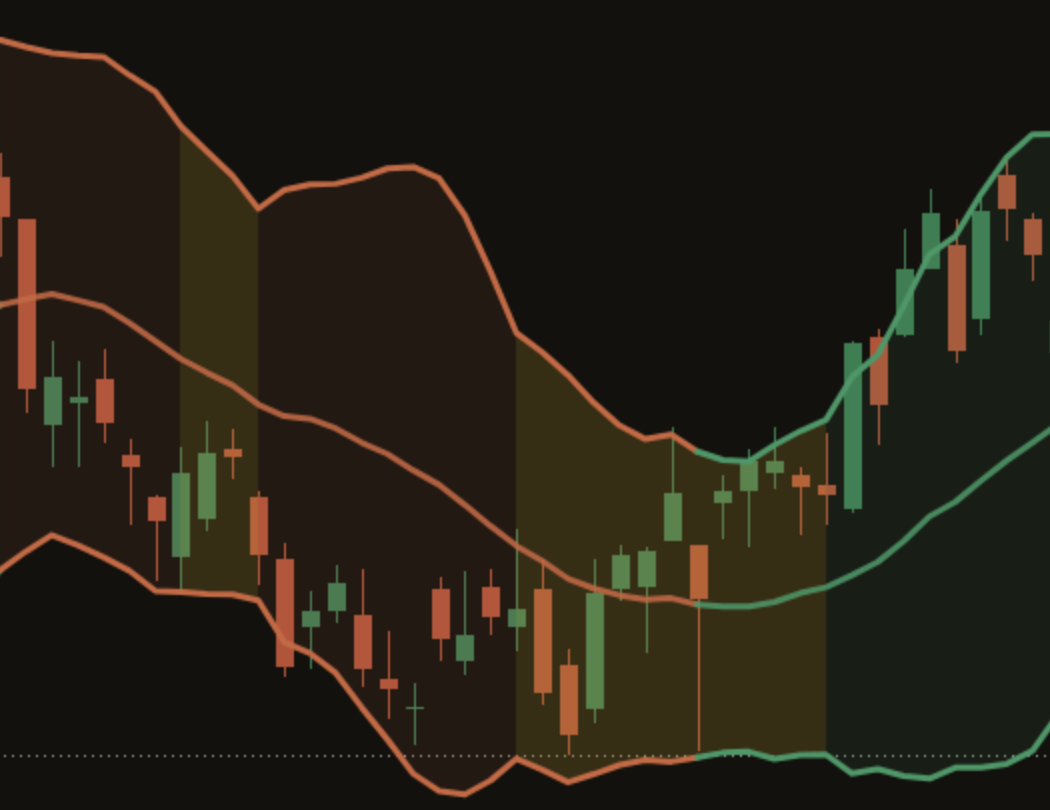
Close-up of gold squeeze shading on a light AAPL daily chart: the fill between the bands turns gold where the bands pinched inside the squeeze range. Close-up of gold squeeze shading on a dark AAPL daily chart: the fill between the bands turns gold where the bands pinched inside the squeeze range.

Gold shading: a squeeze is on

While a squeeze is on, the fill between the bands turns gold. You can scroll back and see every quiet spell at a glance, and how long each one lasted. Gold has one meaning on this indicator: quiet, or take care. It never means up or down.

A squeeze here means the Bollinger Bands have pulled inside the Keltner lines, a second, steadier channel built from the average candle range. That is a common way to define a squeeze, and it is how the panel decides one is on.

Back to the chart
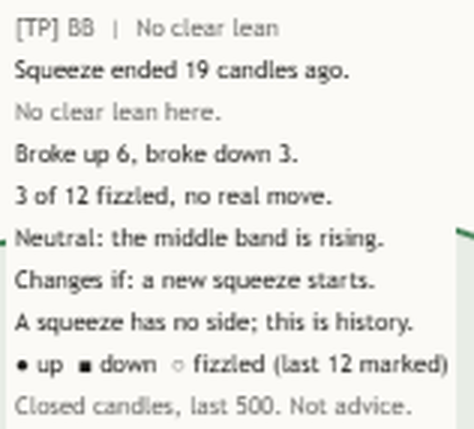
Close-up of the Compact Mentor panel on a light NAS100 daily chart: [TP] BB, No clear lean. Squeeze ended 19 candles ago. No clear lean here. Broke up 6, broke down 3. 3 of 12 fizzled, no real move. A squeeze has no side; this is history. Closed candles, last 500. Not advice. Close-up of the Compact Mentor panel on a dark NAS100 daily chart: [TP] BB, No clear lean. Squeeze ended 19 candles ago. No clear lean here. Broke up 6, broke down 3. 3 of 12 fizzled, no real move. A squeeze has no side; this is history. Closed candles, last 500. Not advice.

The Mentor panel

It sits on the price chart. On Auto, "Where to put the panel" picks the corner where the candles under it are least in the way, and prefers the left side so the newest candles stay clear. The default Compact panel reads top to bottom (NAS100 daily, the chart at the top of this page):

  • The header, with the lean: "[TP] BB | No clear lean"
  • The quiet state and how long: "Squeeze ended 19 candles ago."
  • How past squeezes played out here: "No clear lean here."
  • Both sides of the count: "Broke up 6, broke down 3."
  • The rest: "3 of 12 fizzled, no real move."
  • A teaching line: "A squeeze has no side; this is history."
  • The footer: "Closed candles, last 500. Not advice."

How to read the counts: this chart's own history. More on what it says to you at every level.

Back to the chart
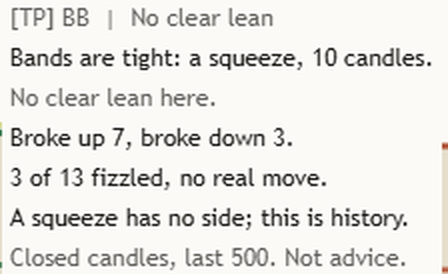
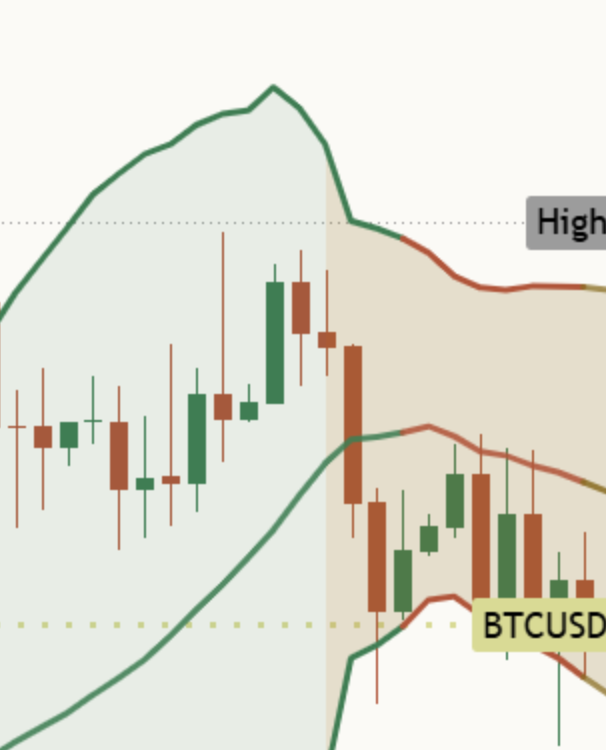
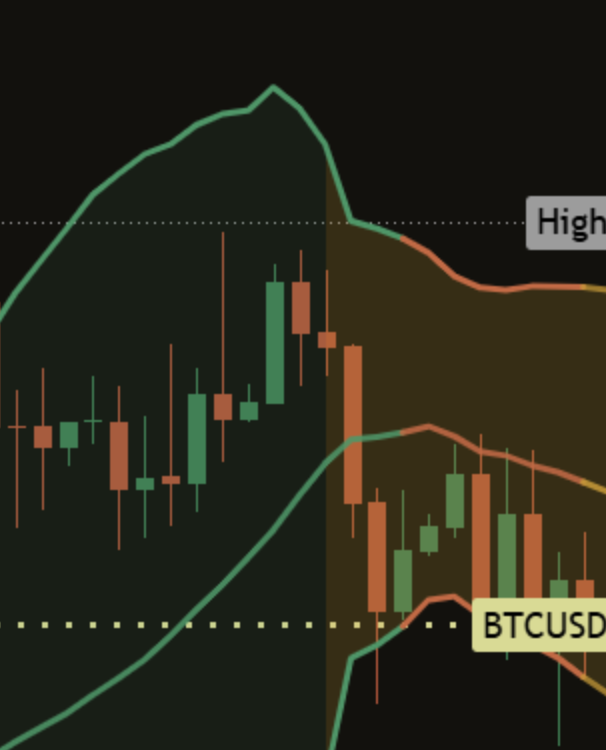
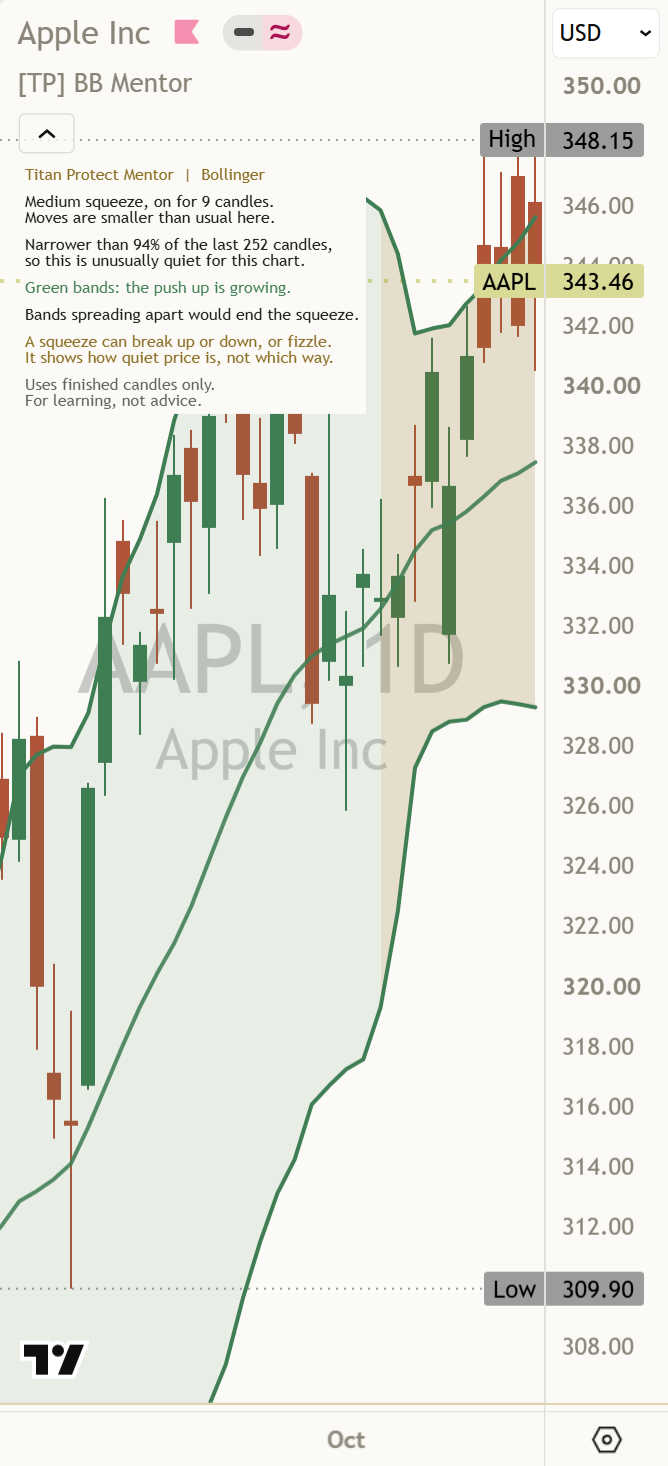
Close-up of the Mentor panel on a light BTCUSD daily chart during a squeeze: Bands are tight: a squeeze, 10 candles. No clear lean here. Broke up 7, broke down 3. 3 of 13 fizzled, no real move.

How long, and when it ends

During a squeeze the first line counts the finished candles it has lasted, as on the BTCUSD daily chart:

Squeeze on, BTCUSD daily"Bands are tight: a squeeze, 10 candles."

When it ends, the panel watches the next 10 finished candles before counting it ("Squeeze ended. Measuring 10 candles."), then gives its age, as on the NAS100 daily chart: "Squeeze ended 19 candles ago." A longer squeeze is a quieter spell. It is not a bigger promise.

Back to the chart

Narrow or wide, for this chart

The distance between the bands, as a share of the middle line, is ranked against the last 252 candles on the same chart ("Candles to compare"). At or below the 20% mark the bands count as close together, at or above 80% as far apart. When no squeeze is on, the first line uses that rank: "No squeeze: bands are narrow.", "No squeeze: bands are wide apart." or "No squeeze: bands at a normal width."

The two "close together" alerts use the same rank, and the rank itself is in the Data Window as "Tighter than recent candles". Because each chart is compared with itself, the same words mean the same thing on a currency, a stock or bitcoin.

Back to the chart
Close-up of the newest candle on a light chart during market hours: the band tips over the live candle drawn in muted gold. Close-up of the newest candle on a dark chart during market hours: the band tips over the live candle drawn in muted gold.

The gold tip: a candle still forming

While the newest candle is still forming, the bands over it are drawn in muted gold.

The panel, the count of past squeezes and every alert come from the last finished candle. A live candle can change until it closes, so it is shown but not read.

Back to the chart
Close-up of the optional Keltner lines on a light chart: two thin gold lines around the Bollinger Bands, with the bands inside them during a squeeze. Close-up of the optional Keltner lines on a dark chart: two thin gold lines around the Bollinger Bands, with the bands inside them during a squeeze.

Keltner lines, off by default

Switch on "Show Keltner lines" to see the second channel as thin gold lines. When both Bollinger Bands sit inside them, a squeeze is on. "Keltner line distance" (1.5 by default) moves only these lines. Squeeze strength always uses the three fixed distances 1.0, 1.5 and 2.0, so the panel reads the same whatever you draw.

Back to the chart
Close-up of the optional momentum shading on a light chart: light green shading between the middle line and the upper band. Close-up of the optional momentum shading on a dark chart: light green shading between the middle line and the upper band.

Momentum shading, off by default

"Show momentum shading" adds light shading between the middle line and one band: green above the middle line while the push on the last finished candle is up, red below it while the push is down. It repeats the band colour in a softer form, for people who like to see it filled in. It describes the past candle only.

Back to the chart
Close-up of the Full Mentor panel on a light NAS100 daily chart: the Compact lines plus Neutral: the middle band is rising. Changes if: a new squeeze starts. And the legend: up, down, fizzled (last 12 marked).

Full panel: context, what changes it, the legend

With "Panel detail" on Full, the panel adds three lines (NAS100 daily):

  • Context: "Neutral: the middle band is rising."
  • What would change the read: "Changes if: a new squeeze starts."
  • The legend for the marks: "● up ■ down ○ fizzled (last 12 marked)"

The context line is the middle band's slope over the last 5 finished candles. It starts "Agrees:" when the slope matches a lean, "Disagrees:" when it goes against it, and "Neutral:" otherwise.

Back to the chart

Warming up

The panel needs enough finished candles before it reads anything: 20 for the bands plus 252 to compare, about 272 with the defaults. Until then it does not guess:

Not enough history"Warming up: more closed candles needed."

Back to the chart

Two panel layouts

Compact (default)

The header with the lean, the quiet state and how long it has lasted, the count from this chart, the other side, the squeezes that fizzled, a teaching line and the footer.

Full

Everything in Compact, plus the middle band's slope, what would change the read, and the legend for the marks.

Optional extras, all off by default

The default chart keeps the middle line, the two bands, light shading and the panel. Switch these on when you want them.

Keltner lines

The second channel the squeeze is measured against, as thin gold lines.

Momentum shading

Light shading between the middle line and one band, in the band colour.

Average band distance

The average distance between the bands over 20 candles, shown in the Data Window only, never on the chart.

Line look

"Band thickness" from 1 to 4 (2 by default). Colours stay in the Paper and Ink palettes.

This chart's own history

Version 2.0 keeps a record. Each time a squeeze of 5 candles or more ends, the Mentor watches the next 10 finished candles: did price close above the squeeze range, below it, or neither? The panel then shows how those squeezes played out on this chart. It is history, not a forecast.

The marks

Each finished squeeze gets one small mark on the candle where it ended, on the middle band:

  • ● broke up: a close above the squeeze range first
  • ■ broke down: a close below the squeeze range first
  • ○ fizzled: neither within 10 candles

The last 12 are marked and older ones fade. A squeeze still inside its 10 candles is not counted yet. "Mark past events" hides the marks without changing the count. Full adds the legend: "● up ■ down ○ fizzled (last 12 marked)".

Reading the count

When one side clearly leads, the panel leans. A lean reads like this:

"Leans up: 8 of 12 broke up here."

12 is every finished squeeze counted on this chart, and 8 of them broke up. The next line is always the other side, worded the same way: "Other way: 3 of 12 broke down." Then the rest: "1 of 12 fizzled, no real move." None of the charts we checked on 17 Oct had a lean, so this is the shape of the line, not a live read.

No lean, or sideways

If neither side leads clearly, it says so and shows both counts, as on the NAS100 daily chart: "No clear lean here." then "Broke up 6, broke down 3." When most squeezes fizzled, it reads "Sideways: more caution here." If older and newer squeezes disagree, Full adds "Mixed: older and newer squeezes differ."

Too few to count

A lean needs at least 12 finished squeezes, because a handful of cases can look one-sided by chance. Under 8 the panel only says how many it has, as on the AAPL daily chart: "Too few here to count yet (6)." From 8 to 11 it shows the split with no lean, as on EURUSD 1-hour: "No lean yet: 10 here, need 12."

These counts describe what past squeezes did on this chart over the last 500 finished candles. They do not say what the next squeeze will do. Full also names what would change the read, such as "Changes if: a new squeeze starts."

How the Mentor helps you at every level

Same indicator, same panel. What you take from it grows with you. The quoted lines are the panel's own words on the charts behind this page.

  1. Level 1

    Beginner

    What gets in the way

    • Not knowing what the bands are measuring.
    • Squeeze dots and colours with no words.
    • Hearing that a squeeze means a big move is due.

    The habit it builds: asking "is price quiet or busy right now, and for how long?" before anything else.

    What the Mentor says

    The quiet state, BTCUSD daily"Bands are tight: a squeeze, 10 candles."

    The limit"A squeeze has no side; this is history."

  2. Level 2

    Intermediate

    What gets in the way

    • Judging "narrow" by eye, the same way on every chart.
    • Mixing up quiet bands with a squeeze.
    • Reading band colour as a forecast.

    The habit it builds: comparing with this chart's own history, and reading both sides of the count.

    What the Mentor says

    Own history, NAS100 daily"No clear lean here."

    Both sides"Broke up 6, broke down 3."

  3. Level 3

    Advanced

    What gets in the way

    • Reading a candle that is still forming as if it had closed.
    • Treating the end of a squeeze as a direction.
    • Forgetting that many squeezes just fade out.

    The habit it builds: waiting for the close, and noting how each squeeze ended: up, down, or nothing much.

    What the Mentor says

    Squeeze ended, NAS100 daily"Squeeze ended 19 candles ago."

    The ones that went nowhere"3 of 12 fizzled, no real move."

  4. Level 4

    Expert

    What gets in the way

    • Fatigue: the tenth chart of the day gets less care than the first.
    • Seeing a squeeze where you hoped for one.
    • Remembering the squeezes that ran and forgetting the ones that fizzled.

    The habit it builds: a steady second pair of eyes that names the state the same way on every chart, with its limit every time.

    What the Mentor says

    What would change it, Full"Changes if: a new squeeze starts."

    Too few, AAPL daily"Too few here to count yet (6)."

    Footer"Closed candles, last 500. Not advice."

It reads every kind of market

Quiet Squeeze on

The bands are inside the Keltner lines. The fill turns gold and the panel counts the candles.

"Bands are tight: a squeeze, 10 candles."

Normal No squeeze

Moves are their usual size. The panel says the width in words.

"No squeeze: bands at a normal width."

Busy Bands wide apart

Moves are bigger than usual. Busy is described the same calm way as quiet.

"No squeeze: bands are wide apart."

Three things to remember

  1. A squeeze is a state, not a forecast. It says price has gone quiet. It can break up or down, or fizzle, and the count of past squeezes here is history.
  2. Narrow is relative. Compare the width with the same chart's own history, not with another market.
  3. Finished candles only. The live candle is drawn in a gold tip and never read until it closes.

Honest about timing, honest about limits

Why the reading never changes

The squeeze state, how long it has lasted, the comparison with history, the count of past squeezes, and every alert are set only when a candle closes. A squeeze joins the count only after its 10 candles have closed. The live candle's bands are drawn in a muted gold tip so you can see them, but the panel waits for the close. Scroll back and every reading is what it was at the time. Nothing is redrawn in the past.

What it does not do

No arrows, no "breakout" labels, no projected moves. No colour that means a future outcome. And no claim that a squeeze leads anywhere. Quiet spells end in a jump up, a jump down, or a slow fade, and the indicator cannot tell which.

The comparison uses the candles loaded on your chart. A different timeframe, a different "Candles to compare" or different band settings can give a different reading on the same market.

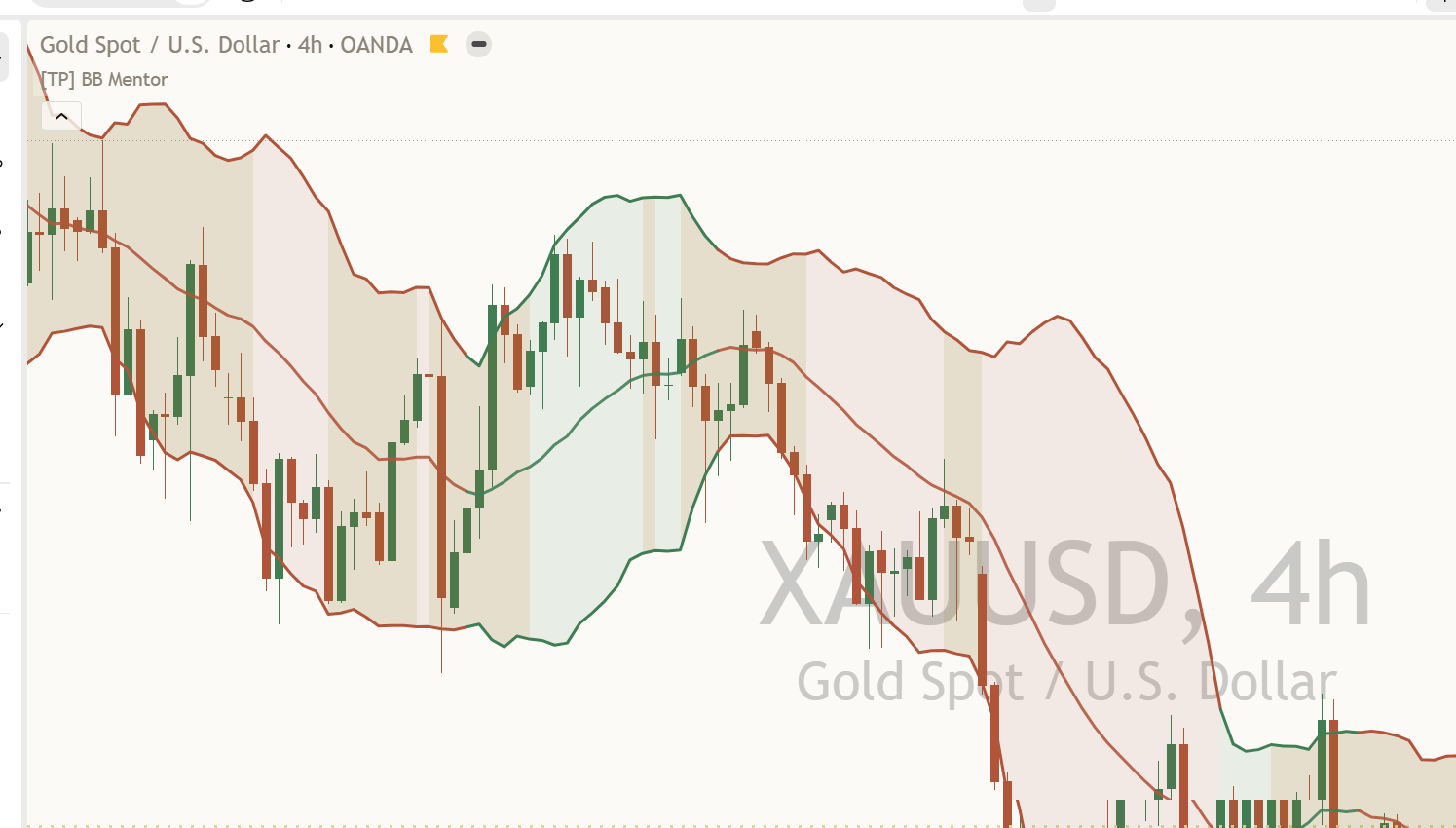
XAUUSD 4 hour chart just after a squeeze: the bands opening up after a gold-shaded quiet spell, and the Mentor panel at the top left.
Gold, 4 hours: the squeeze has just ended and the bands are opening up. That says moves got bigger, not which way.
An AAPL daily chart at phone width: the Mentor panel in a corner on the left, the newest candles on the right clear, and every panel line readable.
At phone width the panel stays readable and the newest candles stay clear.

Settings

The defaults match the usual Bollinger Bands (20 candles, 2.0) and are built to work out of the box. What you choose to show never changes the reading.

On a small screen, swipe the table sideways to see every column.
SettingWhat it doesDefault
Price to useThe price used for the middle line, the bands, the width and the push.Close
Candles for the middle line / Distance from the middle lineHow many candles the middle line averages, and how far each band sits from it, in standard deviations.20; 2.0
Candles used for the squeeze / Keltner line distance / Include price gapsHow many candles build the Keltner lines and squeeze strength, how far the optional Keltner lines are drawn, and whether gaps between candles count in the average range. Squeeze strength always uses 1.0, 1.5 and 2.0.20; 1.5; On
Candles to compareHow many recent candles on this chart the band width is ranked against.252
Call the bands close below / Call the bands far apart aboveWhere "close together" and "far apart" start, as a share of the chart's recent readings.20; 80
Show Bollinger Bands / Shade between the bands / Band thicknessThe middle line and bands, the light fill between them, and how thick the lines are (1 to 4).On; On; 2
Show momentum shading / Show Keltner linesOptional extras on the chart.Off; Off
Show average band distance in Data Window / Candles used for the averageAn average of the distance between the bands, in the Data Window only.Off; 20
Mark past events / Past marks to show / Show still-open eventNeutral marks on finished squeeze ends, how many to show (0 to 30), and one faint ring while a squeeze's 10 candles are still being measured. The count uses the last 500 finished candles either way.On; 12; Off
Show the Mentor panel / Panel detailShows or hides the panel. Compact keeps the main reading. Full adds the middle band's slope, what would change the read, and the legend for the marks.
CompactFull
On; Compact
Where to put the panelAuto picks the corner where the candles under it are least in the way, and prefers the left. Or fix it to any of nine places.
AutoTop LeftBottom Leftand six more
Auto
Panel text size / Characters on each panel lineText size, and where a panel line wraps. 44 is the phone-friendly maximum.
TinySmallNormalLarge
Tiny; 44
ColoursAuto follows your chart background, or force Light or Dark.
AutoLightDark
Auto
AlertsFour alerts when the reading changes on a finished candle, one switch each.All on

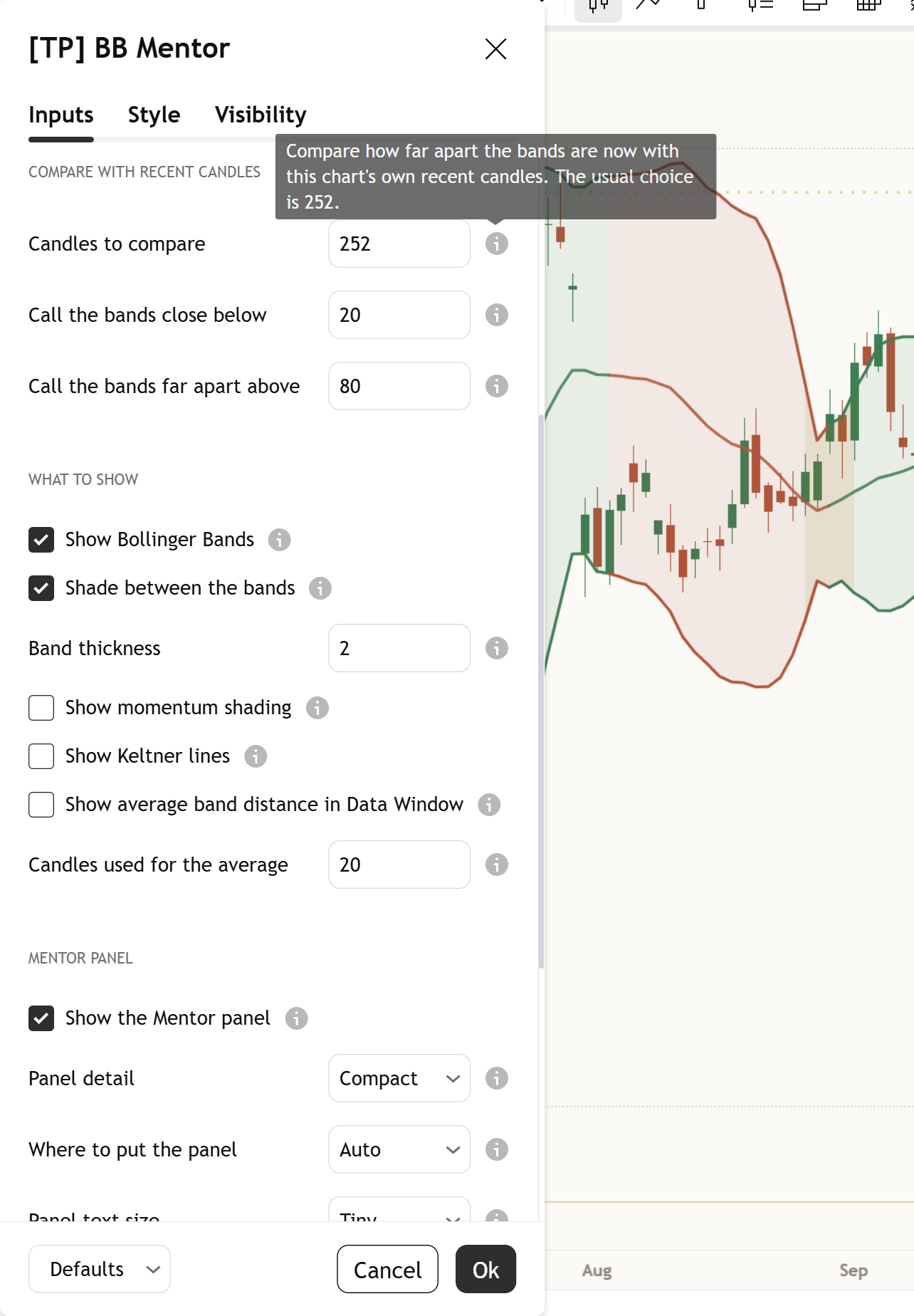
Every setting has a small (i) next to it. Hover over it, or tap it on a phone, and it explains that setting in plain English, right there on your chart.

Bb mentor settings tooltip
The (i) next to Candles to compare, opened. Captured from the published script.
See the whole settings window

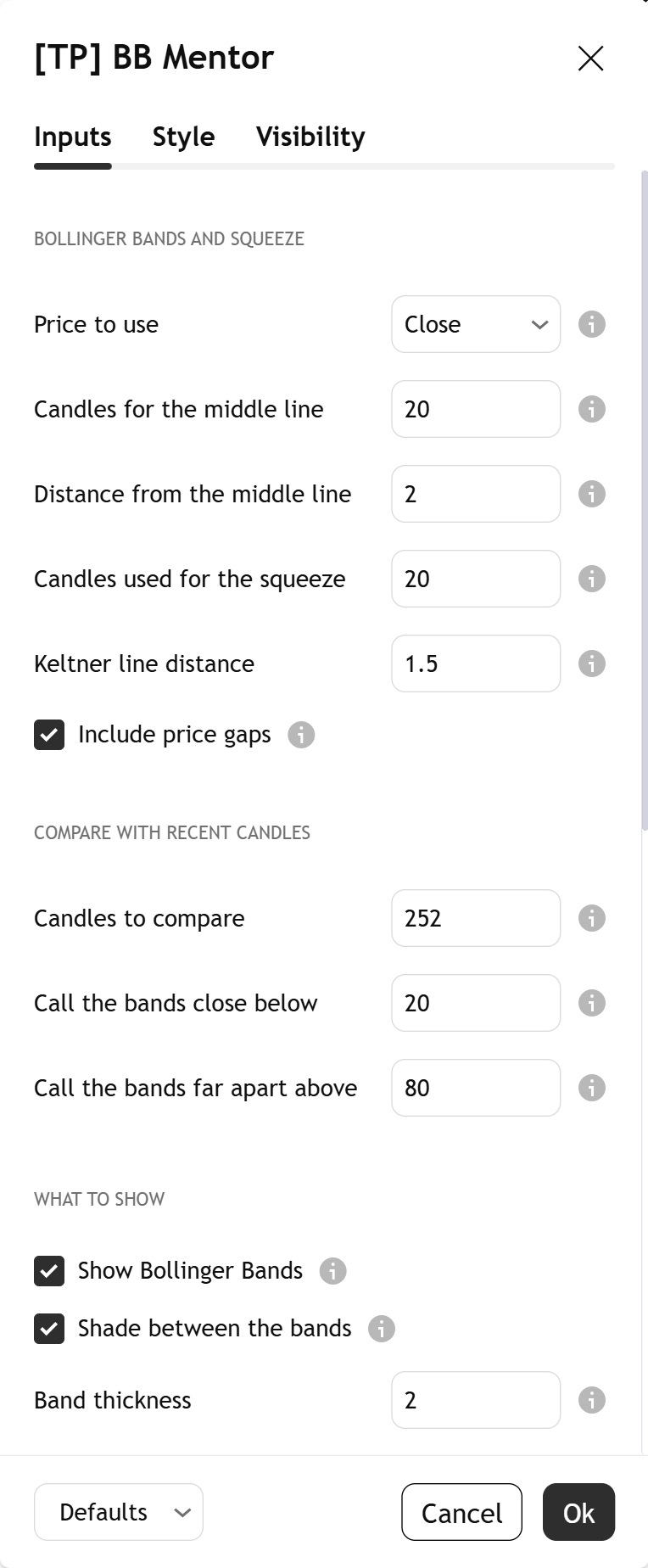
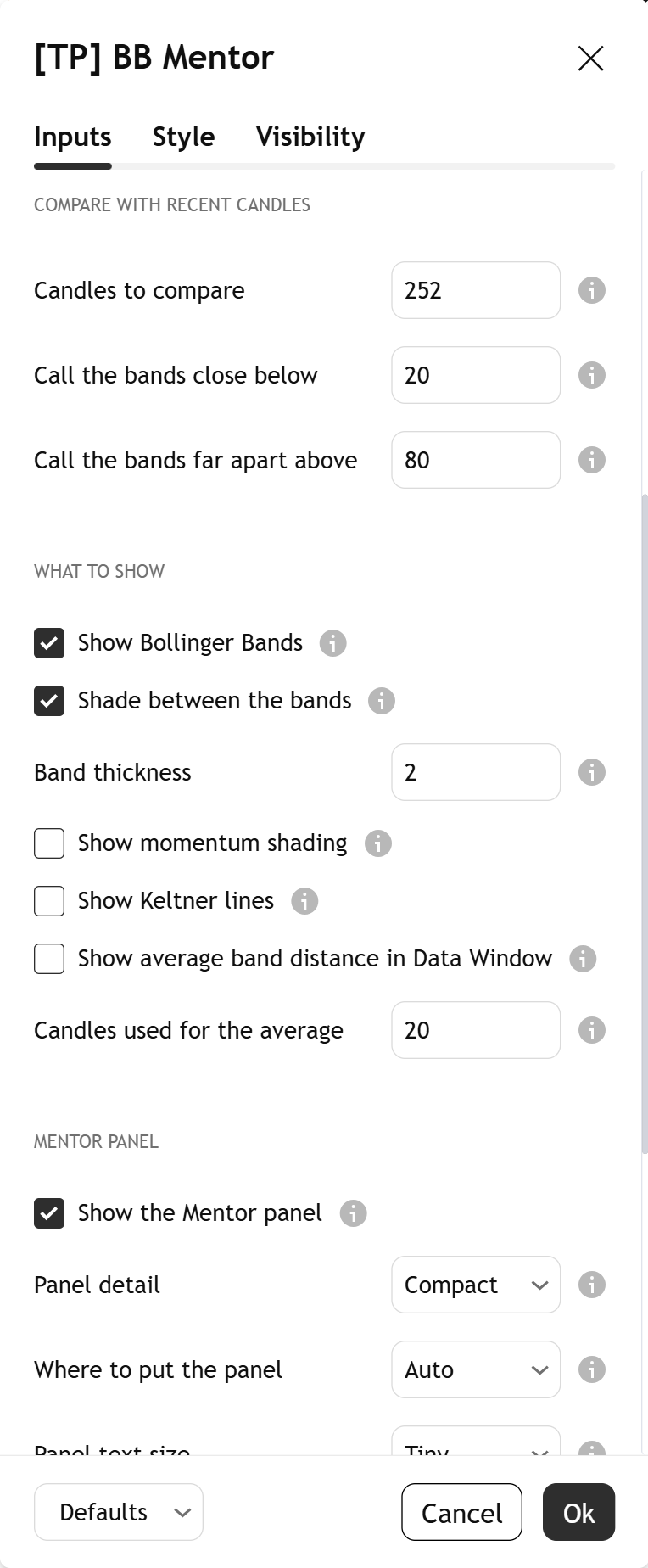
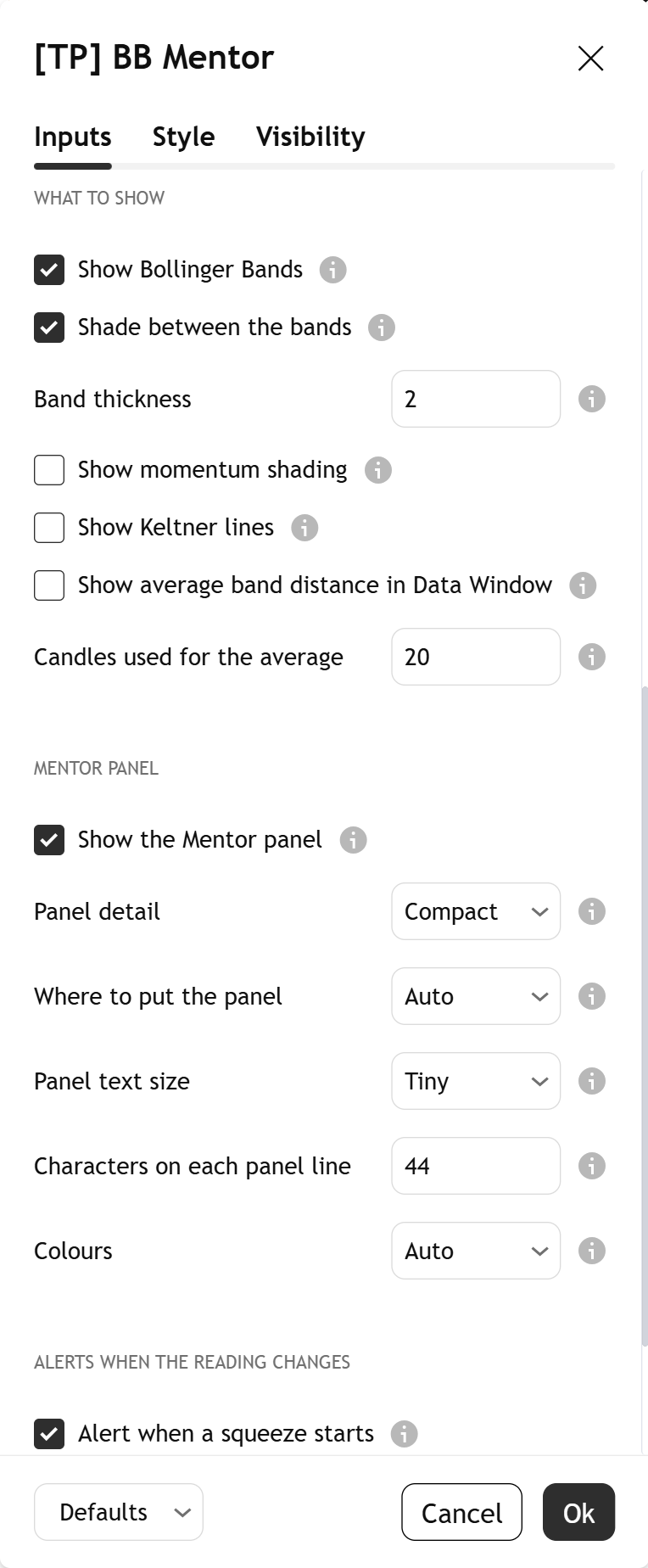
Open it by double-clicking the indicator's name on your chart. Top to bottom, at the defaults:

Settings, part 1: the Bollinger Bands and squeeze group: Price to use, Candles for the middle line, Distance from the middle line, Candles used for the squeeze, Keltner line distance and Include price gaps.
1. Bollinger Bands and squeeze
Settings, part 2: the Compare with recent candles group: Candles to compare 252, Call the bands close below 20, Call the bands far apart above 80.
2. Compare with recent candles
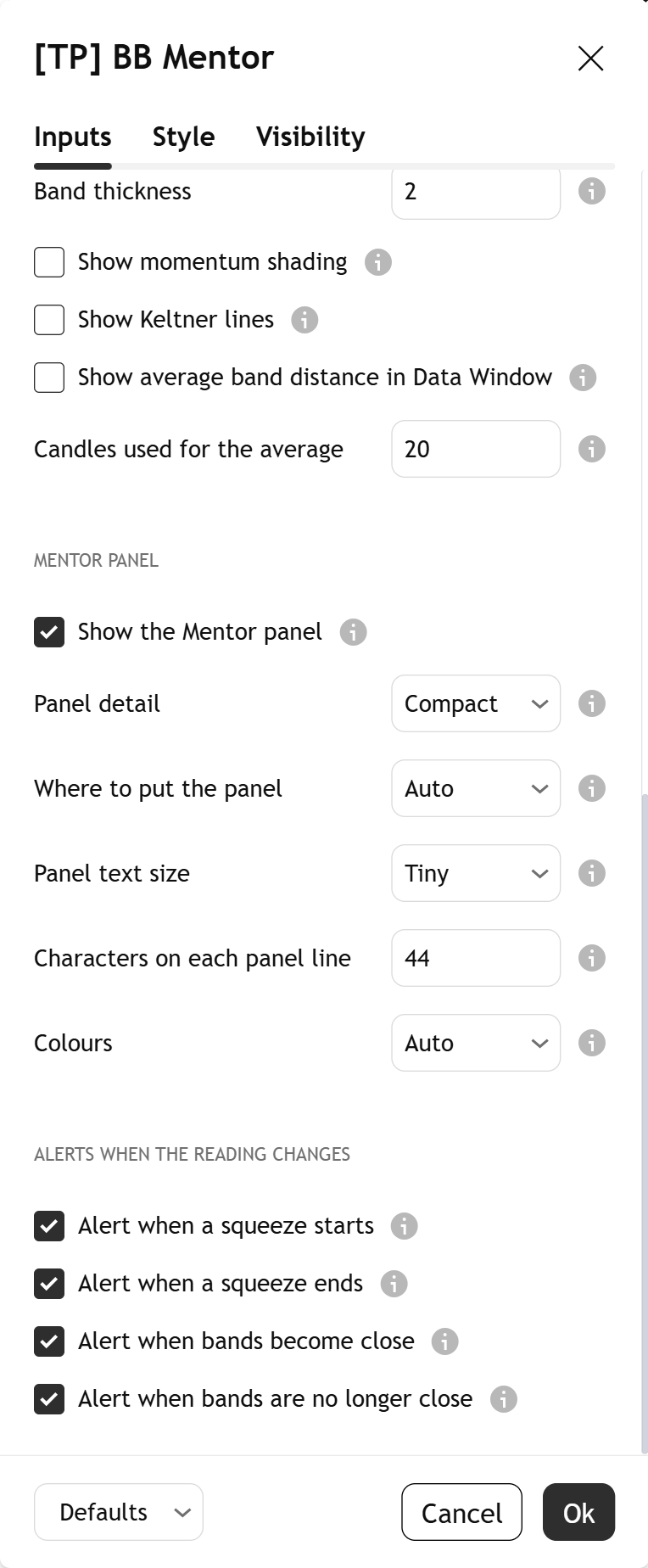
Settings, part 3: the What to show group (bands, shading, band thickness, momentum shading, Keltner lines, average band distance) and the Mentor panel group (panel, detail, position, text size, line length, colours).
3. What to show and panel
Settings, part 4: the Alerts when the reading changes group, with the four alert switches on.
4. Alerts
Light or dark, it matches

The indicator's colours come in a warm light and a warm dark palette. Light uses Paper and Dark uses Ink. With "Colours" on Auto, the Mentor reads your chart background and picks the right one. There are no free colour pickers, so green, red and gold keep one meaning each.

Alerts

Each alert says what changed, and only after the candle has closed. Each message ends with the same limit: a squeeze can break up or down, or fizzle. None of them tells you what to do.

  • A squeeze startedA finished candle changed from no squeeze to a squeeze.
  • A squeeze endedA finished candle changed from a squeeze to no squeeze.
  • Bollinger Bands became closeThe bands became close together on a finished candle.
  • Bollinger Bands are no longer closeThe bands are no longer close together on a finished candle.

Example message: "BB Mentor: XAUUSD on 240 started a squeeze on the finished candle. A squeeze can break up or down, or fizzle." Open TradingView's alert dialog, pick this indicator in the condition box, and choose the alert by name. Each one can be switched off in the settings.

Learn more

Start with the lesson, then watch the indicator explained.

Foundry lesson

Reading Bollinger Bands and the squeeze

What the bands measure, why they pinch and spread, what a squeeze really is, why narrow is relative, how length is counted, this chart's own history, why a squeeze has no direction, and the common traps. Concept first, indicator second, with a quiz.

Open the lesson
Trading journal

Keep a study log

Note each squeeze: its strength, how many candles it lasted, how narrow it was for the chart, and how it ended: up, down, or a fade. Over time your own notes show you more than any single chart.

Coming soon

Watch it explained

Video · 2:35How to read the TP Bollinger Bands MentorEvery part of the indicator, one at a time, on real charts: the middle line, the bands, band colour, the gold squeeze shading, the gold tip, and what the Mentor panel is telling you.
Video · 2:30Bollinger Bands and the squeeze explainedWhat the bands measure, what a squeeze is, why narrow is relative, and why a squeeze can break up or down, or fizzle, in plain English. Concept first, then the indicator. Read the full lesson

One concept, read well

[TP] RSI - Mentor, [TP] Volume - Mentor, [TP] Market Structure - Mentor, [TP] Trend - Mentor, [TP] VWAP - Mentor, [TP] Fibonacci - Mentor, [TP] MACD - Mentor, [TP] Bollinger Bands - Mentor, [TP] Regime - Mentor and [TP] Market Board - Mentor each read one thing deeply, for free. Markets rarely move on one thing. The full Titan suite reads them together: momentum, volume, trend structure and flow, combined into one plain-English read.

Questions

Is it free?

Yes. [TP] Bollinger Bands - Mentor is free on TradingView. Add it from the Indicators menu. Nothing is locked.

Are these the normal Bollinger Bands?

Yes. At the default settings (20 candles, 2.0) the middle line and bands match TradingView's built-in Bollinger Bands. What it adds is the reading: the squeeze in words, how long, what past squeezes did on this chart, and the limit.

What is a squeeze?

A quiet spell made strict. The Bollinger Bands have pinched so close that they sit inside the Keltner lines, a second channel built from the average candle range. The fill turns gold and the panel counts how many candles it has lasted.

Does a squeeze mean a big move is next?

No. A squeeze only says price has been quiet. Quiet spells end, but they can end with a jump up, a jump down, or a slow fade, and the bands cannot tell which. That is why the panel says: "A squeeze has no side; this is history." It counts what past squeezes did here, both sides, and never says which way the next one goes.

Why compare with the last 252 candles?

Because narrow is relative. Some markets are always calmer than others. Ranking the width against the same chart's own recent history means "narrow" means the same on any market. 252 is about a year of daily candles. You can change it in "Candles to compare".

Does it repaint?

No. The squeeze state, its count, the history comparison, the count of past squeezes and the alerts are set only when a candle closes. The live candle's band tips are drawn in muted gold so you can see them, but they are not read until the candle closes.

What do green and red mean?

The push on the last finished candle: green while price has been pushing up against its recent range, red while it has been pushing down. It describes the past candle only. Gold is separate: it marks a squeeze, or a live candle.

Does it tell me when to act?

No. It describes how quiet or busy price is, how long a quiet spell has lasted, and what past squeezes did on this chart, both sides. That is history, not where price will go. Decisions stay with you.

Why does it say "Too few here to count yet"?

Because a lean needs at least 12 finished squeezes on this chart. With fewer, a run of luck can look like a pattern, so the panel shows only how many it has (and from 8 to 11, the split with no lean). It fills in as the chart builds history.

The panel takes up too much room. What can I do?

Compact, the default, keeps the main reading at the Tiny text size. "Where to put the panel" on Auto picks the emptiest corner and prefers the left. You can fix it to any of nine places, lower "Characters on each panel line", or switch the panel off with "Show the Mentor panel".

Get our weekly market brief free.