Live · 23 Oct 2026 SPX 7,623.68 -0.52% NDX 28,957.53 +0.00% VIX 19.45 +2.21% GOLD 4,010.00 -1.24% CL 103.44 +3.99% BTC 81,228.08 -0.10%
Free TradingView indicator

[TP] VWAP - Mentor

One bold VWAP line, picked for your timeframe, with faint bands that show how far is far. A small panel says how stretched price is, for how long, and where it sits against the day, week, month and earnings averages, in plain English.

The line is the session VWAP below 4 hours, the week on 4 hour charts and the month on daily and weekly charts. It is green when price closed above it, orange when below, and gold when price is 2 bands or more away. The panel reads the other averages like a moving-average stack and names the nearest one above and below, with its price. On a feed with no volume it says so instead of pretending. Everything comes from closed bars, so nothing repaints.

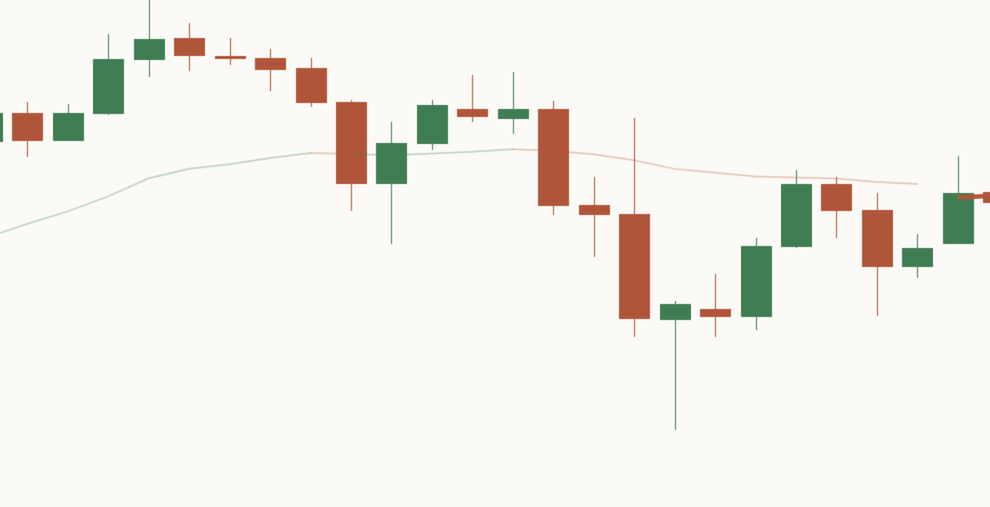
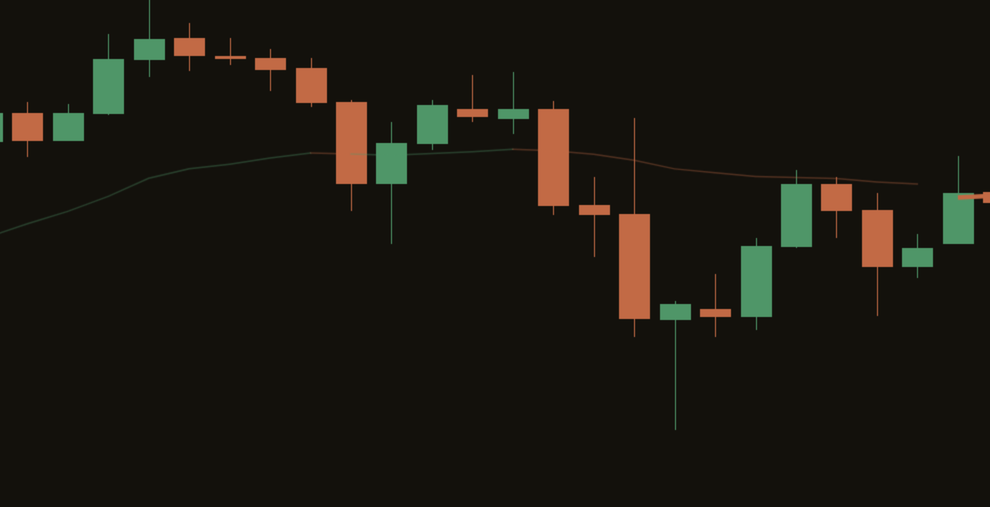
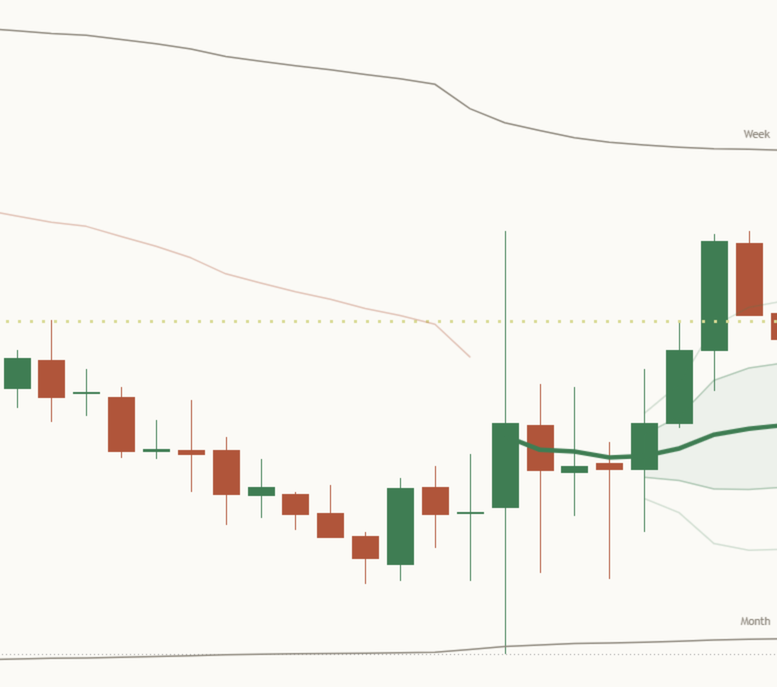
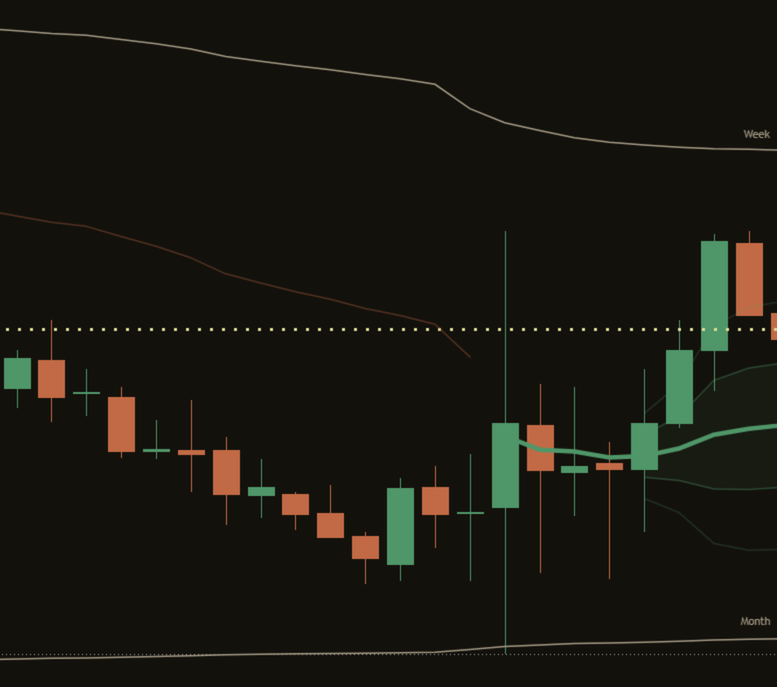
Vwap mentor v2 hero nas100 4h
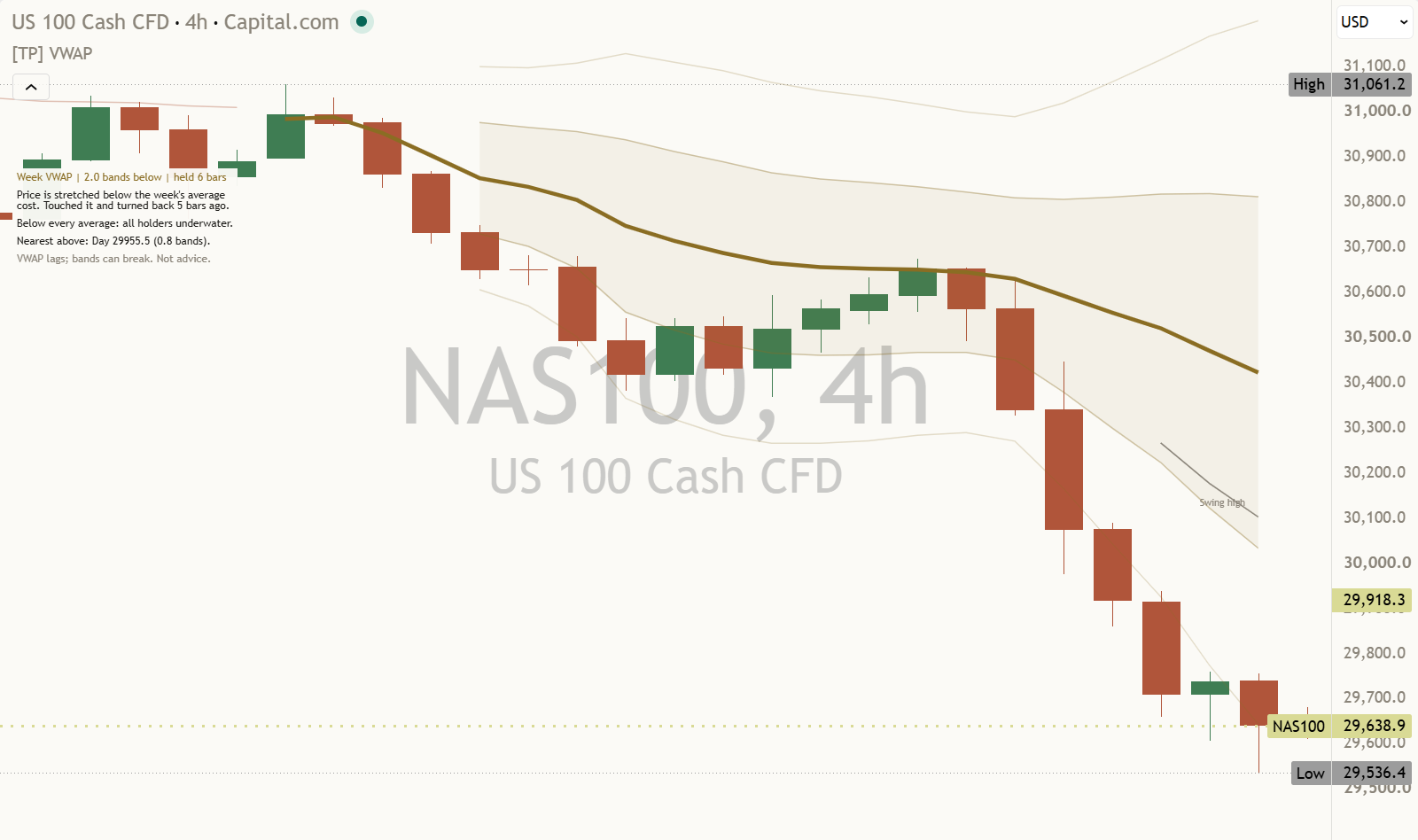
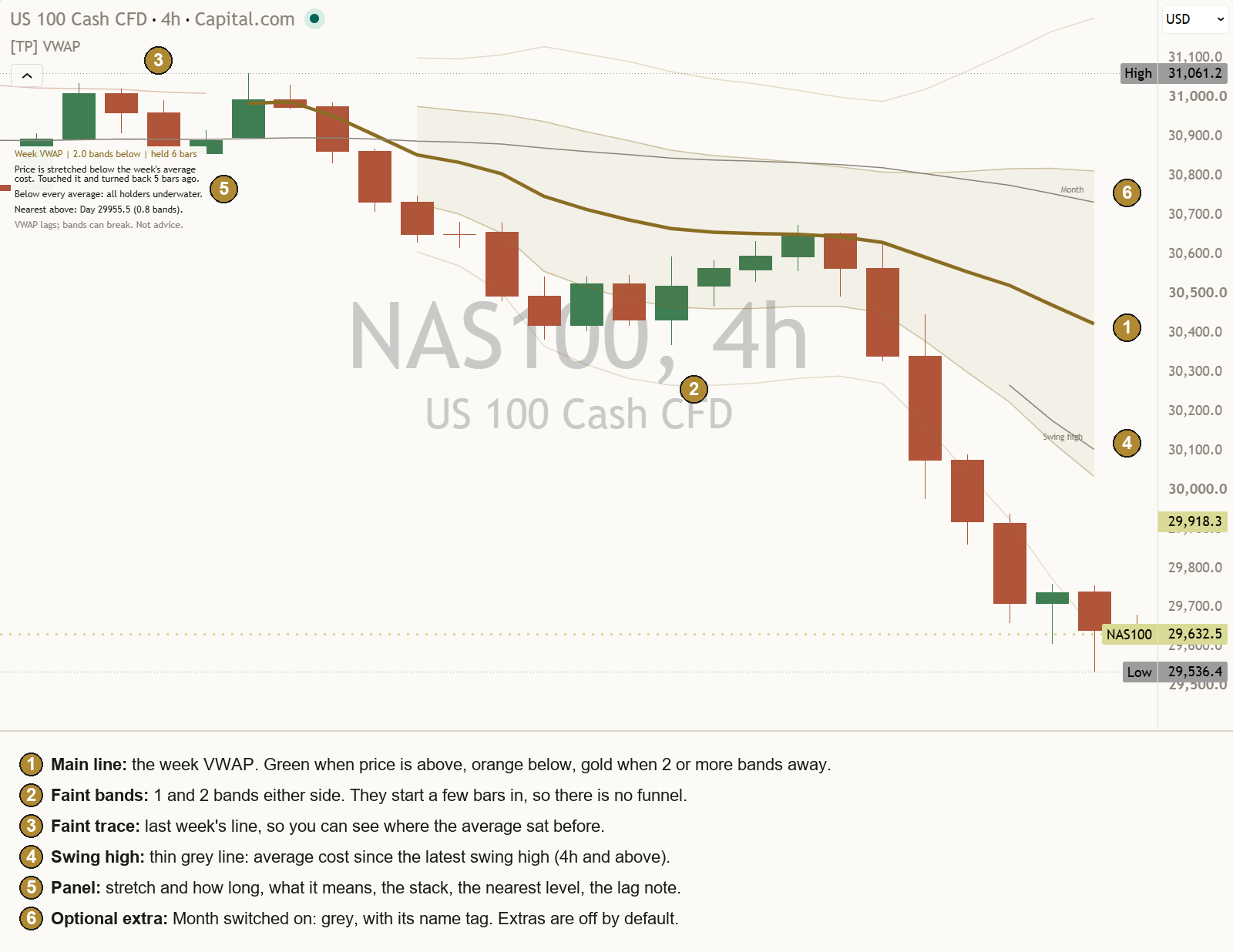
A real chart, default settings. Example only, not a recommendation.

What it is in 30 seconds

VWAP is the average traded price since a starting point, with busy bars counting more than quiet ones. Most VWAP tools draw four or five of them at once and leave you to work out how they relate. This one draws the line that suits your timeframe, measures how far price is from it in a ruler that fits the market, and puts everything else into a few plain sentences. A VWAP line describes where price has traded. It does not say where price goes next.

One line, picked for you

Session below 4 hours, week on 4 hour charts, month on daily and weekly. One bold line, coloured by the side price closed on, and gold only when price is stretched. Earlier periods stay as a faint trace. Every anchor is found for you; you never place one by hand.

It says how far is far

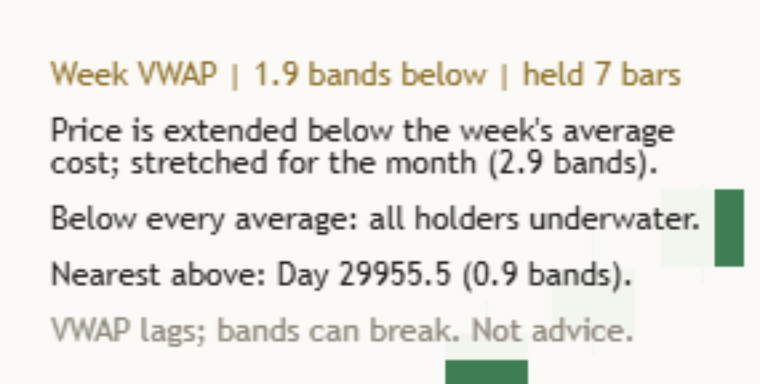
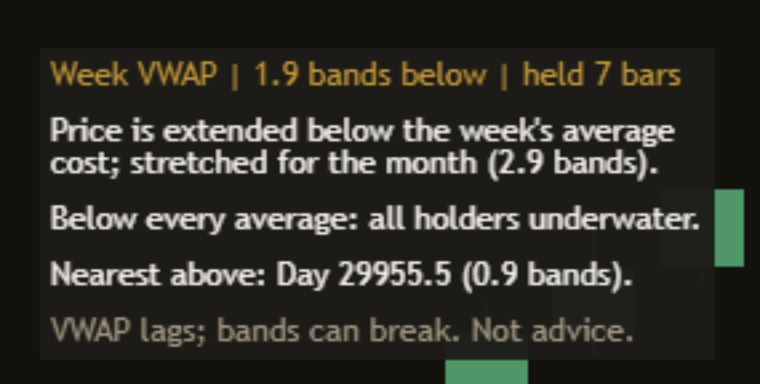
Distance is measured in bands: the volume-weighted standard deviation since the anchor. The panel leads with the number and how long it has held: "Week VWAP | 2.0 bands below | held 6 bars". Then it says it in words: "Price is stretched below the week's average cost."

It reads the stack

The day, week, month and earnings averages are read like a moving-average stack, with what it means for the people holding since each start: "Below Day, Week: recent holders underwater." The nearest average above and below comes with its price: "Nearest above: Day 29955.5 (0.8 bands)."

Each part, up close

Price above and below a line is treated the same way throughout. Every read has a version for each side.

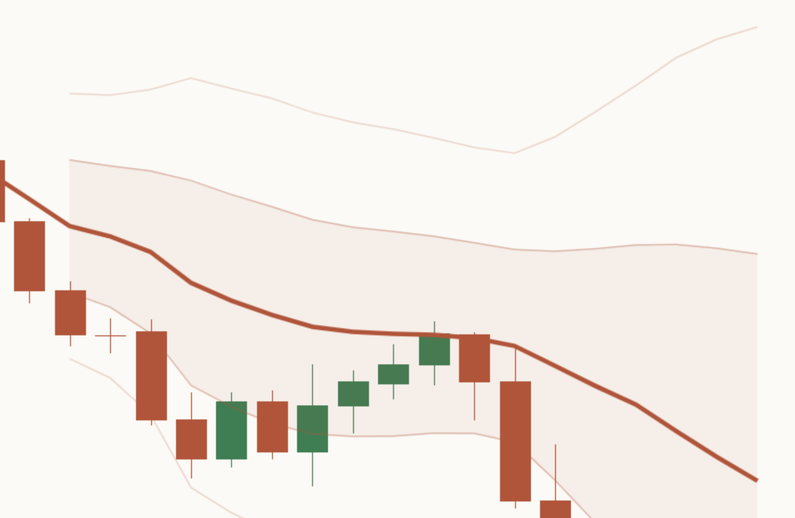
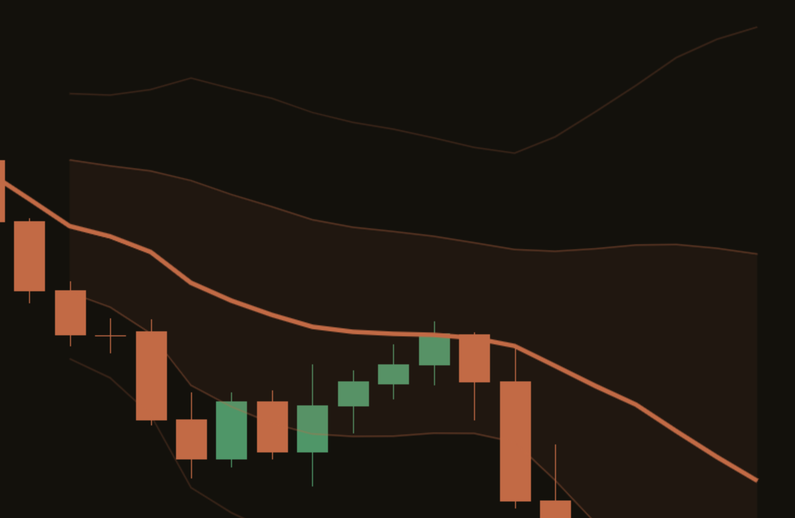
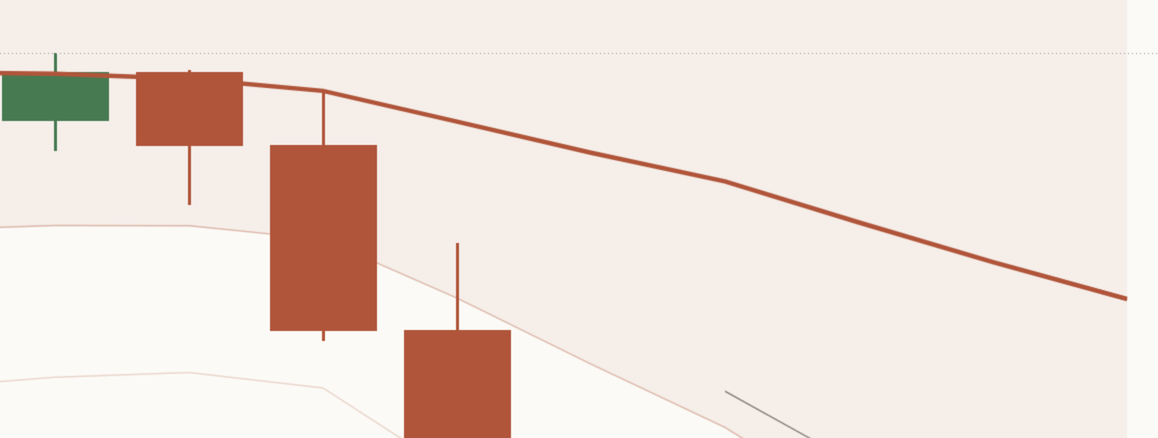
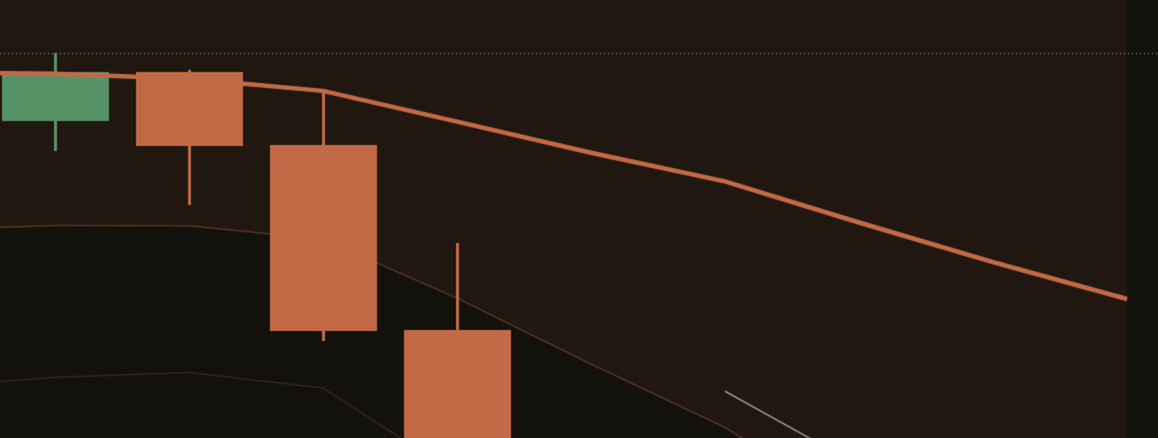
Close-up of the main line on a light NAS100 4 hour chart: one bold orange week line running above the candles, orange because price is below it, with its light band fill behind. Close-up of the main line on a dark NAS100 4 hour chart: one bold orange week line running above the candles, orange because price is below it, with its light band fill behind.

The main line

One bold line, chosen by Main line. On Auto it is the session VWAP on charts below 4 hours, the week VWAP on 4 hour charts, and the month VWAP on daily and weekly charts. Each one is long enough to mean something on that timeframe. You can choose Session, Week, Month, Earnings, Swing high or Swing low instead.

  • Green when the last closed bar is above the line.
  • Orange when it is below.
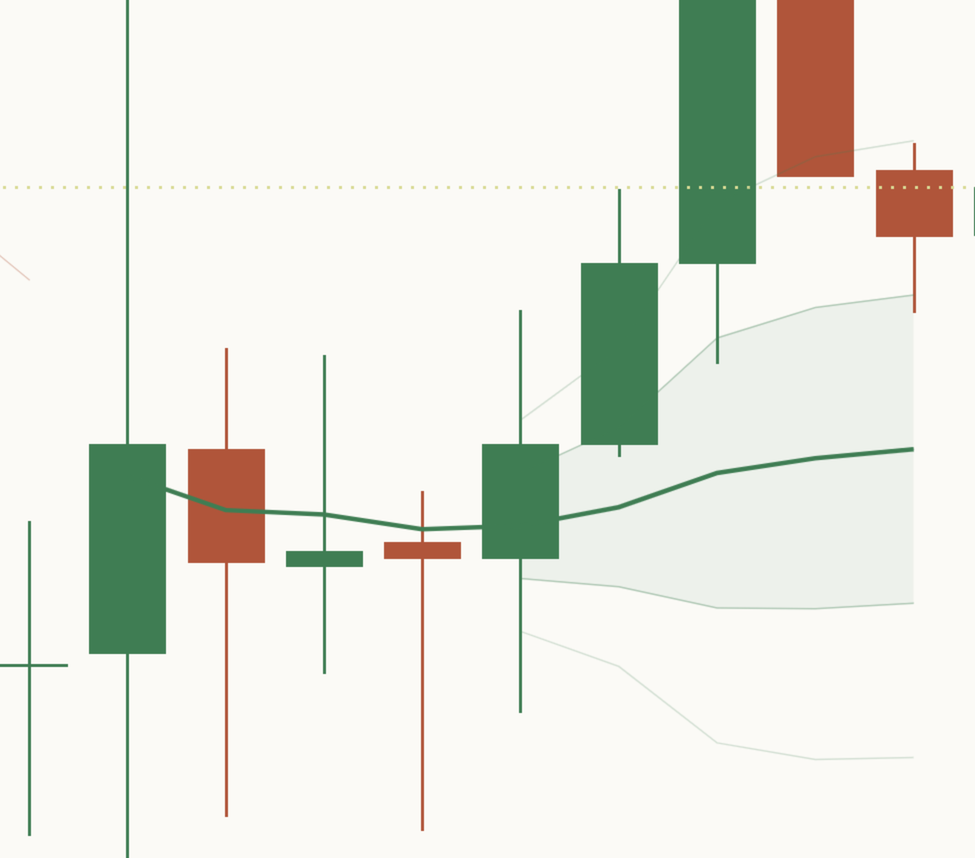
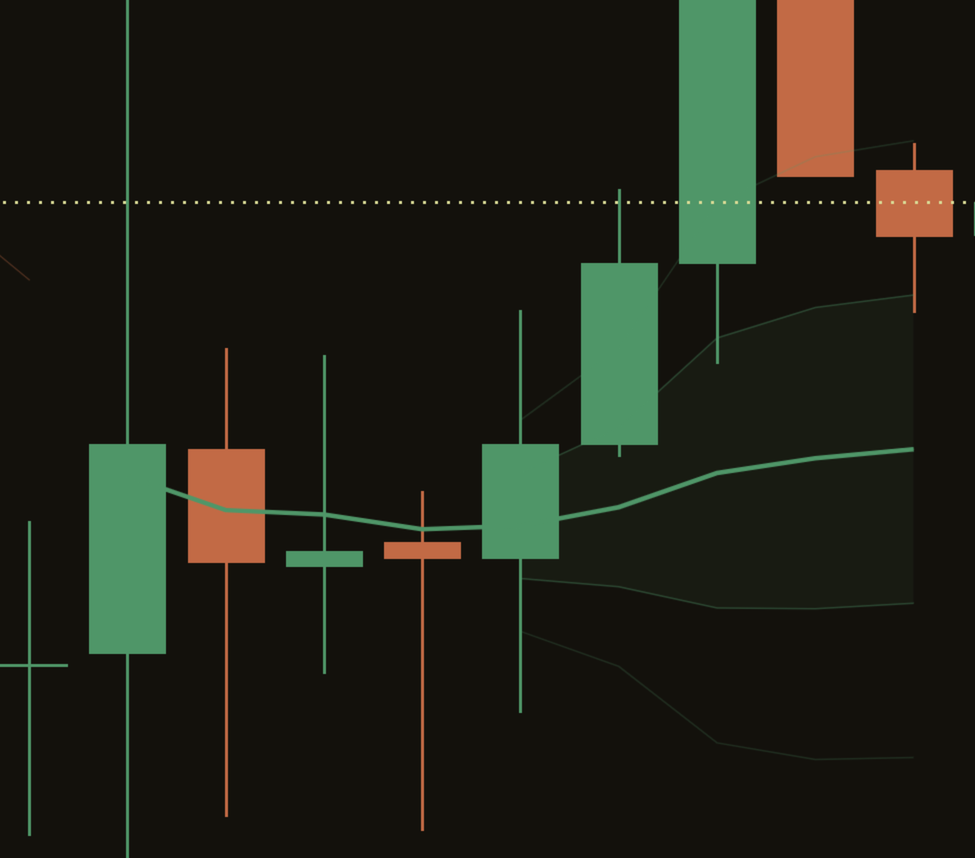
  • Gold when price is 2 bands or more away, on either side. Gold means stretched and nothing else.

The session line follows Regular hours by default: 0930-1600 in the symbol's exchange time. For ES on CME, enter 0830-1500, or choose Full session to include overnight trading. The line gets a little brighter the more times price has come back to it since its anchor.

Back to the chart
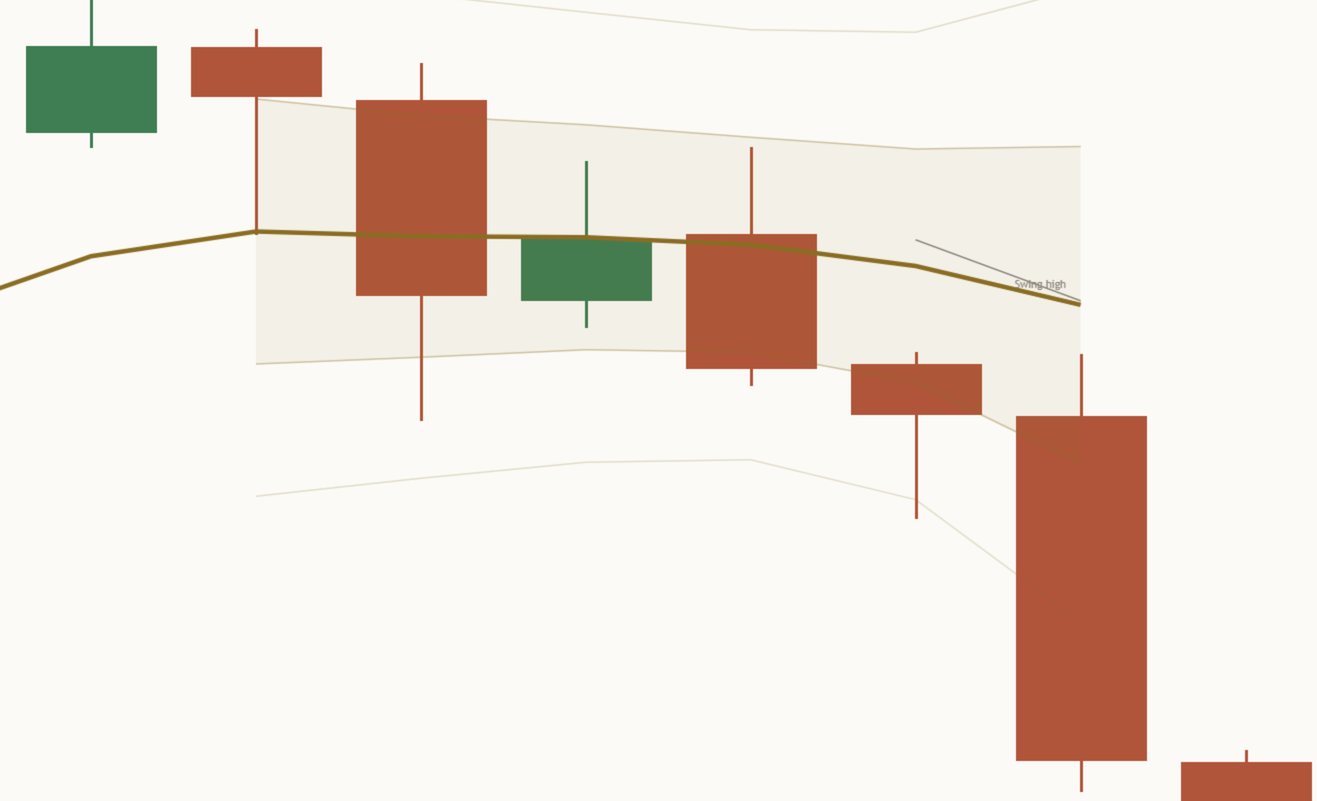
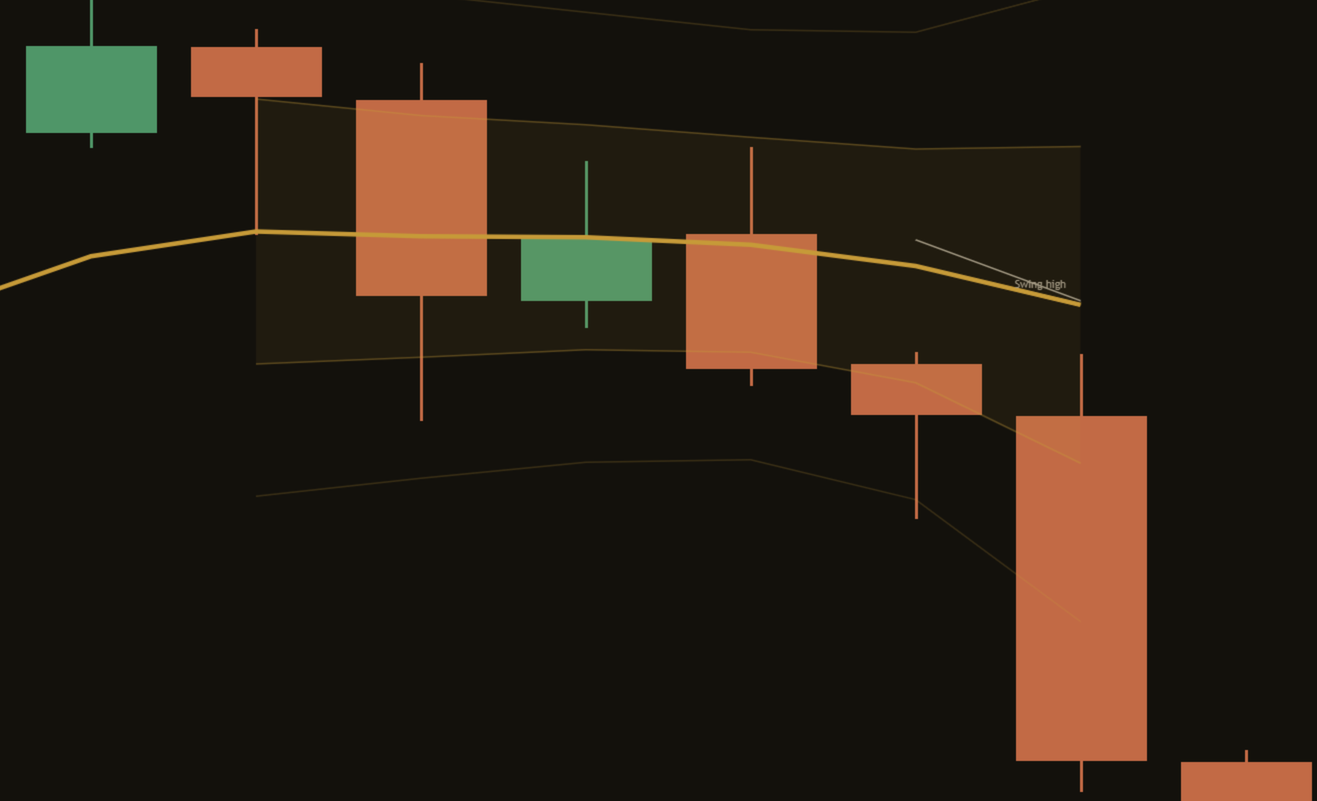
Close-up of a stretch on a light NAS100 daily chart: the bold month line has turned gold, and the last closed candle has dropped well below the lower outer band, more than 2 bands from the line. Close-up of a stretch on a dark NAS100 daily chart: the bold month line has turned gold, and the last closed candle has dropped well below the lower outer band, more than 2 bands from the line.

How far is far: the stretch

The first line of the panel gives the distance from the main line in bands, the side, and how many closed bars price has held beyond 1 band on that side:

NAS100 4h"Week VWAP | 2.0 bands below | held 6 bars"

The second line says what it means. Inside 1 band price is close to the average, from 1 to 2 bands it is extended, and from 2 bands it is stretched:

Stretched"Price is stretched below the week's average cost."

Extended, EURUSD 4h"Price is extended above the week's average cost; normal for the month (0.0 bands)."

Balanced, NFLX 1D"Month VWAP | within 1 band | balanced 2 bars"

When the week (or the month, if the week is the main line) reads differently, the panel adds that second scale, as on EURUSD above. A stretch describes how far price has travelled. It does not say when it ends.

Back to the chart
Vwap el bands paper Vwap el bands ink

The bands

Faint lines 1 and 2 bands either side of the main line, in its colour, with a light fill inside 1 band. A band is one volume-weighted standard deviation of price since the same anchor as the line: how spread out trading has been since that start.

  • A ruler that fits the market: wide when trading has been scattered, tight when it has been quiet, so "2 bands" means the same on a calm week and a wild one.
  • Not floors or ceilings: price can ride along a band or run straight through it. Once price is beyond 1 band the footer says so: "VWAP lags; bands can break. Not advice."
  • No volume: on a feed with no volume the bands are measured in ATR instead, and the panel says ATR.
Back to the chart
Close-up of a session start on a light MSFT 15 minute chart: the bold green session line begins at the 09:30 bar, and its bands only begin at the 5th bar, with no funnel shape before it. Close-up of a session start on a dark MSFT 15 minute chart: the bold green session line begins at the 09:30 bar, and its bands only begin at the 5th bar, with no funnel shape before it.

Bands from the 5th bar

A standard deviation of two or three bars means almost nothing, and bands drawn from the first bar make a funnel that tells you nothing. So the bands start at the 5th bar of a period. Before that, the panel says so instead of guessing:

NFLX 1D, Main line set to Week"Week VWAP | too early to measure stretch"
"Price is right at the week's average cost; the line is new."

Back to the chart
Vwap el earlier trace paper Vwap el earlier trace ink

Earlier periods, kept faint

The bold line and its bands cover the current period only. Earlier periods of the same line show as a thin, faint trace with no bands, in the colour of the side price was on at the time, so the chart keeps its history without clutter. Faint earlier periods is on by default; turn it off for the current period only, or switch on Show earlier periods to draw earlier periods in full, with their bands.

Back to the chart
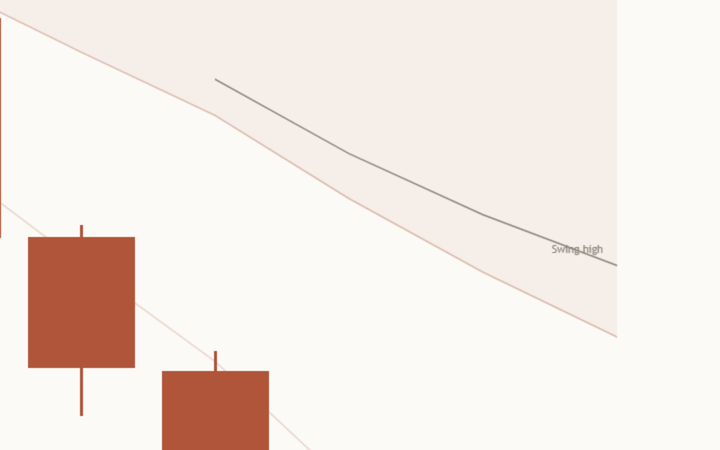
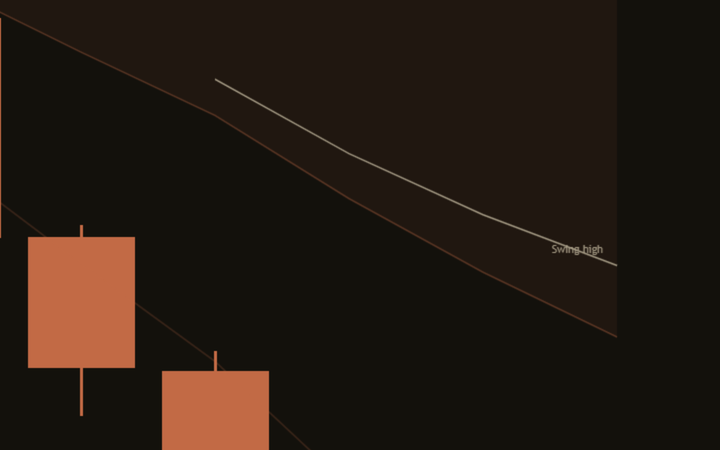
Close-up of the latest swing line on a light NAS100 4 hour chart: a thin grey line running down from the latest confirmed swing high, with a small Swing high tag at its right end. Close-up of the latest swing line on a dark NAS100 4 hour chart: a thin grey line running down from the latest confirmed swing high, with a small Swing high tag at its right end.

The latest swing

On 4 hour and higher charts the newest confirmed swing, high or low, is drawn as a thin grey line with a small tag. A swing is only known once the bars on its right have closed, so the line appears on that later bar, measured from the swing itself. It is never drawn back in time. Minimum swing size (1.0 ATR) ignores small wiggles, and Timeframe preset Auto sizes the swing to the chart.

Back to the chart
Vwap el panel compact paper Vwap el panel compact ink

The Mentor panel

It sits on the price chart itself, always on the left so the newest bars on the right stay clear. Panel position Auto uses Bottom Left only when the highest price on screen sits in the left third of the chart and the newest bars stay clear of the bottom; otherwise it uses Top Left. The default Compact style is 6 short lines or fewer, read top to bottom:

  • The stretch: "Session VWAP | 1.1 bands below | held 1 bar".
  • What it means: "Price is extended below today's average."
  • The stack, and what it means for holders: "Below Day, Week: recent holders underwater."
  • The nearest levels: "Nearest below: Month 337.41 (4.5 bands). Above: Swing low 343.18 (0.2 bands)."
  • The footer: "VWAP lags; bands can break. Not advice."

When price is above or below every average, the stack line says so: "Below every average: all holders underwater." When the averages split with no clear recent or older side, it names both groups, as on NFLX 1D: "Month in profit; Week, Earnings underwater." The stack counts the time averages (day, week, month, earnings), while the nearest levels also count swing lines. It describes rather than instructs. More on what it says to you at every level.

Back to the chart
Close-up of two optional extras on a light MSFT 15 minute chart with Also draw Week and Also draw Month switched on: a thin grey line tagged Week above price and a thin grey line tagged Month below it, with the bold green session line and its bands between them. Close-up of two optional extras on a dark MSFT 15 minute chart with Also draw Week and Also draw Month switched on: a thin grey line tagged Week above price and a thin grey line tagged Month below it, with the bold green session line and its bands between them.

Other extra lines

Any other average can be drawn the same way, thin, grey and tagged, with its "Also draw" switch: Day (session), Week, Month, Earnings (single stocks only), Swing high and Swing low. All are off by default. The panel reads them either way.

Back to the chart

Three panel layouts

Compact (default)

6 short lines or fewer: the stretch, the meaning, the stack, the nearest levels and a one-line footer. Small enough to stay clear of the newest candles.

Phone layout

A narrower panel for small screens: the stretch, the meaning, the stack and the footer, in up to 8 short lines. Off by default; switch it on if you read charts on a phone.

Full

The long version: the order sentence ("Stacked Day over Week over Month over Earnings: recent holders paid more than earlier ones."), a levels ladder with every average sorted by price and the current price marked in it, a range line comparing today's band with the week's, holders with real dates, how often price has come back to the line, a teaching line, the colour key and the full footer.

Optional extras, all off by default

The default chart keeps one bold line, its bands and a faint history, plus the latest swing on 4 hour and higher charts. Switch these on when you want them.

Also draw

Thin grey tagged lines for Day (session), Week, Month, Earnings (single stocks only, when TradingView has earnings data), Swing high and Swing low. Each covers the current period only. The panel reads all of them whether they are drawn or not.

Show earlier periods

Draws earlier periods of the main line in full, with their bands, instead of the faint trace.

Confluence zone

When two drawn lines (the main line and any extra you switched on) sit within 0.25 ATR of each other, a soft blue shading covers the space between them. It shows where two averages agree. It is not a promise that price reacts there.

Main line width

From 1 to 4; the default is 3 so it reads as the one bold line. Extra lines are always thin.

How the Mentor helps you at every level

Same indicator, same panel. What you take from it grows with you. These are real lines the panel wrote on the charts behind this page.

  1. Level 1

    Beginner

    What gets in the way

    • Not knowing which VWAP a line is, or where it starts.
    • Five coloured lines that nobody explains.
    • Reading one cross of the line as a turn.

    The habit it builds: asking "which line is this, and which side of it did price close on?" before anything else.

    What the Mentor says

    Header, NFLX 1D"Month VWAP | within 1 band | balanced 2 bars"

    Meaning"Price is close to the month's average cost; month holders are slightly in profit."

  2. Level 2

    Intermediate

    What gets in the way

    • Distances in points or dollars that mean nothing across markets.
    • Bands read as floors and ceilings.
    • A quick spike and a long stretch, read as the same thing.

    The habit it builds: measuring distance in bands, noting how long it has held, and remembering that bands can break.

    What the Mentor says

    Stretch, NAS100 4h"Week VWAP | 2.1 bands below | held 5 bars"

    Footer"VWAP lags; bands can break. Not advice."

  3. Level 3

    Advanced

    What gets in the way

    • Reading one VWAP alone, without the others.
    • Losing track of the nearest levels while watching one line.
    • Reacting to a cross without watching what happened after it.

    The habit it builds: placing price against every average, knowing the nearest one on each side, and watching whether a cross holds.

    What the Mentor says

    Stack, NFLX 1D"Above Month; below Week, Earnings. Tangled."

    Levels, NFLX 1D"Below: Swing low 69.79. Above: Week 70.65."

    After the cross, NAS100 4h"Crossed it and turned back 5 bars ago."

  4. Level 4

    Expert

    What gets in the way

    • Fatigue: the tenth chart of the day gets less care than the first.
    • Forgetting that each anchor has its own ruler.
    • A "VWAP" on a feed with no volume, trusted without checking.

    The habit it builds: a consistent second pair of eyes: two scales every time, holders with real dates, an honest name on every feed, and fifteen descriptive alerts that watch for you.

    What the Mentor says

    Two scales, AAPL 15m, Full"Extended for today, normal for the week (0.2 bands)."

    Holders, AAPL 15m, Full"Since 1 Oct and the 31 Jul report, holders are in profit; since 12 Oct, underwater."

    Order, AAPL 15m, Full"Stacked Day over Week over Month over Earnings: recent holders paid more than earlier ones."

It reads every kind of feed

Above the line Green, or gold at 2 bands

Distance, time and the stack. The header gives the stretch in bands and how long it has held.

"Week VWAP | 1.4 bands above | held 1 bar"

Below the line Orange, or gold at 2 bands

Read exactly the same way, mirrored.

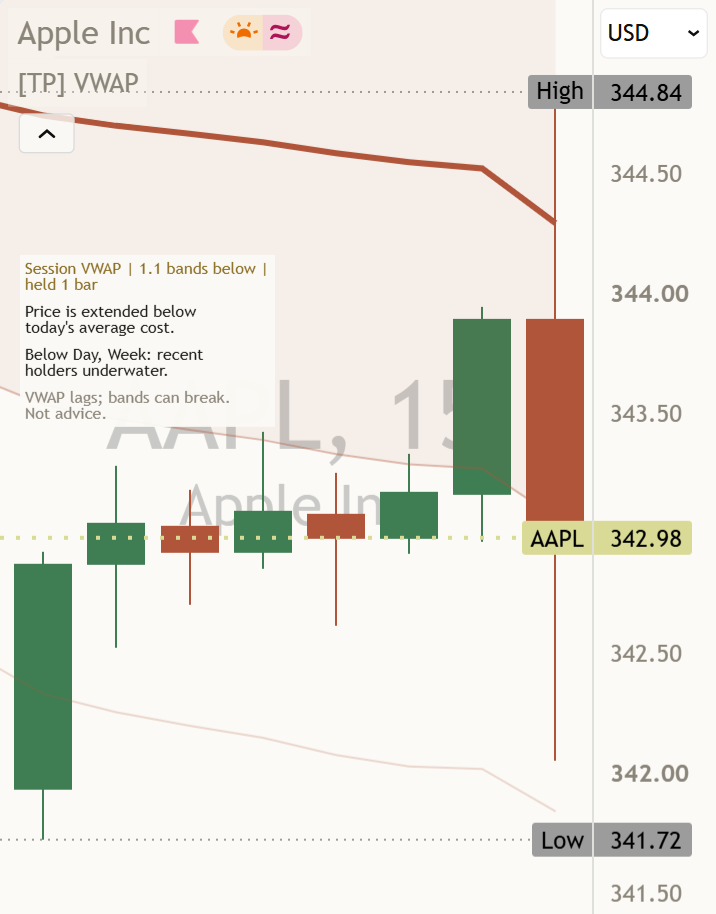
"Session VWAP | 1.1 bands below | held 1 bar"

No volume Forex, CFDs, indexes

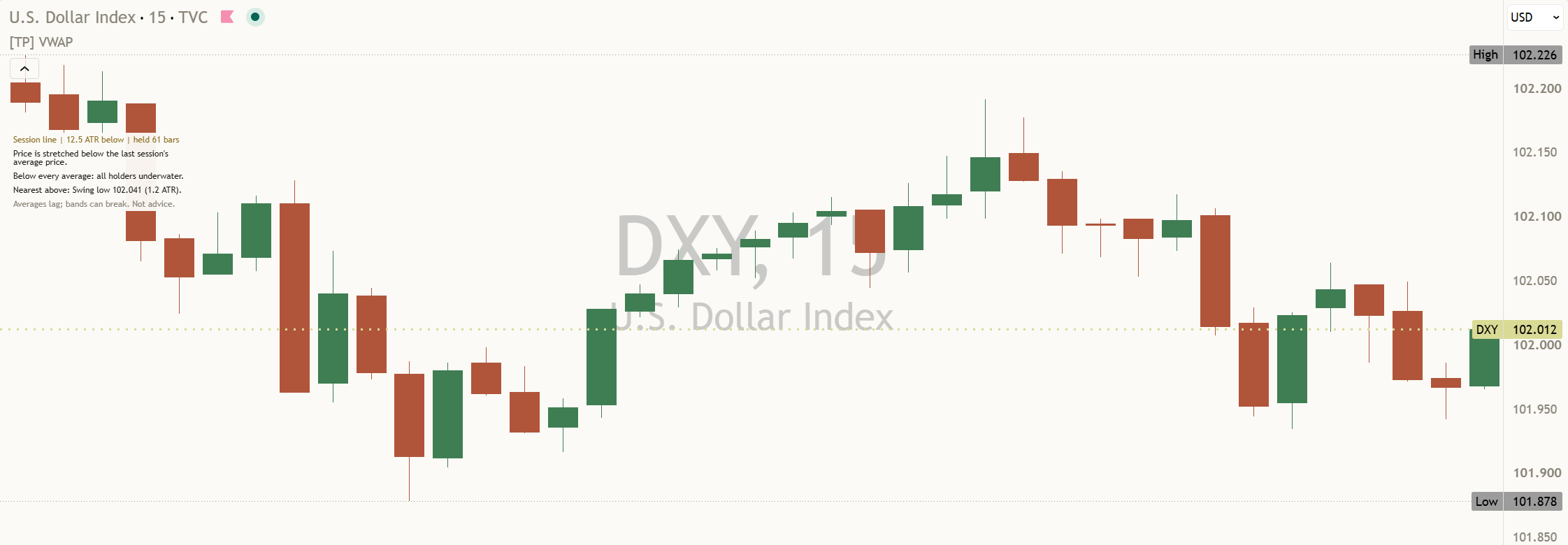
No volume, no VWAP. Every bar counts equally, the panel says "line", and the stretch is measured in ATR.

"Session line | 12.5 ATR below | held 61 bars"

Three things to remember

  1. The start is the story. A VWAP line is the average since a starting point. The header always names which one you are looking at.
  2. Measure in bands. Close inside 1, extended from 1 to 2, stretched from 2. Bands describe past spread; price can run through them.
  3. Read the stack. Above or below each average, in what order, and the nearest one on each side. It describes cost, not what comes next.

Honest about timing, honest about data

How it avoids repainting

The main line, the bands, the panel and all 15 alerts are taken from closed bars and do not change afterwards. The bold line, its bands and the faint trace end at the last closed bar. A swing line appears only on the bar that confirms its swing and is never drawn backwards into bars where the swing was not yet known. The earnings anchor does not look ahead. A bar where a line restarts never counts as a cross.

When the feed has no volume

Many forex pairs, index CFDs and indexes report no volume. Some VWAP tools go blank there without saying why; others draw a line that is not really a VWAP. This one weights every bar equally and tells you: the panel says "line" instead of "VWAP", the stretch and the bands are measured in ATR, and the footer reads "Averages lag; bands can break. Not advice." once price is beyond 1 band.

A different main line, session setting or timeframe gives a different read on the same chart. Neither is wrong: they answer different questions.

DXY 15 minute chart, a feed with no volume, default settings: the Mentor panel at the top left reads Session line, 12.5 ATR below, held 61 bars, and never says VWAP.
No volume on this feed, so the panel says "line" and measures in ATR.
The AAPL 15 minute chart at phone width with Phone layout on: the panel wraps narrower at the top left, showing the stretch, the meaning, the stack and the footer, and the newest candles on the right are clear.
With Phone layout on, the panel wraps narrower and the newest bars stay clear.

Settings

The defaults are built to work out of the box. These are the ones worth knowing.

On a small screen, swipe the table sideways to see every column.
SettingWhat it doesDefault
Main lineThe one bold line. Auto uses the session line below 4 hours, the week line on 4 hour charts and the month line on daily and weekly charts.
AutoSessionWeekMonthEarningsSwing highSwing low
Auto
Show bandsFaint lines 1 and 2 bands either side of the main line, with a light fill inside 1 band.On
Show earlier periods / Faint earlier periodsEarlier periods in full with their bands, or as a thin faint trace with no bands.Off / On
Main line widthHow thick the main line is, from 1 to 4. Extra lines are always thin.3
Also draw Day (session), Week, Month, Earnings, Swing high, Swing lowAdds a thin grey tagged line for the current period. Earnings is for single stocks only. The panel reads each average either way.All off
Latest swing on 4h and aboveOn 4 hour and higher charts, draws the newest confirmed swing line as a thin grey tagged line.On
Session reset / Regular-hours sessionRegular hours uses the hours you set, in the symbol's exchange time. Full session includes overnight trading and resets on the exchange trading day. For ES on CME, enter 0830-1500.
Regular hoursFull session
Regular hours, 0930-1600
Timeframe presetBars each side of a swing. Auto uses Responsive (3 / 3) up to 5 minutes, Balanced (5 / 5) above 5 minutes through Daily, Structural (10 / 10) above Daily.
AutoResponsiveBalancedStructuralCustom
Auto
Custom left bars / right barsUsed only when the Timeframe preset is Custom.5 / 5
Minimum swing size (ATR)Ignores small wiggles, so the swing lines only restart at meaningful turns.1.0
Price sourceThe price used in every weighted average.
HLC3CloseHL2OHLC4
HLC3
ATR lengthThe recent-range length used when bands cannot be measured yet, and on charts with no volume. It does not move the VWAP.14
Rotation lookbackHow many closed bars the panel counts crosses of the main line over.20
Confluence tolerance (ATR) / Show confluence zoneHow close two averages must be to count as meeting, and the optional soft blue shading between them.0.25 / Off
Panel styleCompact is 6 short lines or fewer. Full adds the order sentence, the levels ladder, the range line, holders with dates, retests and teaching notes.
CompactFull
Compact
Phone layoutA narrower, shorter panel for phone screens.Off
Panel positionWhere the panel sits on the price chart. It always stays on the left, so the newest bars on the right stay clear.
AutoTop LeftBottom Left
Auto
Panel text sizeThe size of the panel's text. 4 sizes, the same as every Titan indicator.
TinySmallNormalLarge
Tiny
Panel line widthHow wide the panel's sentences wrap, from 30 to 90 characters. 44 stays narrow on a phone.44
ThemeAuto follows your chart background brightness, or force Light or Dark.
AutoLightDark
Auto
Descriptive alertsEight switches: one per line, new swing anchors, and the main line stretch. They only allow or block alert conditions; they never change a line.All on

The defaults are a sensible starting point; most traders can leave them and change only the look.

Every setting has a small (i) next to it. Hover over it, or tap it on a phone, and it explains that setting in plain English, right there on your chart.

Light or dark, it matches

The indicator's colours come in a warm light and a warm dark palette. Light uses the Paper palette and Dark uses Ink. With Theme on Auto, the Mentor picks the right palette for your chart background. No setting needed.

Alerts

Fifteen alert conditions, each named in plain English. Open TradingView's alert dialog, pick this indicator in the condition box, and choose the condition by name. Every one waits for a closed bar. The message describes what happened. It never tells you what to do.

  • Price crossed above session VWAPVWAP Mentor: {{ticker}} on {{interval}} closed above the session volume-weighted average. Descriptive only, not an instruction.
  • Price crossed below session VWAPVWAP Mentor: {{ticker}} on {{interval}} closed below the session volume-weighted average. Descriptive only, not an instruction.
  • Price crossed above week-anchored VWAPVWAP Mentor: {{ticker}} on {{interval}} closed above the week-anchored VWAP. Descriptive only, not an instruction.
  • Price crossed below week-anchored VWAPVWAP Mentor: {{ticker}} on {{interval}} closed below the week-anchored VWAP. Descriptive only, not an instruction.
  • Price crossed above month-anchored VWAPVWAP Mentor: {{ticker}} on {{interval}} closed above the month-anchored VWAP. Month holders are profitable. Descriptive only, not an instruction.
  • Price crossed below month-anchored VWAPVWAP Mentor: {{ticker}} on {{interval}} closed below the month-anchored VWAP. Month holders are underwater. Descriptive only, not an instruction.
  • Earnings VWAP crossVWAP Mentor: {{ticker}} on {{interval}} crossed the earnings VWAP on a closed bar. Descriptive only, not an instruction.
  • Price crossed above swing-high anchored VWAPVWAP Mentor: {{ticker}} on {{interval}} closed above the last confirmed swing-high anchored VWAP. Descriptive only, not an instruction.
  • Price crossed below swing-high anchored VWAPVWAP Mentor: {{ticker}} on {{interval}} closed below the last confirmed swing-high anchored VWAP. Descriptive only, not an instruction.
  • Price crossed above swing-low anchored VWAPVWAP Mentor: {{ticker}} on {{interval}} closed above the last confirmed swing-low anchored VWAP. Descriptive only, not an instruction.
  • Price crossed below swing-low anchored VWAPVWAP Mentor: {{ticker}} on {{interval}} closed below the last confirmed swing-low anchored VWAP. Descriptive only, not an instruction.
  • New swing-high anchor confirmedVWAP Mentor: {{ticker}} on {{interval}} confirmed a new swing-high anchor on a closed bar. Descriptive only, not an instruction.
  • New swing-low anchor confirmedVWAP Mentor: {{ticker}} on {{interval}} confirmed a new swing-low anchor on a closed bar. Descriptive only, not an instruction.
  • Main line: stretched (2 bands)VWAP Mentor: {{ticker}} on {{interval}} closed 2 bands or more away from the main line. Descriptive only, not an instruction.
  • Main line: back inside 1 bandVWAP Mentor: {{ticker}} on {{interval}} closed back inside 1 band of the main line. Descriptive only, not an instruction.

{{ticker}} and {{interval}} are filled in by TradingView with the symbol and timeframe. The cross alerts work whether or not a line is drawn. A bar where a line restarts never counts as a cross, so an alert never arrives without a matching close on the chart.

Learn more

Start with the lesson, then watch the indicator explained.

Watch it explained

Video · 3:09How to read [TP] VWAP - MentorEvery part of the indicator, one at a time, on real charts: the main line and its colours, the bands, the stretch and how long it held, the faint history, the swing line, the stack, the nearest levels, the no-volume case, and what the Mentor panel is telling you.
Video · 3:12VWAP explainedWhat a volume-weighted average is, why the starting point matters, and why bands measured in standard deviations are a fairer ruler than points, in plain English. Concept first, then the indicator. Read the full lesson

One concept, read well

[TP] RSI - Mentor, [TP] Volume - Mentor, [TP] Market Structure - Mentor, [TP] Trend - Mentor, [TP] VWAP - Mentor, [TP] Fibonacci - Mentor, [TP] MACD - Mentor, [TP] Bollinger Bands - Mentor, [TP] Regime - Mentor and [TP] Market Board - Mentor each read one thing deeply, for free. Markets rarely move on one thing. The full Titan suite reads them together: momentum, volume, trend structure and flow, combined into one plain-English read.

Questions

Is it free?

Yes. [TP] VWAP - Mentor is free on TradingView. Add it from the Indicators menu. Nothing is locked.

Which VWAP is this?

One main line, chosen for your timeframe: the session line below 4 hours, the week line on 4 hour charts, and the month line on daily and weekly charts. The panel header always names it, for example "Week VWAP". You can choose a different one in Main line. The day, week, month and earnings averages are all read in the panel either way.

Why only one line?

Because four or five coloured lines at once is hard to read. One bold line carries the read, earlier periods stay as a faint trace, and every other average is described in words. Any of them can be drawn as a thin grey tagged line with its "Also draw" switch.

What is a band?

One volume-weighted standard deviation of price since the same anchor as the line: how spread out trading has been since that start. Inside 1 band price is close to the average, from 1 to 2 bands it is extended, and from 2 bands it is stretched. Bands are not floors or ceilings; price can run through them.

Is it just a moving average?

No. A rolling VWAP over the last N bars is the same as a volume-weighted moving average. These lines do not roll: each one adds every bar since a fixed start, then restarts at the next start.

Does it repaint?

No. The main line, the bands, the panel and all 15 alerts come from closed bars and do not change afterwards. A swing line appears on the bar that confirms its swing and is never drawn back in time.

Can the session line follow regular hours on futures?

Yes, that is the default. Session reset is Regular hours, 0930-1600 in the symbol's exchange time. For ES on CME, enter 0830-1500 for 09:30 to 16:00 New York time. Choose Full session to include overnight trading instead.

What happens on forex or CFDs with no volume?

The lines still draw, with every bar counted equally, and the panel tells you: it says "line" instead of "VWAP", and the stretch and the bands are measured in ATR. It never calls a plain average VWAP. Nothing goes blank without a reason.

What do the colours mean?

The main line is green when the last closed bar is above it, orange when below, and gold when price is 2 bands or more away. Bands and the faint history use the same colours, paler. Extra lines are grey. A line gets brighter the more times price has come back to it.

Why does the panel say "too early to measure stretch"?

Because the main line is fewer than 5 bars old, and a standard deviation of a few bars means almost nothing. The bands appear from the 5th bar of a period. Until then the panel says where price is, without a stretch.

Which alerts can I set?

Fifteen: a cross above and below the session, week, month, swing-high and swing-low lines, an earnings line cross, a new swing-high or swing-low anchor confirmed, and two for the main line: stretched (2 bands) and back inside 1 band. All fire on a closed bar.

Does it tell me when to act?

No. It describes how far price is from its average, where it sits against the others, and where the nearest averages are. A VWAP line describes where price has traded, not where it will go. Decisions stay with you.

The panel takes up too much room. What can I do?

Compact, the default, is 6 short lines or fewer, and it always sits on the left so the newest bars stay clear. Phone layout makes it narrower for small screens. Panel position on Auto moves it between Top Left and Bottom Left; you can also fix it to either. Panel text size changes the text, and "Show Mentor" switches the panel off.

Get our weekly market brief free.