Live · 22 Oct 2026 SPX 7,663.43 -1.21% NDX 28,958.69 -2.90% VIX 19.03 +14.09% GOLD 4,039.80 -2.66% CL 99.10 -2.64% BTC 81,390.93 -3.12%
Free TradingView indicator

[TP] Regime - Mentor

Trending or ranging, said in plain words. A regime is the market's current mode: trending up, trending down, or ranging sideways. This indicator names it from finished candles, marks how past regime changes on your chart turned out, and counts how often changes like the current one held on your own chart.

Most regime tools colour the chart and leave the meaning to you. This one puts it into words, and it is careful about what history can say. The header always gives a read: up, down or sideways, how strong, why, and the price where it would be wrong. Every number on the panel comes from the chart it sits on. The counts are history, not promises. Every panel ends with its limit.

[TP] Regime - Mentor on a light MSFT daily chart, 22 Oct 2026: the Mentor panel at the top left reads [TP] REGIME, Up, slight. Why: the uptrend is losing its shape. Sideways risk: no clear regime this close. Wrong if: a close below 524.43. Regimes describe the last stretch only. [TP] Regime - Mentor on a dark MSFT daily chart, 22 Oct 2026: the Mentor panel at the top left reads [TP] REGIME, Up, slight. Why: the uptrend is losing its shape. Sideways risk: no clear regime this close. Wrong if: a close below 524.43. Regimes describe the last stretch only.
MSFT daily, default settings, 22 Oct 2026: "Up, slight", "Wrong if: a close below 524.43." A real chart, an example only, not a recommendation.

What it is in 30 seconds

A regime is the mode the market is in. In a trend, price keeps moving one way and the candles cover new ground. In a range, price goes back and forth and the candles overlap. Many tools read well in one mode and badly in the other, so knowing which mode you are in comes first. This indicator names the regime from finished candles, then looks back at what happened after past regime changes on the same chart. It describes the past. It does not say what comes next.

It names the regime

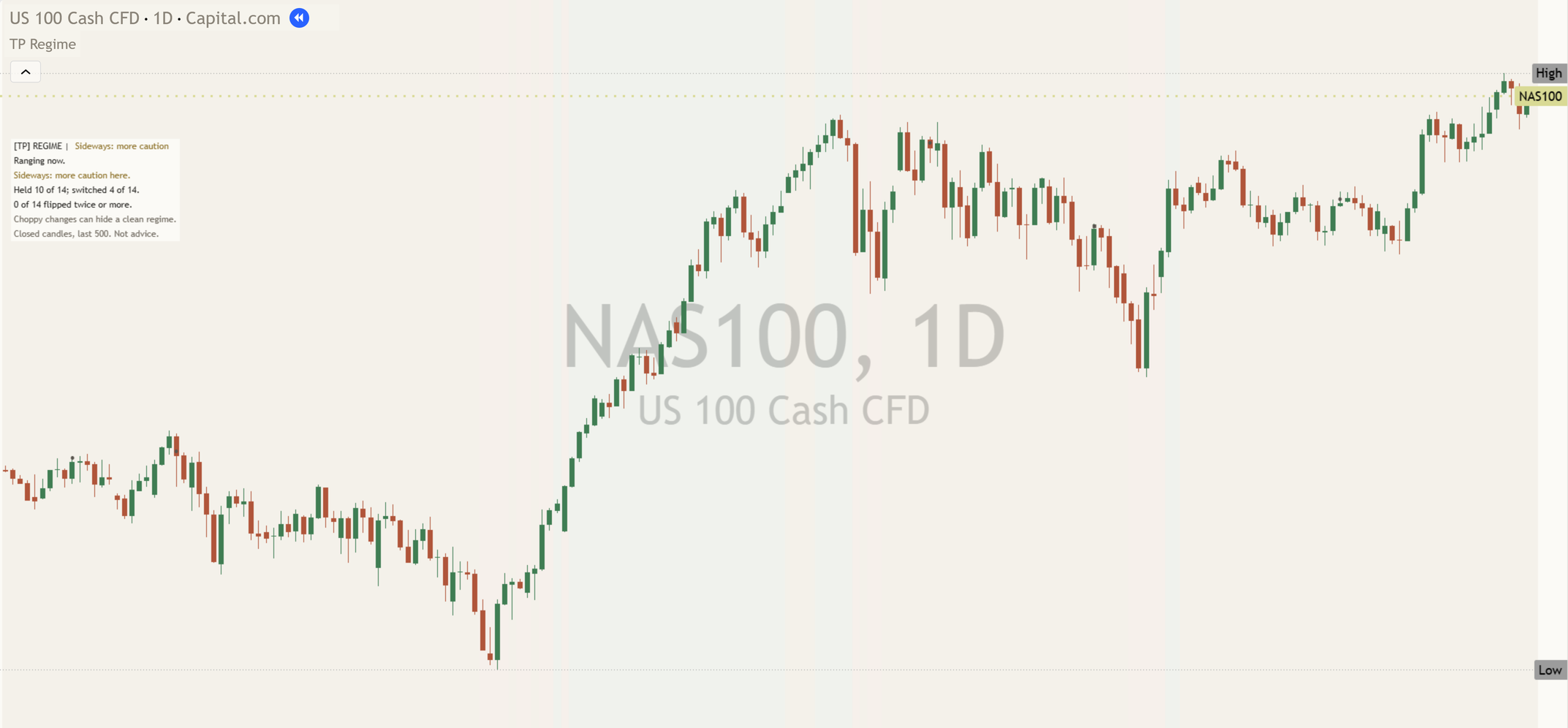
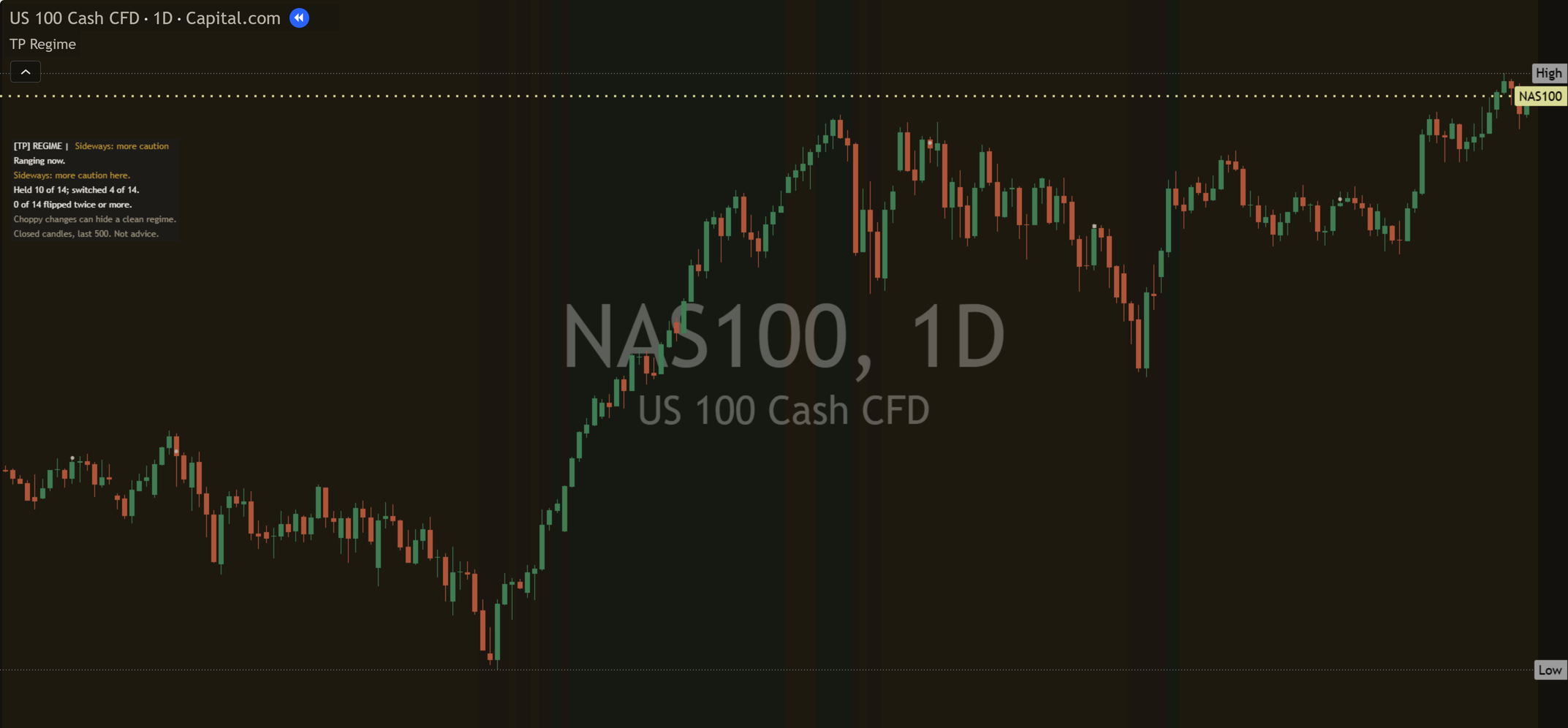
The panel opens with the answer: Up, Down or Sideways, and how strong it is (slight, moderate or strong), then why in words, as on a NAS100 15-minute replay: "Down, moderate" and "Why: a clean, steady trend down." When the two checks disagree, it keeps the last regime it showed at slight and says so ("Why: the uptrend is losing its shape.") instead of going blank.

It counts, it does not guess

It counts past changes like the current one on this chart, in its last 500 finished candles, and how many held. A real read, MSFT daily at the 16 Oct 2026 close: "Here: 11 of 11 held."

It does not call a direction

The header always gives a read, and the Wrong if line gives the price where it would be wrong. Strength is how much of the evidence agrees on this chart, not a forecast. The count is separate history on this chart.

Each part, up close

Trending up and trending down are treated the same way throughout. Every read has a mirrored version. The marks use neutral shapes, never arrows, so their meaning lives in the shape, not the colour.

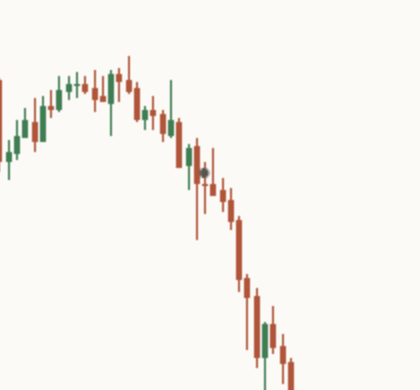
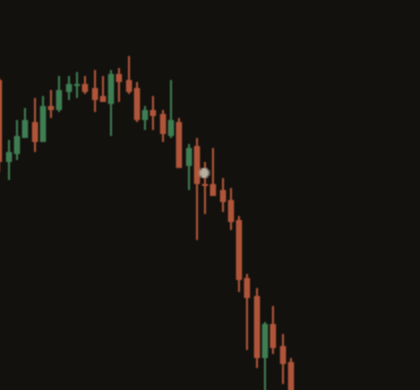
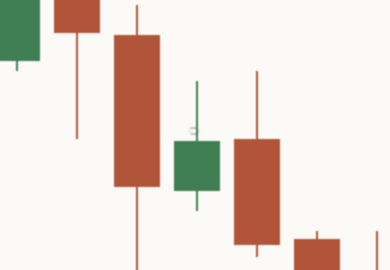
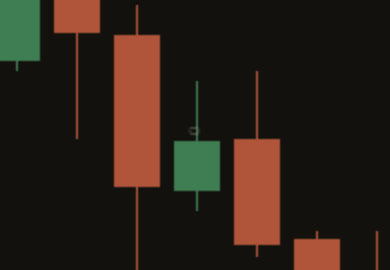
Close-up of a held mark on a light chart: a small filled circle at the close of the candle where the regime changed, with the trend that followed. Close-up of a held mark on a dark chart: a small filled circle at the close of the candle where the regime changed, with the trend that followed.

 Held regime

A regime change is a finished candle where the read moves into a trend (up or down) or into a range from a different kind of read, including from "No clear regime". A turn from trending up straight to trending down is not a new change.

After each change the indicator watches the next 10 finished candles. If the read never crossed between trending and ranging in that time (candles with no clear regime are ignored), the change gets a filled circle at the close of the candle where it began. Hover over it and the tooltip says "Held regime".

Back to the chart
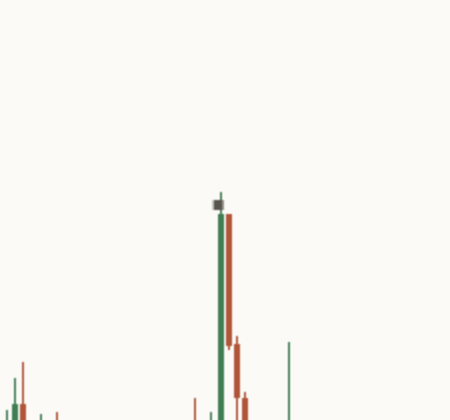
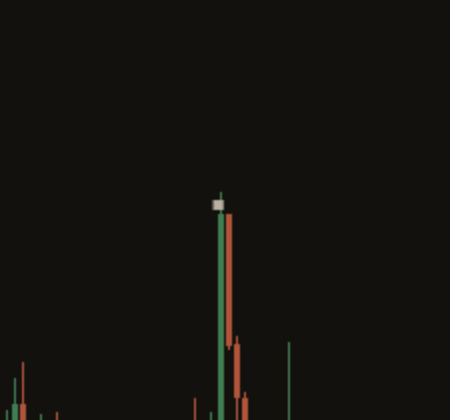
Close-up of a switched-back mark on a light chart: a small square at the close of the candle where a regime change began, with price returning to the old mode soon after. Close-up of a switched-back mark on a dark chart: a small square at the close of the candle where a regime change began, with price returning to the old mode soon after.

 Switched back

A square means the new regime did not settle: within the 10 candles the read crossed between trending and ranging once. A trend that faded into a range gets a square. So does a range that broke into a trend. The tooltip says "Switched back".

Back to the chart
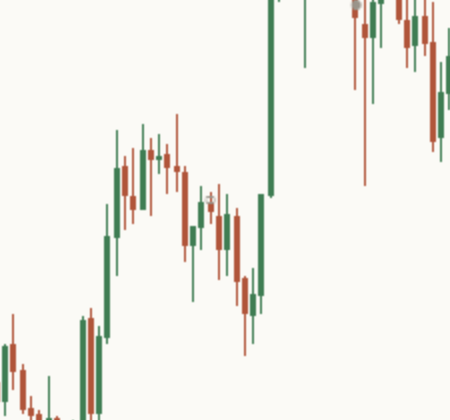
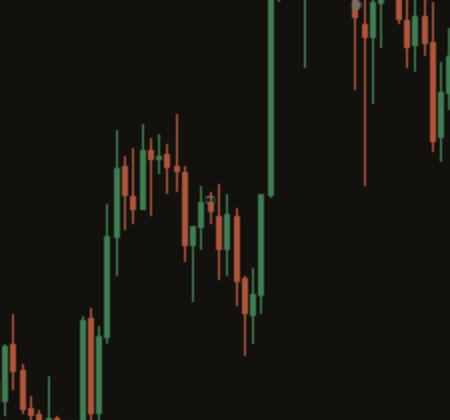
Close-up of a flipped-twice ring on a light chart: a small hollow ring at the start of a choppy stretch where the regime changed back and forth. Close-up of a flipped-twice ring on a dark chart: a small hollow ring at the start of a choppy stretch where the regime changed back and forth.

 Flipped twice

A hollow ring means the read crossed between trending and ranging two or more times in the 10 candles. That is chop: the market could not settle into one mode. The tooltip says "Flipped twice".

A mark appears only after its 10 candles have closed, so the newest 10 candles never carry a settled mark, and nothing moves once drawn. The chart shows marks for past changes like the current regime: changes into a trend on a trending chart, changes into a range on a ranging chart. "Past marks to show" sets how many (12 by default), and marks older than the newest 6 are lighter. "Mark past events" switches them off without changing the panel's counts.

Back to the chart
Close-up of the top of the Mentor panel on a light MSFT daily chart: the header [TP] REGIME | Up, slight, then Why: the uptrend is losing its shape. Close-up of the top of the Mentor panel on a dark MSFT daily chart: the header [TP] REGIME | Up, slight, then Why: the uptrend is losing its shape.

Header

The header reads "[TP] REGIME |" and then the read: Up, Down or Sideways, with slight, moderate or strong. Up is green, Down orange-red, Sideways gold, and a slight read is shown faded. The read changes only after 2 closes in a row; on the close before, the risk line says a change is coming. In the picture (MSFT daily, 22 Oct 2026) the read is "Up, slight", shown faded.

The panel never prints a percentage. It shows counts, so you can check them yourself.

Back to the chart
Close-up of the Compact Mentor panel on a light MSFT daily chart, 22 Oct 2026: [TP] REGIME | Up, slight. Why: the uptrend is losing its shape. Sideways risk: no clear regime this close. Wrong if: a close below 524.43. Regimes describe the last stretch only. Closed candles, last 500. Not advice. Close-up of the Compact Mentor panel on a dark MSFT daily chart, 22 Oct 2026: [TP] REGIME | Up, slight. Why: the uptrend is losing its shape. Sideways risk: no clear regime this close. Wrong if: a close below 524.43. Regimes describe the last stretch only. Closed candles, last 500. Not advice.

The Mentor panel

It sits at the top left of the price chart by default and moves to the bottom left when the highest candle on screen is in the left third. The picture is the MSFT daily chart at the top of this page, 22 Oct 2026, where the risk line says what could turn the read: "Sideways risk: no clear regime this close." On a clean trend the default Compact panel reads top to bottom like this (a NAS100 15-minute replay, 14 Oct 2026):

  • The header, always a read: "[TP] REGIME | Down, moderate"
  • Why: "Why: a clean, steady trend down."
  • The main risk to the read: "Failure risk: a new trend, only 2 bars old."
  • Where the read would be wrong: "Wrong if: a close above 30659.4."
  • This chart: "Here: 12 of 13 held."
  • The limit, one of three lines: "Ten candles settle each past change."
  • The footer: "Closed candles, last 500. Not advice."

Under 8 past changes here, the "Here" row says "Too few here to count yet (n)." A Sideways read also shows its range, for example "Range: 30542.0 to 30611.3 (last 14)." When the two checks disagree, the header keeps the last regime it showed at slight, with "Sideways risk: no clear regime this close.", and the count and marks drop out. More on what it says to you at every level.

Back to the chart

The count: this chart only

The panel's count is this chart's own: "Here: n of m held." It looks at past changes like the current one in the last 500 finished candles and counts how many held for the next 10 candles. Every number on the panel comes from the chart it sits on.

Under 8 past changes it says "Too few here to count yet (n)." With no clear regime on the close, the count drops out. The count is history; the header read comes from the chart now.

Back to the chart

The Full panel

"Panel detail" on Full adds two rows. First, what backs the read, for example "Backing: Daily agrees, trends held." or "Backing: this chart only." Then the legend, when the marks are on: "● held ■ switched ○ flipped twice".

Back to the chart
Close-up of the faint still-open ring on a light chart, at a recent regime change whose 10 candles have not finished. Close-up of the faint still-open ring on a dark chart, at a recent regime change whose 10 candles have not finished.

Still-open change, off by default

"Show still-open event" adds one faint ring at a change whose 10 candles are still running. Its tooltip says "Still open, not counted yet". It is not in the counts until its window closes, and then it becomes a circle, a square or a ring like the rest.

Back to the chart
Close-up of the optional chart tint on a light chart: a faint wash of the regime colour behind the candles. Close-up of the optional chart tint on a dark chart: a faint wash of the regime colour behind the candles.

Chart tint, off by default

"Show chart tint" washes the chart in the regime's colour: green for trending up, orange-red for trending down, gold for ranging and for no clear regime. It repeats what the panel already says in words. "Tint strength" sets how faint it is (94 by default, higher is lighter).

Back to the chart

Two panel layouts

Compact (default)

The header read, Why, one risk line, Wrong if (a Sideways read also shows its range), this chart's own count, one limit line and the footer.

Full

Everything in Compact, plus what backs the read ("Backing: this chart only.") and the mark legend.

Optional extras

The default chart keeps the settled marks and the panel. Switch these on or off when you want them.

Still-open ring

One faint ring at a change that is still being watched. Off by default.

Chart tint

A faint wash of the regime colour, with its own strength. Off by default.

Mark past events

On by default. Off removes every mark and leaves the panel's counts unchanged.

Theme

Auto follows your chart background. Light uses Paper and Dark uses Ink. No free colour pickers.

How the Mentor helps you at every level

Same indicator, same panel. What you take from it grows with you. The quoted lines are the panel's own words. Counts come from real charts, named beside each quote.

  1. Level 1

    Beginner

    What gets in the way

    • Not knowing whether the chart is trending or ranging.
    • Using a trend tool in a range, where it flips again and again.
    • Colours on the chart with no words to say what they mean.

    The habit it builds: naming the regime in words before reading anything else.

    What the Mentor says

    The read"Why: a clean, steady trend up."

    The read, the other mode"Why: ranging, the candles overlap a lot."

  2. Level 2

    Intermediate

    What gets in the way

    • Reading the candle that is still open as if it had closed.
    • Forgetting that a longer timeframe can be in another mode.
    • Treating "no clear regime" as a fault instead of an answer.

    The habit it builds: finished candles only, and your own look at the higher timeframe.

    What the Mentor says

    Limit"Ten candles settle each past change."

    Unclear"Why: the uptrend is losing its shape."

  3. Level 3

    Advanced

    What gets in the way

    • Treating a count of past changes as a promise about the next candles.
    • Trusting a handful of past changes on one chart.
    • Reading a high count from a handful of changes as if it were a sure thing.

    The habit it builds: reading the regime and this chart's own count as one thought, and asking how many changes the count rests on.

    What the Mentor says

    This chart, MSFT daily, 16 Oct close"Here: 11 of 11 held."

    Too few past changes"Too few here to count yet (n)."

  4. Level 4

    Expert

    What gets in the way

    • Fatigue: the tenth chart of the day gets less care than the first.
    • Forgetting that the counts belong to this chart and this timeframe only.
    • Tuning the settings until an old chart looks clean.

    The habit it builds: a steady second pair of eyes: the same plain read on every chart, with its limit every time.

    What the Mentor says

    Limit"Choppy changes can hide a clean regime."

    Limit"Regimes describe the last stretch only."

It reads every regime

Trending up Strong, clean moves higher

Named, then counted on this chart.

"Up" / "Why: a clean, steady trend up."

Trending down Strong, clean moves lower

Read exactly the same way, mirrored.

"Down" / "Why: a clean, steady trend down."

Ranging or unclear Weak moves, overlapping candles

Its own answer, never forced into a trend.

"Sideways" / "Why: ranging, the candles overlap a lot."

Three things to remember

  1. Name it first. Trending up, trending down, ranging, or no clear regime. Say it before anything else.
  2. Check what the count rests on. "Here: 11 of 11 held." is 11 past changes on one chart. Strong-sounding, still a small sample.
  3. History, not a promise. The count describes past changes on this chart. The next change can go either way.

Honest about timing, honest about limits

Why it waits for the close

A regime read on an open candle can change before the close. So the regime, the counts, the marks and the alerts all use finished candles. A past change is only counted once its 10 candles have closed, so a mark appears late and never moves.

What it does not do

No arrows, no percentages in the panel, no colour without words, and no claim that a regime will last. The read comes from averages of past candles, so it lags: a new trend is named after it has started, and a range after it has formed. Every number on the panel comes from this chart and timeframe only, over the last 500 finished candles.

Different settings give different reads on the same chart. None is wrong: they draw the line between trend and range in different places.

Titan research

We tested this rule on 198 markets offline. This is our research, not something the indicator reads on your chart.

On daily candles from 198 markets, January 2020 to October 2026, 85 in every 100 changes into a trend held for the next 10 candles. Yet 87 in every 100 random candles that were already trending also stayed trending. Ranges were 86 against 86. On one-hour candles from 200 markets, October 2025 to October 2026, trends were 92 against 92 and ranges 75 against 76. In plain words, a fresh change into a regime was no better guide than a candle already in it. That is one reason the Mentor does not call a direction.

XAUUSD four-hour chart with the Regime Mentor, 22 Oct 2026: the Mentor panel at the top left reads [TP] REGIME, Sideways, slight. Why: the range is loosening, no trend yet. Range: 4066.800 to 4155.570 (last 14). Failure risk: past the Wrong if price. Wrong if: a close outside that range.
Gold, four-hour, default settings, 22 Oct 2026: "Sideways, slight". A Sideways read shows its range, "Range: 4066.800 to 4155.570 (last 14).", and "Wrong if: a close outside that range."
The Compact Mentor panel on a light MSFT daily chart, 22 Oct 2026: [TP] REGIME | Up, slight. Why: the uptrend is losing its shape. Sideways risk: no clear regime this close. Wrong if: a close below 524.43. The Compact Mentor panel on a dark MSFT daily chart, 22 Oct 2026: [TP] REGIME | Up, slight. Why: the uptrend is losing its shape. Sideways risk: no clear regime this close. Wrong if: a close below 524.43.
The same panel on MSFT daily, 22 Oct 2026: "Up, slight", "Wrong if: a close below 524.43." Up gives a price below; Sideways gives its range.

Settings

The defaults work out of the box. These are the ones worth knowing.

On a small screen, swipe the table sideways to see every column.
SettingWhat it doesDefault
Direction and strength length / Strength smoothingHow many candles judge direction and strength, and how much the strength check is smoothed. Longer is steadier and turns later.14; 14
Range check lengthHow many candles are checked for overlap. More candles make the range read steadier and slower.14
Clear trend strengthThe least strength needed for a trend. Raising it makes clear trends less common.25
Trend overlap ceiling / Range overlap floorThe most overlap a trend may have, and the least a range needs. The ceiling must sit below the floor, or the panel reads "Settings need a fix".50; 55
Show chart tint / Tint strengthA faint wash of the regime colour behind the chart, and how faint it is (80 to 100, higher is lighter).Off; 94
Mark past events / Past marks to showThe circle, square and ring at past changes like the current regime, and how many to show (0 to 30). Marks older than the newest 6 are lighter.On; 12
Show still-open eventOne faint ring at a change that is still being watched.Off
Show Mentor / Panel detailShows or hides the panel. Compact keeps the core read. Full adds the change condition and the legend.
CompactFull
On; Compact
Panel positionAuto moves between the top left and the bottom left to keep recent price clear.
AutoTop LeftBottom Left
Auto
Panel text sizeThe size of the words in the panel. Tiny stays compact on phones.
TinySmallNormalLarge
Tiny
ThemeAuto follows your chart background. Light uses Paper and Dark uses Ink.
AutoLightDark
Auto

Every setting has a small (i) next to it. Hover over it, or tap it on a phone, and it explains that setting in plain English, right there on your chart.

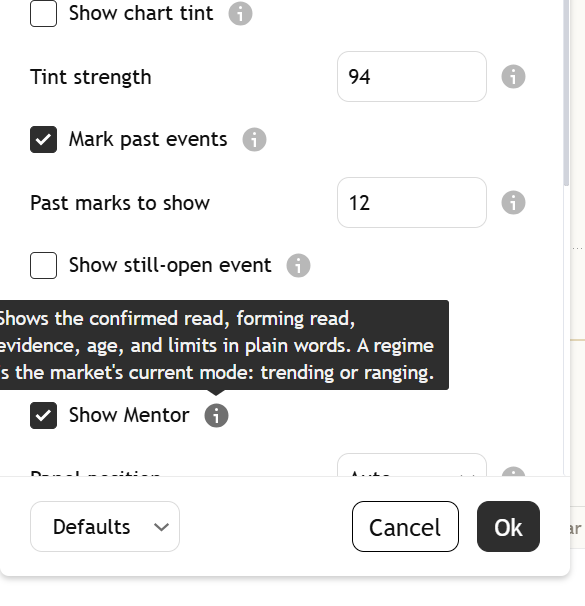
Regime mentor settings tooltip
The (i) next to Show Mentor, opened. Captured from the published script.
See the whole settings window

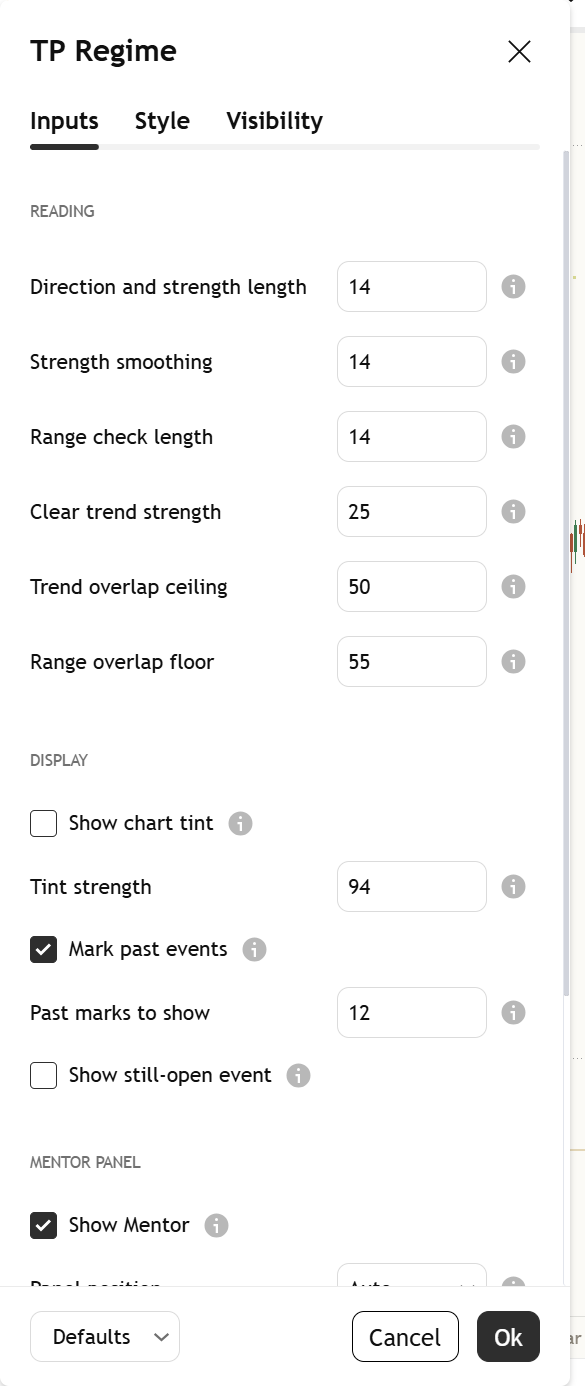
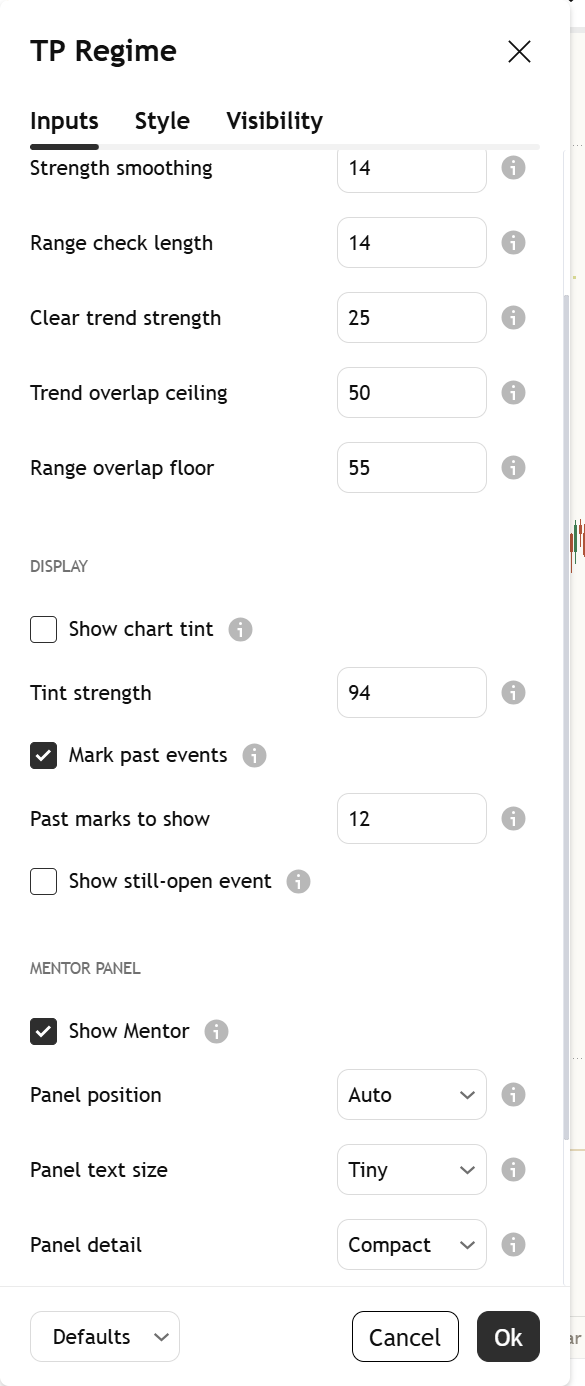
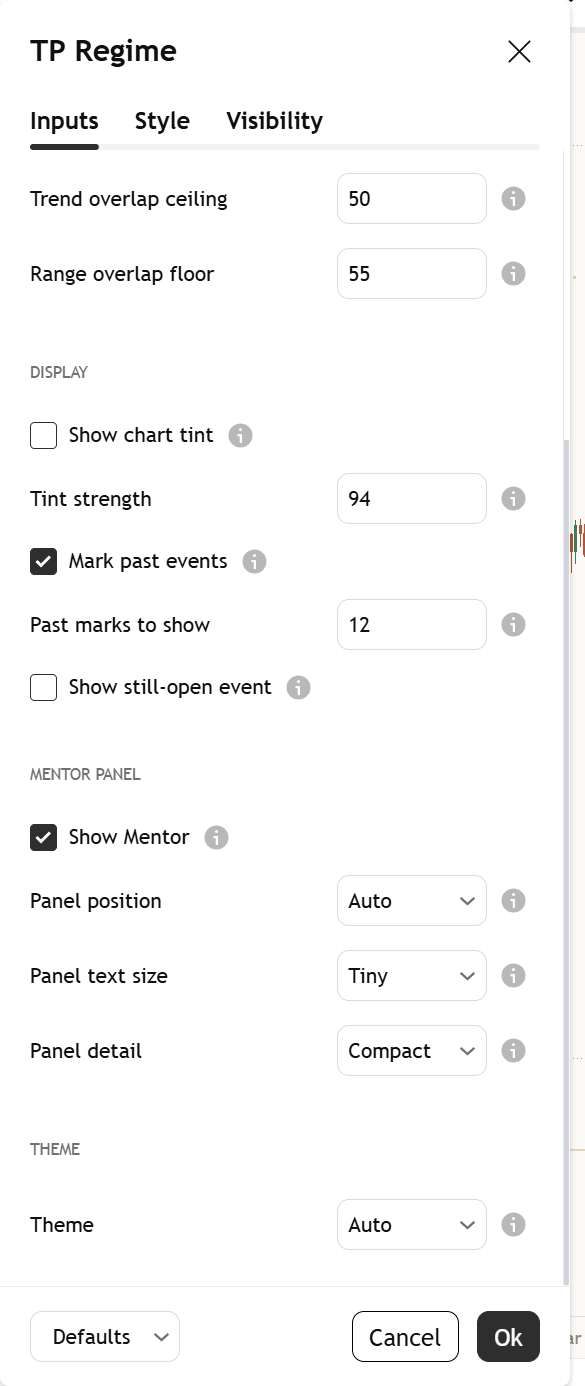
Open it by double-clicking the indicator's name on your chart. Top to bottom, at the defaults:

Settings, part 1: the Reading group: Direction and strength length, Strength smoothing, Range check length, Clear trend strength, Trend overlap ceiling and Range overlap floor.
1. Reading
Settings, part 2: the Display group: Show chart tint, Tint strength, Mark past events, Past marks to show and Show still-open event.
2. Display
Settings, part 3: the Mentor panel group (Show Mentor, Panel position, Panel text size, Panel detail) and the Theme group.
3. Panel and theme
Light or dark, it matches

The indicator's colours come in a warm light and a warm dark palette. Light uses Paper and Dark uses Ink. With "Theme" on Auto, the Mentor reads your chart background and picks the right one. There are no free colour pickers, so the chart never turns into a rainbow.

Alerts

Each alert says what changed and waits for the candle to close. Four conditions are in TradingView's alert dialog. None of them tells you what to do.

  • State changed to trending upRegime Mentor changed to trending up on a closed bar.
  • State changed to trending downRegime Mentor changed to trending down on a closed bar.
  • State changed to rangingRegime Mentor changed to ranging on a closed bar.
  • State changed to no clear regimeRegime Mentor changed to no clear regime on a closed bar.

Open TradingView's alert dialog, pick this indicator in the condition box, and choose the condition by name. Each alert uses the same finished-candle regime as the panel.

Learn more

Start with the lesson, then watch the indicator explained.

Watch it explained

Video · 2:32How to read [TP] Regime - MentorEvery part of the indicator, one at a time, on real charts: the circle, square and ring marks, the header, the count on your chart, and what the Mentor panel is telling you.
Video · 2:21Trending or ranging? Market regimes explainedWhat a regime is, how strength and overlap tell a trend from a range, and why a count of the past is history, not a promise, in plain English. Concept first, then the indicator. Read the full lesson

One concept, read well

[TP] RSI - Mentor, [TP] Volume - Mentor, [TP] Market Structure - Mentor, [TP] Trend - Mentor, [TP] VWAP - Mentor, [TP] Fibonacci - Mentor, [TP] MACD - Mentor, [TP] Bollinger Bands - Mentor, [TP] Regime - Mentor, [TP] Market Board - Mentor, [TP] Order Blocks - Mentor, [TP] Support and Resistance - Mentor, [TP] Volume Profile - Mentor and [TP] Elliott Wave - Mentor each read one thing deeply, for free. Markets rarely move on one thing. The full Titan suite reads them together: momentum, volume, trend structure and flow, combined into one plain-English read.

Questions

Is it free?

Yes. [TP] Regime - Mentor is free on TradingView. Add it from the Indicators menu. Nothing is locked.

What is a regime?

The mode the market is in. Trending means price has been moving one way with strength, and the candles cover new ground. Ranging means weak direction and candles that overlap, so price goes back and forth. When the two checks disagree there is no clear regime on that close; the header then keeps the last regime it showed, at slight, and says so.

How does it tell a trend from a range?

Two checks. Strength is Wilder's directional strength, the idea behind ADX: 25 or more by default counts as a clear trend. Overlap is how much the candles cover the same ground, from 0 to 100: a trend needs 50 or less, a range needs 55 or more. In between, or when strength and overlap disagree, there is no clear regime on that close, and the header keeps the last regime it showed at slight.

What does the header read mean?

It is the most likely of up, down or sideways from the regime read on this chart now, with how much of the evidence agrees: slight, moderate or strong. It is a read, not a forecast, and the Wrong if line gives the price where it would be wrong. The count of past changes on this chart is separate history. Our own offline research points the same way (see Titan research), but the panel never shows those figures.

Where do the panel's numbers come from?

From the chart it sits on. The "Here" row is this chart's own count from its last 500 finished candles. Under 8 past changes it says "Too few here to count yet (n)." Nothing on the panel comes from other markets or from a stored study.

Why are there no counts when there is no clear regime?

The panel counts past changes like the regime the chart is in now. With no clear regime on the close there is nothing to match, so the "Here" row and the marks drop out. The header keeps the last regime it showed at slight, with "Sideways risk: no clear regime this close."

Does it repaint?

No. The regime, the counts, the marks and the alerts all wait for the candle to close. A mark appears only after its 10 candles have closed and never moves.

Does it tell me when to act?

No. It describes which mode the market is in and what past changes like it did. It lags, and it cannot see what comes next. Decisions stay with you.

The panel takes up too much room. What can I do?

Compact, the default, keeps the core read short. "Panel text size" starts at Tiny, "Panel position" offers Auto, Top Left and Bottom Left, and "Show Mentor" switches it off.

Get our weekly market brief free.